Chapter 4
Troubleshooting
P/N 57150002, Revision 4.0 4 - 5 Trimble S6, S8, VX, SPS & RTS Service Manual
F
Track Unit Status
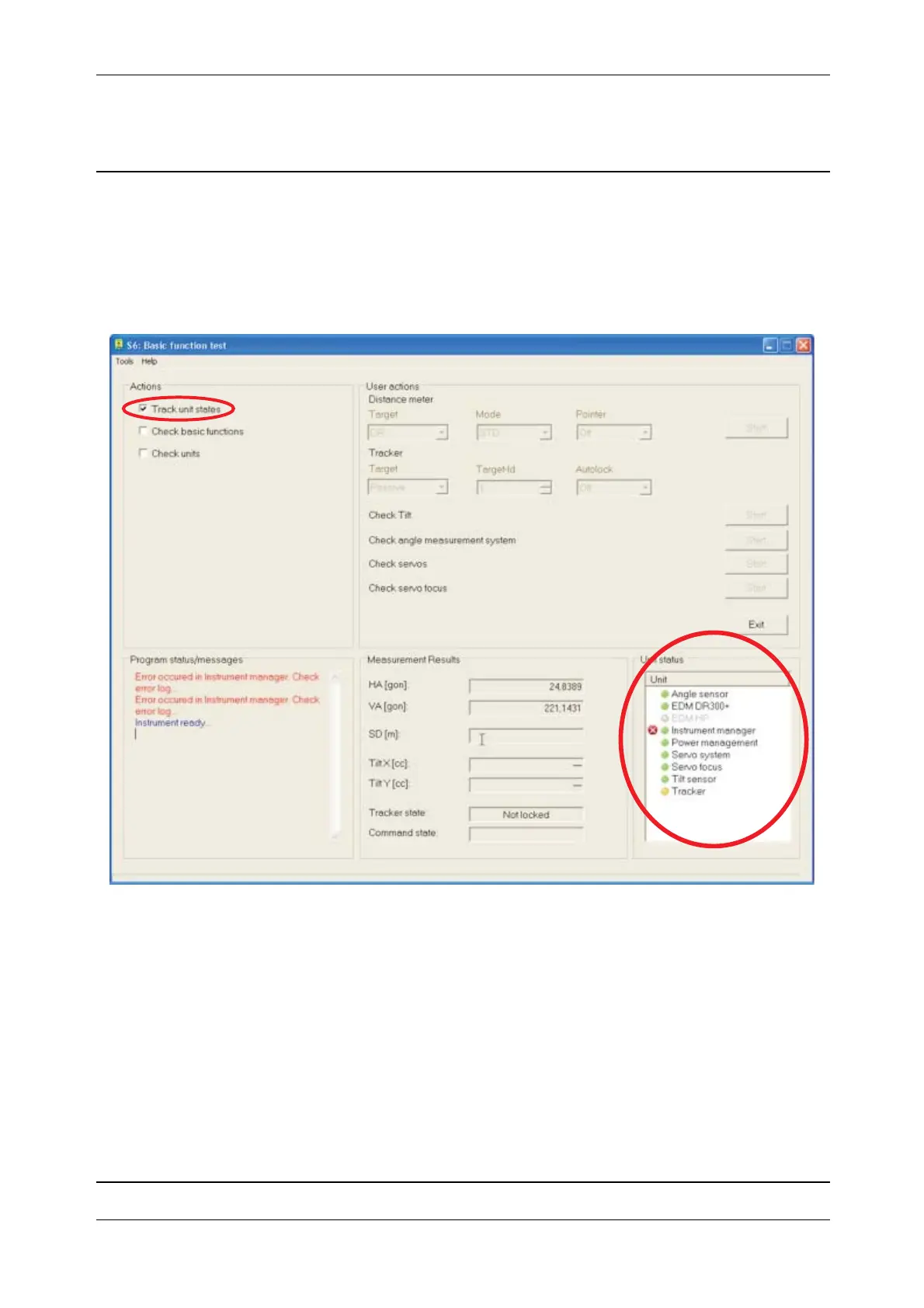
Select Track units states check box.
The unit status report of the sensors is shown in the Unit status window.
Fig. 4-4 Track unit states
Unit status report:
Green colour Sensor is registered and the initialization is successful.
Yellow colour Sensor is registered but the initialization failed.
Grey colour Sensor is not registered or doesn’t exist.
Red light Instrument manager recognizes at least one entry in the Event log file. It is
recommended to evaluate the Event log file.



 To Next Page