Chapter 6
Adjustment and verification
Trimble S, VX, SPS & RTS Service Manual6 - 128 P/N 57150002, Revision 5.0
F
Determination of reticle collimation “c” and “i”
Performance
Item Performance Description Result Notes
1 Start up instrument /
PASS.
See page 7-3 how to set-
up the instrument.
2 Start the test. A. Place the instrument
on the collimator
bench.
B. Select
Reticle
adjustment
from
Reticle in Maintenance
& Service
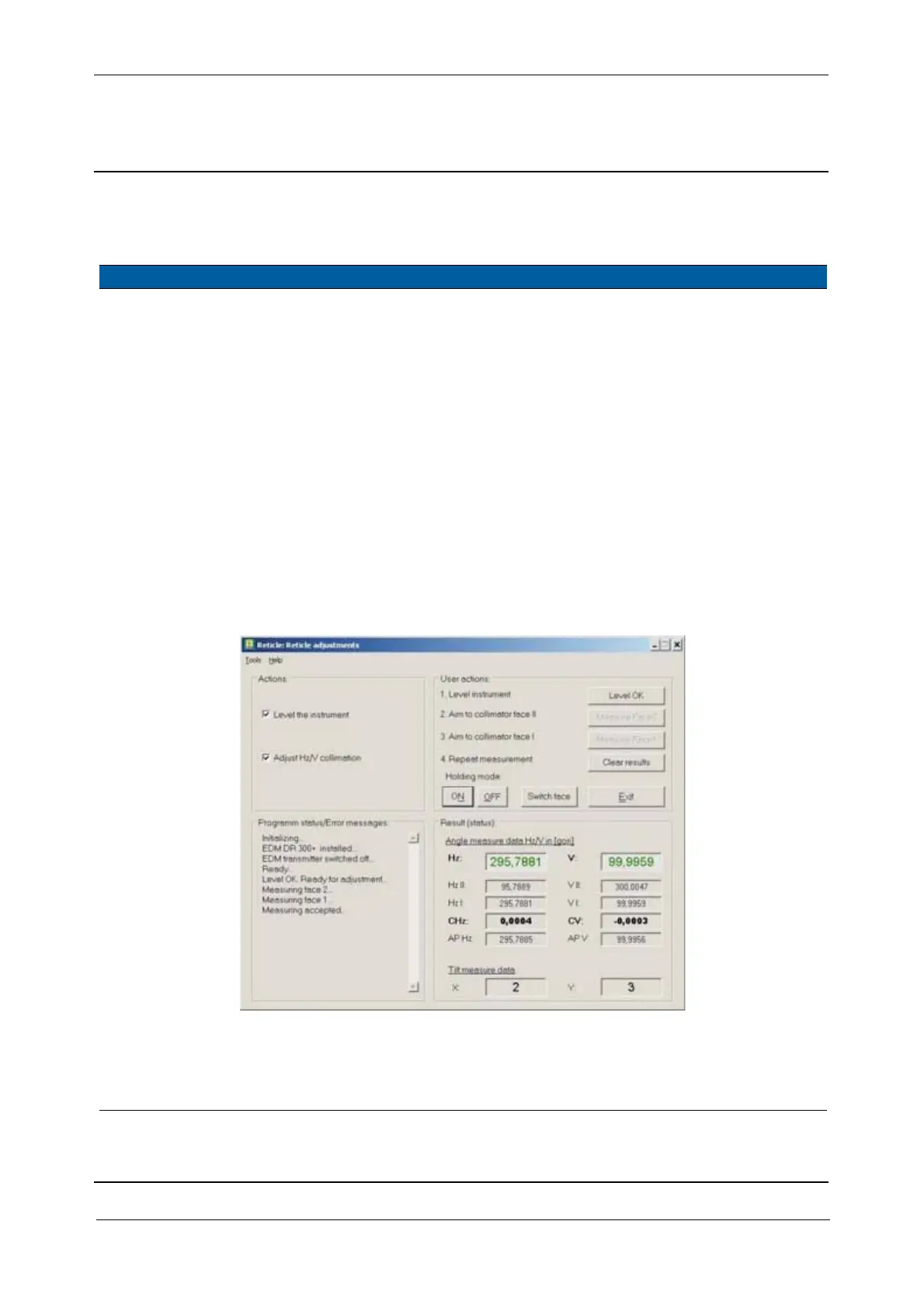
, see Fig. 6-
140 on page 6-128
C. Select
Level the
instrument
check box.
D. Level the instrument
and click
Level OK.
E. Click to
Holding mode
ON
Fig. 6-140 Reticle adjustment.
3 Aim to the collimator
in second face.
A. Aim to the collimator.
B. Click
Measure Face2.
The angle values
for Hz II and V
II are displayed.
Do not remove the
unit or change the
level before the next
measurement is done.



 To Next Page