Chapter 3
Theory of Operation
Trimble S, VX, SPS & RTS Service Manual3 - 28 P/N 57150002, Revision 5.0
F
Function description Face2 panel
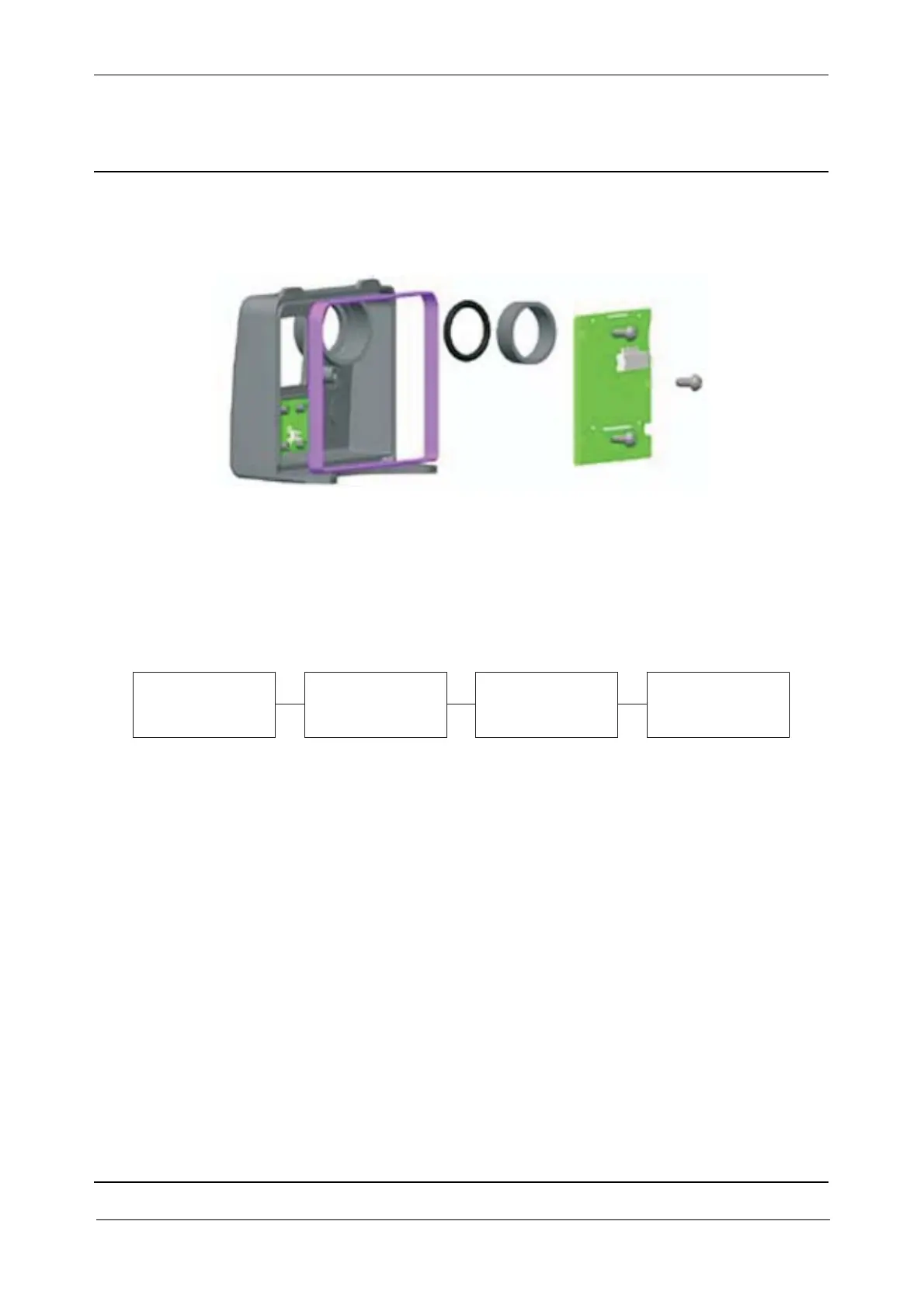
Fig. 3-27 Face2 display unit exploded
The Face2 panel includes:
• F2D board & display
• Back cover incl. keyboard
• Hole for optical plummet incl. seal
Fig. 3-28 Face2 panel block diagram
The keyboard (Face2 Buttons) is connected to the IPC board via F2D and PSM boards.
F2D board & display
The F2D board (Face2 Display board) contains a LCD Display Module with back illumination.
The F2D/LCD data signals are fed from the IPC Board via the PSM Board.
Back cover incl. keyboard
The keyboard is a 3 push-button to control the Display. The back cover is connected to F2D board
with a 4-pin board-to-board connector.
Face 2 panel compatibility
The face2 panel exists in two versions, one with a new display requiring firmware R2.1.0 or higher.
When replacing the face2 panel it is necessary to update face2 panel settings, see page 6-20.
Wrong setting will only cause the face2 panel to show wrong characters, update the setting and the
face2 panel will work correctly.
Keyboard
Back cover incl.
& display
F2D board
PSM board IPC board



 To Next Page