Chapter 5
Maintenance and Repair
Trimble S, VX, SPS & RTS Service Manual5 - 38 P/N 57150002, Revision 5.0
F
Face 2 panel
• Optical plummet replacement
• Face 2 panel replacement
• Pressure sensor replacement
Tools and equipment
Optical plummet replacement
Performance
Description Part number
Isoflex 3000 (grease) R71905945
Torque wrench 120 Ncm T71600280
Torx T8 & T10 bit Local tools
Item Performance Action Results Notes
1 Remove servo side
cover.
See page 5-15.
2 Remove IPC board. See page 5-17.
3 Replace optical
plummet.
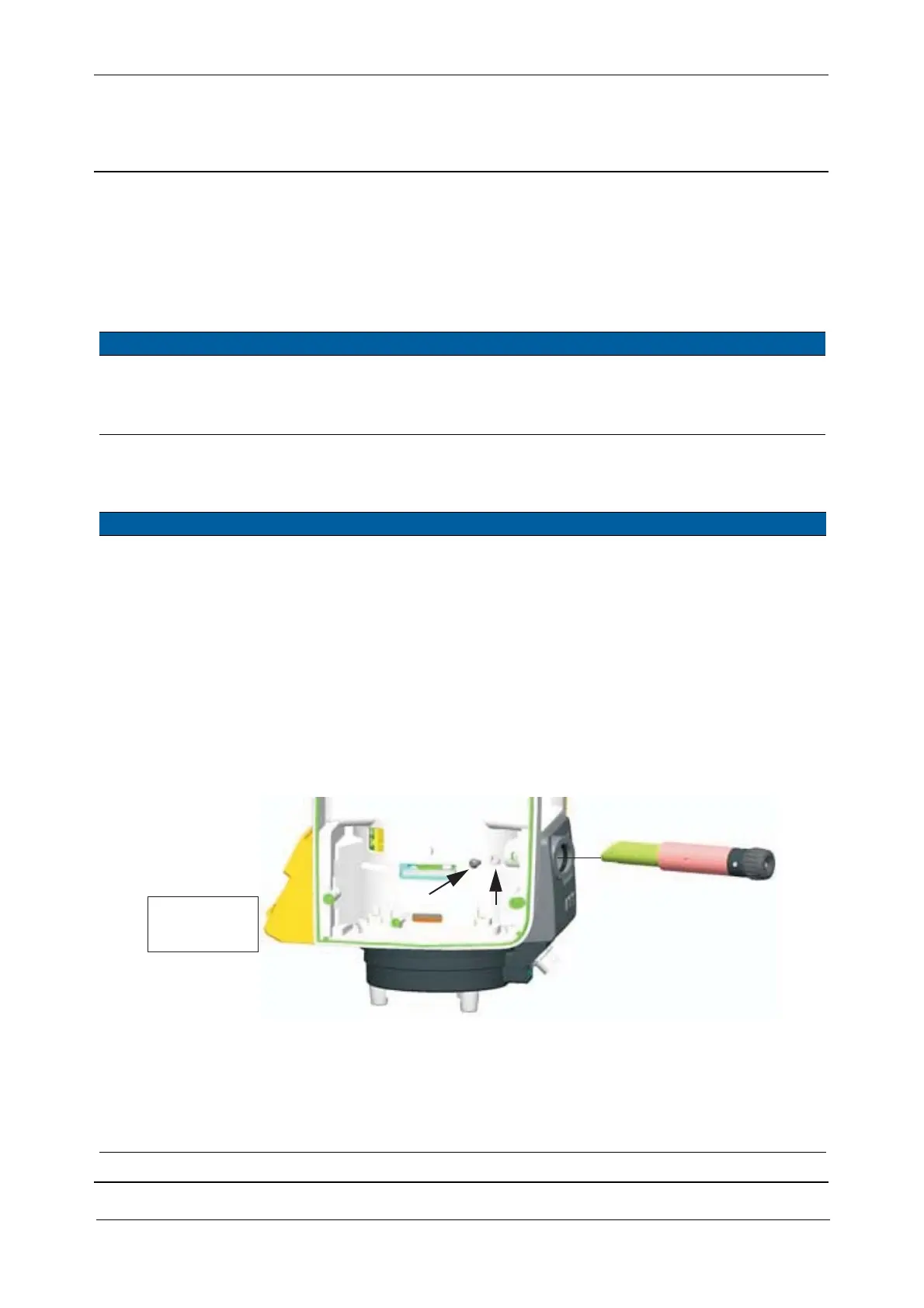
A. Loosen the locking
screw.
B. Replace optical
plummet, see item 4 if
it is necessary to apply
grease.
C. Lock the locking
screw.
50 Ncm. A washer is mounted
inside the screw.
Use a torque wrench
with a torx T10 bit.
Fig. 5-36 Optical plummet replacement
4 Optional - Clean and
grease optical
plummet.
A. Remove the optical
plummet, See page 5-
38
B. Clean surface.
C. Apply thin layer of
Isoflex 3000 grease.
Use alcohol/water to
clean the surface.
Locking screw
Washer
50 Ncm /
4.4 lbfin



 To Next Page