Chapter 5
Maintenance and Repair
Trimble S, VX, SPS & RTS Service Manual5 - 40 P/N 57150002, Revision 5.0
F
Pressure sensor replacement
Performance
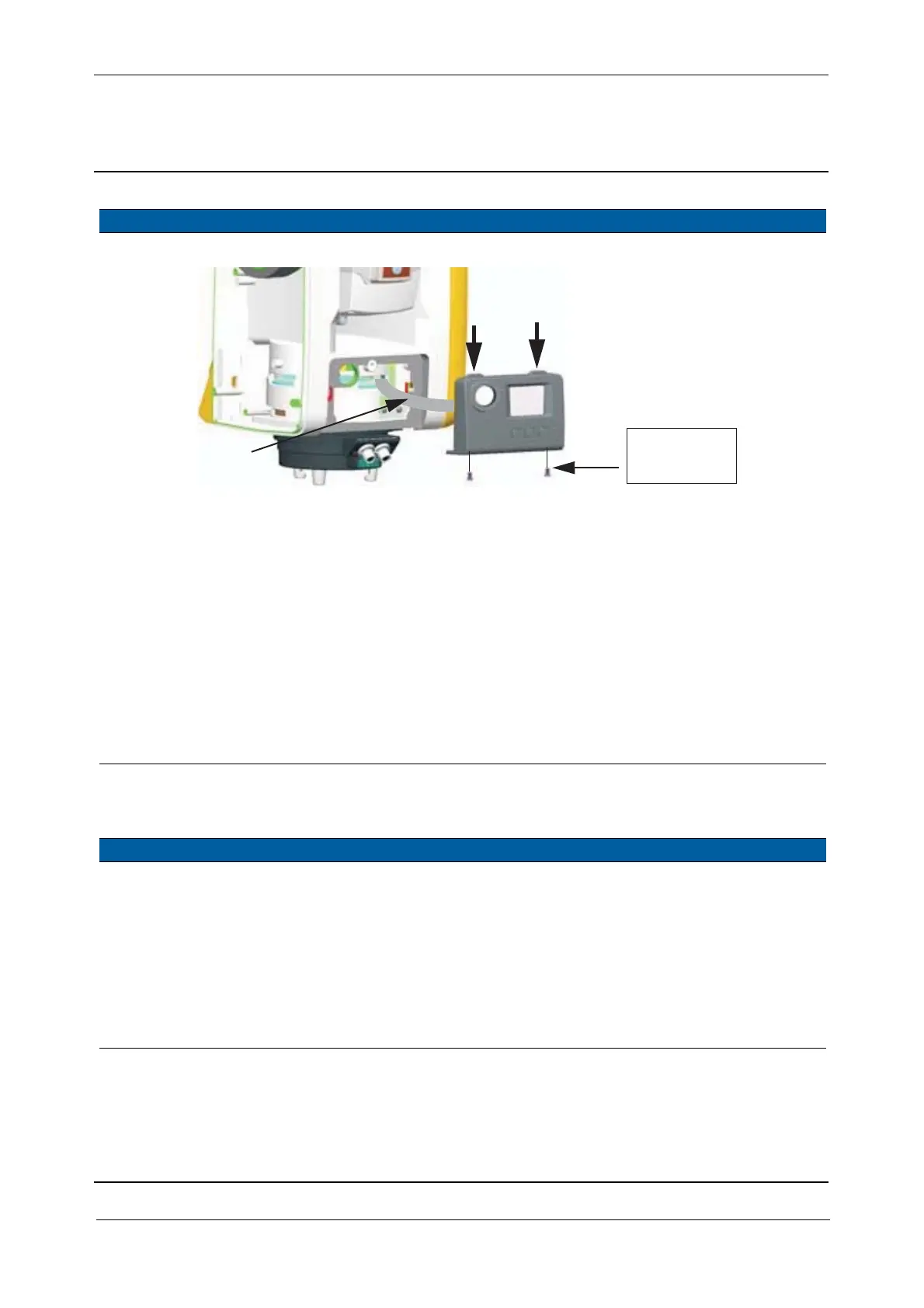
Fig. 5-38 Face 2 panel replacement
3 Mount optical
plummet.
See page 5-38.
4 Align optical
plummet.
See page 6-22.
5 Mount servo side
cover.
See page 5-15.
6 Change face 2 panel
setting if necessary.
If replacement from old to
new face 2 panel or vice
versa is made change the
version setting in
instrument, see page 6-20.
Face 2 panel versions:
1 “New” is marked
C00/02 - 01
0 “Old” is marked
C00/01
Item Performance Action Results Notes
1 Remove face 2 panel. See page 5-39.
2 Replace Pressure
sensor.
A. Disconnect the cable
on the PSM board
B. Remove the two
screws and contact
spring.
C. Replace sensor.
D. Mount contact springs,
screws and cable.
35 Ncm. Use a torque wrench
with a torx T8 bit.
Item Performance Action Results Notes
Cable
Hook
35 Ncm /
3.1 lbfin



 To Next Page