Chapter 6
Adjustment and verification
Trimble S, VX, SPS & RTS Service Manual6 - 14 P/N 57150002, Revision 5.0
F
TCU Attachment with USB
• Test USB function on TCU attachment
• TCU connection
Tools and equipment
Test USB function on TCU attachment
Performance
Description Part number
PASS service software
TCU
Item Performance Action Results Notes
1 Start up the
instrument.
A. Mount TCU on the
instrument.
B. Connect USB memory
stick to the TCU
attachment.
C. Connect power and
power up instrument.
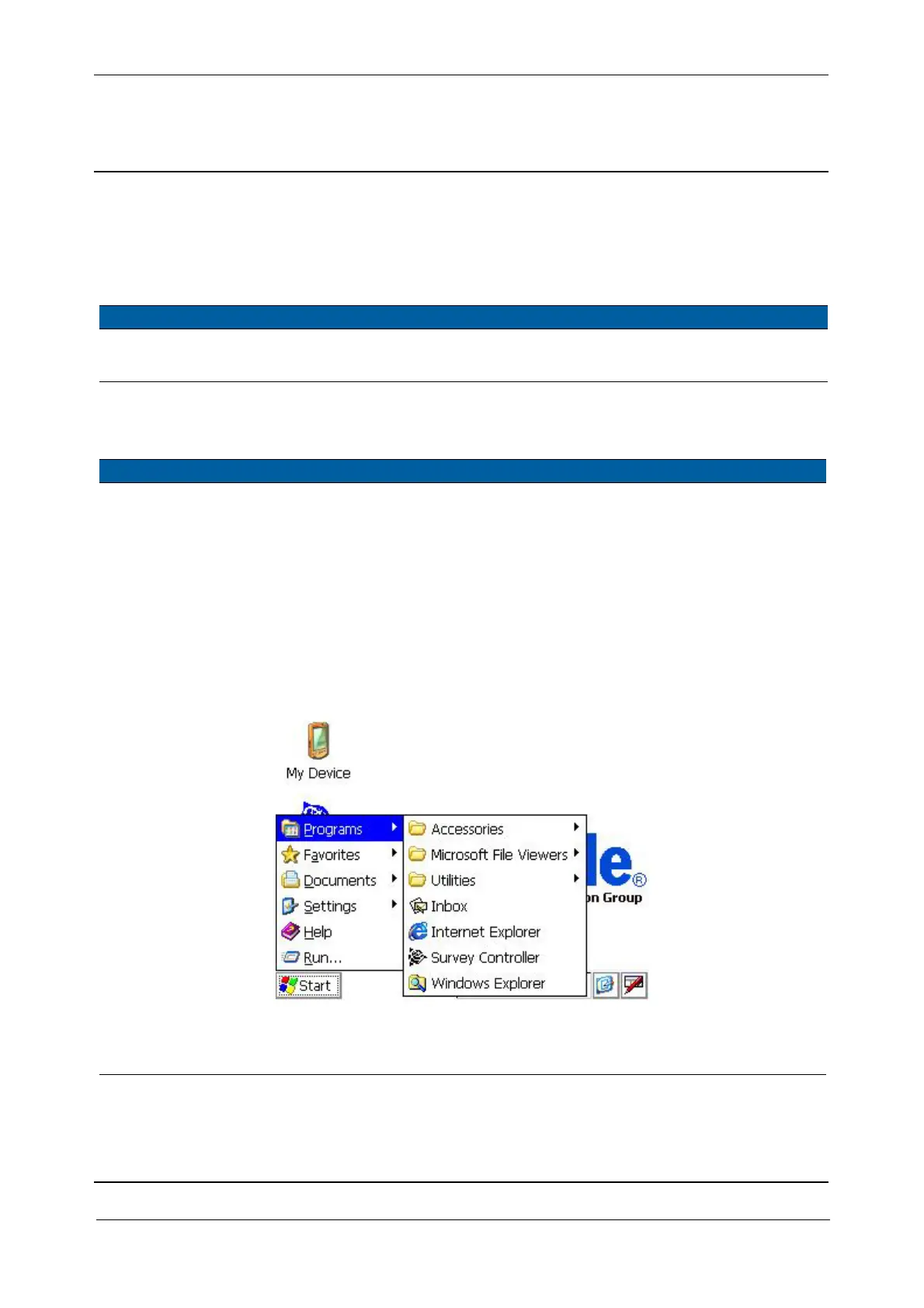
2 Start Windows
Explorer on TCU.
From TCU start menu
select Start/Programs/
Windows Explorer.
Fig. 6-9 Starting Windows Explorer
3 Verify USB memory
stick connection in
TCU.
Verify Hard Disk appears
in Explorer window.
Hard Disk is the USB
Memory stick.



 To Next Page