Chapter 5
Maintenance and Repair
Trimble S, VX, SPS & RTS Service Manual5 - 24 P/N 57150002, Revision 5.0
F
Control Panel
• Control panel Removal / mounting
• Back cover and/or sealing replacement
• IAB Board replacement
• Quimby board replacement
• Display and/or display gasket replacement
• KBDQ Board and/or Keyboard replacement
• Loudspeaker replacement
Tools and equipment
Control panel Removal / mounting
Performance
Description Part number
Tool for display sealing 59002010
Torque wrench 3 Ncm R71600278
Torque wrench 120 Ncm T71600280
Torx T6, T8 & T10 bit Local tools
Item Performance Action Results Notes
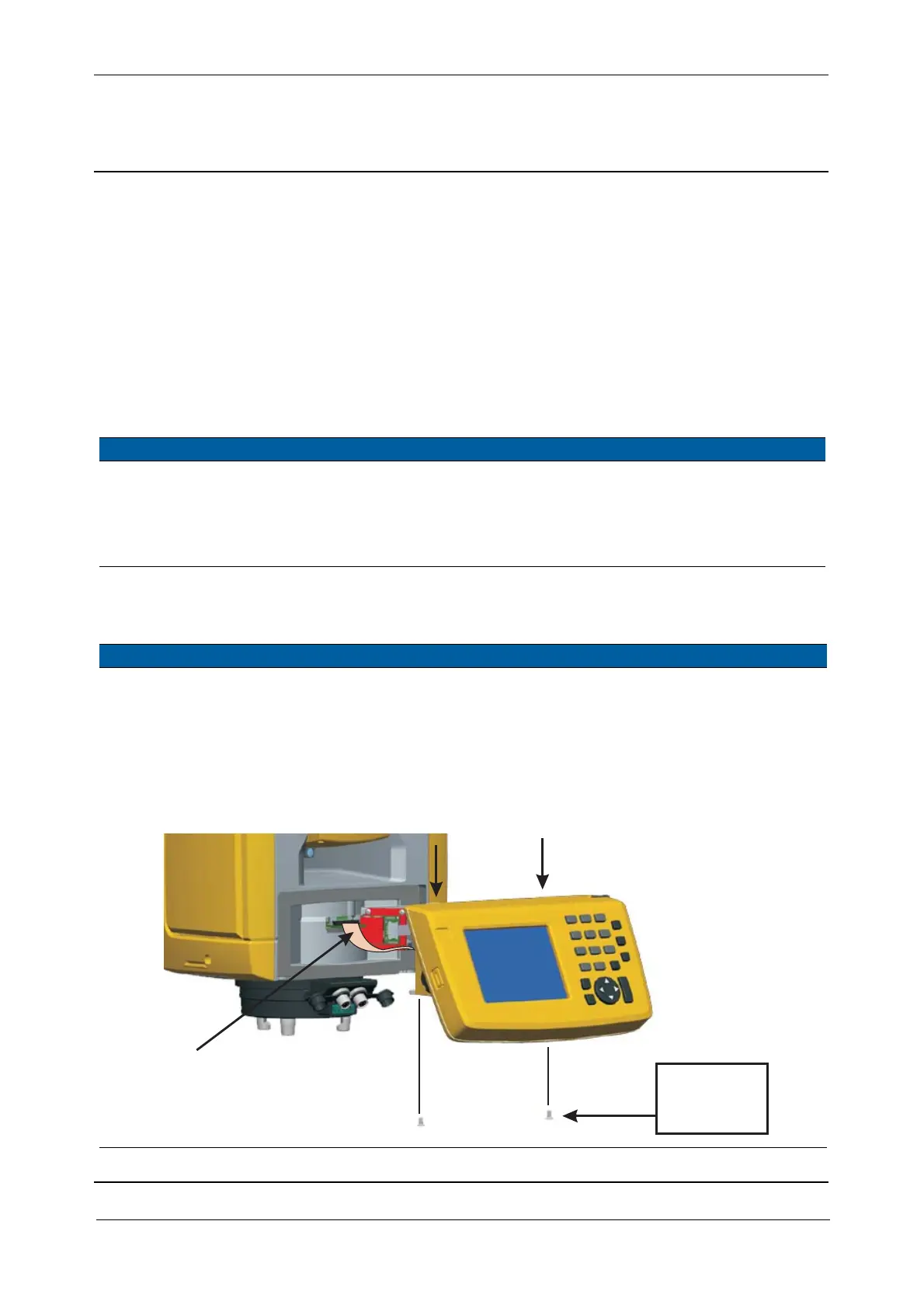
1 Remove control panel
from instrument
A. Remove the two
screws holding the
control panel to the
alidade
B. Disconnect the
cable from PSM
board
Fig. 5-23 Control panel removal / mounting
Hooks
Cable
35 Ncm/
3.1 lbfin



 To Next Page