Chapter 5
Maintenance and Repair
P/N 57150002, Revision 5.0 5 - 99 Trimble S, VX, SPS & RTS Service Manual
F
Replacement of Greywedge motor
Performance
5 Mount new switch
motor.
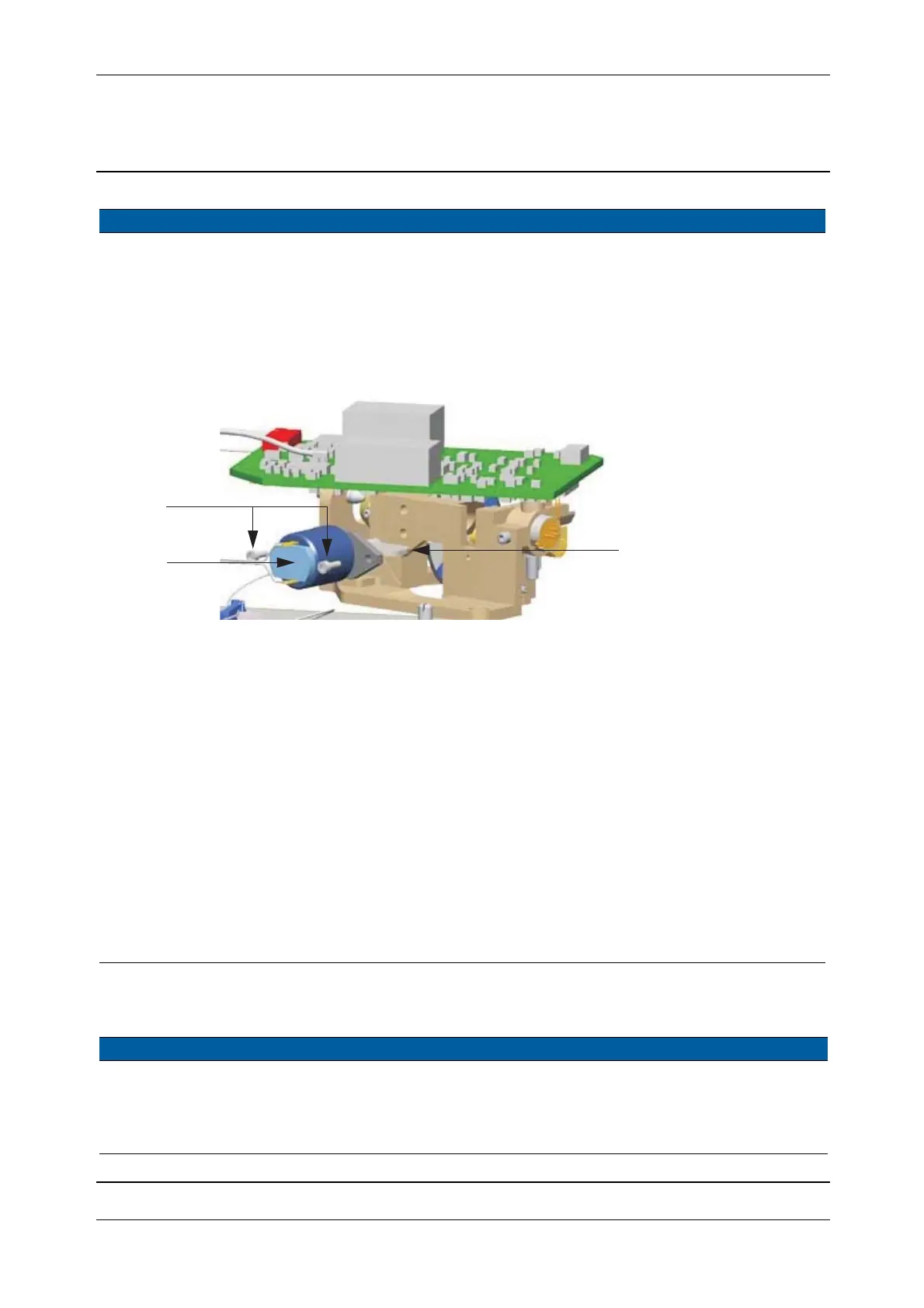
A. Insert the new switch
motor with horizontal
switch paddle position
(black side up/white
side down.
B. Tighten the two
screws.
Check that the switch
paddle can move
freely after
tightening.
Fig. 5-97 Insertion of Switch motor
6 Mount receiver
assembly.
A. Mount back the
receiver assembly and
tighten the two screws,
see Fig. 5-95 on page
5-98
B. Mount the two
transceiver board
screws.
C. Connect the four
cables.
7 Check switch motor
function.
See page 6-113.
8 Mount distance and
tracker unit cover.
See page 5-3.
9 Mount handle. Use a torx T30 screw
driver.
Item Performance Action Result Notes
1 Remove handle. Use a torx T30 screw
driver.
2 Remove distance unit
cover.
See page 5-6.
Item Performance Action Result Notes
A
B
Switch paddle in
horizontal position
black up / white down



 To Next Page