Chapter 5
Maintenance and Repair
Trimble S, VX, SPS & RTS Service Manual5 - 100 P/N 57150002, Revision 5.0
F
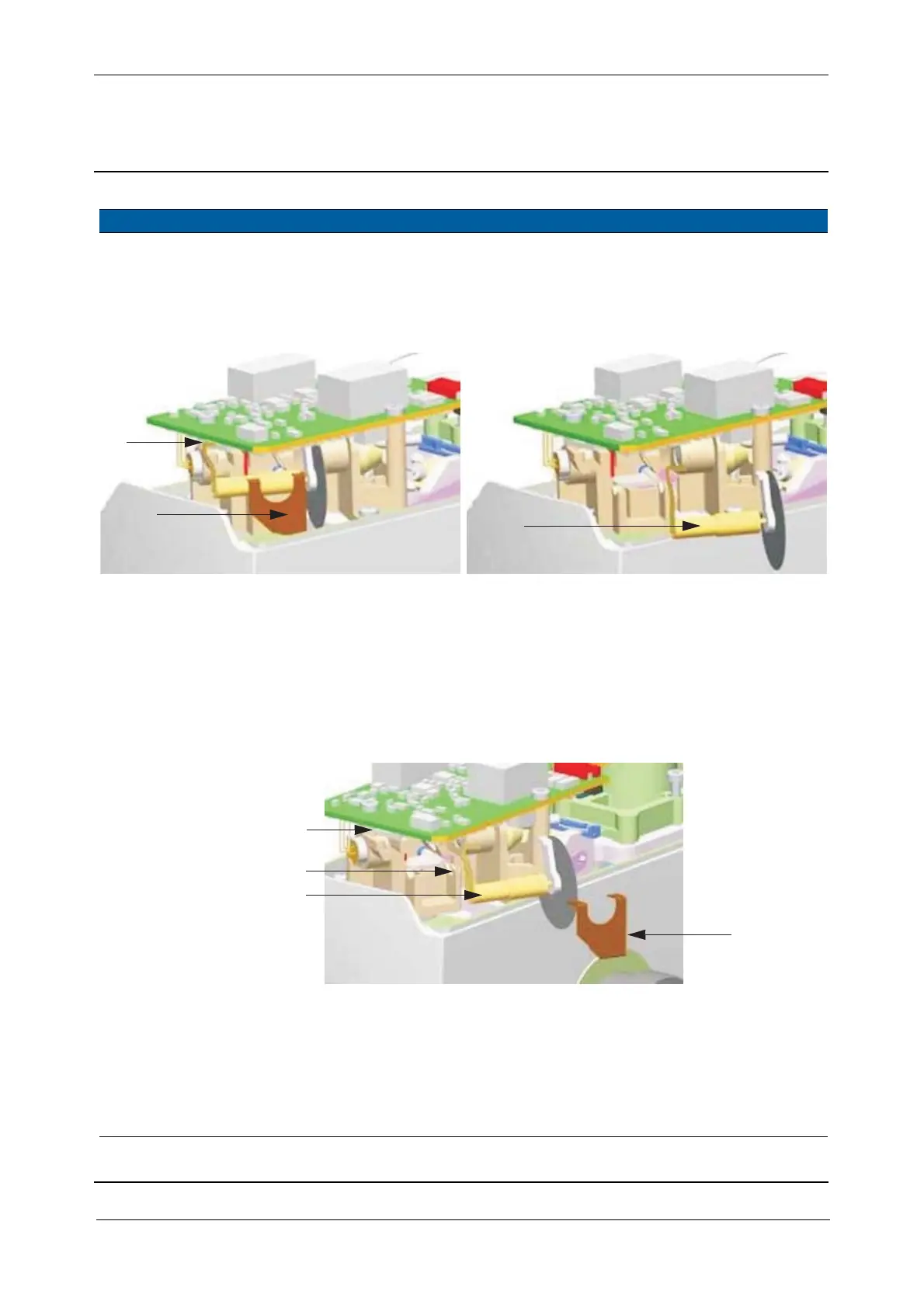
3 Remove greywedge
motor.
A. Disconnect cable.
B. Remove spring clamp.
C. Remove the greywedge
motor out of its pivot.
Fig. 5-98 Removal of grey wedge motor
4 Mount new
greywedge motor.
A. Mount the new
greywedge motor into
its pivot.
B. Push it towards the
mechanic stop.
C. Mount the clamp.
D. Connect the cable.
Don’t bend the
greywedge foil.
Fig. 5-99 Assembly of the Grey wedge motor
5 Check greywedge
motor function.
See page 6-113.
6 Mount distance and
tracker unit cover.
See page 5-3.
7 Mount handle. Use a torx T30 screw
driver.
Item Performance Action Result Notes
A
B
C
Mechanic stop - B
A
C
D



 To Next Page