Chapter 5
Maintenance and Repair
P/N 57150002, Revision 5.0 5 - 101 Trimble S, VX, SPS & RTS Service Manual
F
Replacement of EDM Frame unit
Performance
Item Performance Action Result Notes
1 Remove handle. Use a torx T30 screw
driver.
2 Remove distance and
tracker unit cover.
See page 5-6. See safety
instructions chapter
1.
3 Remove Tracker
transmitter board.
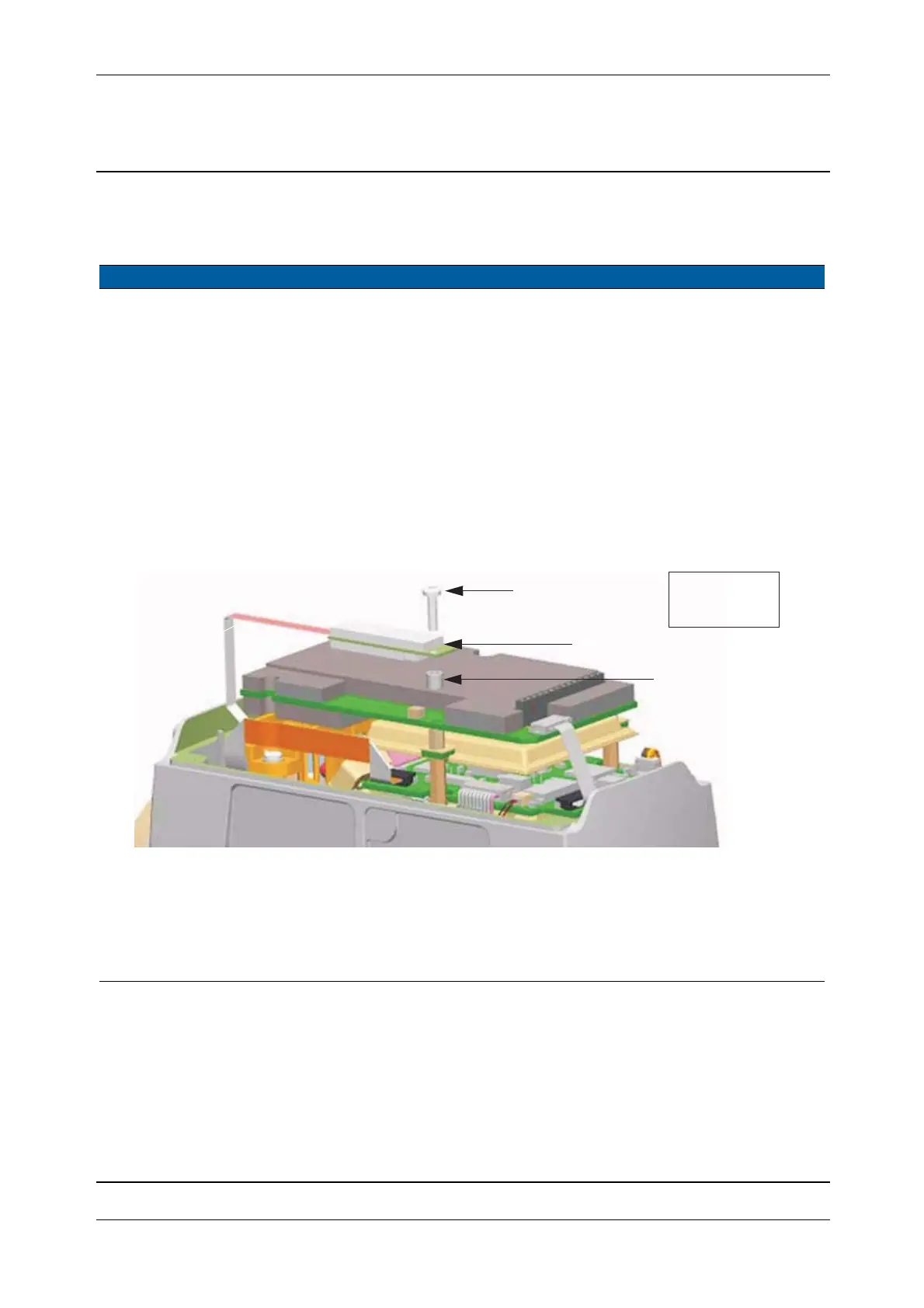
A. Turn center unit into
face two.
B. Remove the screw.
C. Remove the tracker
transmitter board.
D. Remove of the spacer.
Fig. 5-100 Removal of tracker transmitter board
4 Disconnect cable and
remove EDM screws.
A. Turn center unit into
face one.
B. Disconnect cable from
the SFC board.
C. Remove the three
screws with washers.
B
C
D
25 Ncm /
2.21 lbfin



 To Next Page