Chapter 5
Maintenance and Repair
Trimble S, VX, SPS & RTS Service Manual5 - 26 P/N 57150002, Revision 5.0
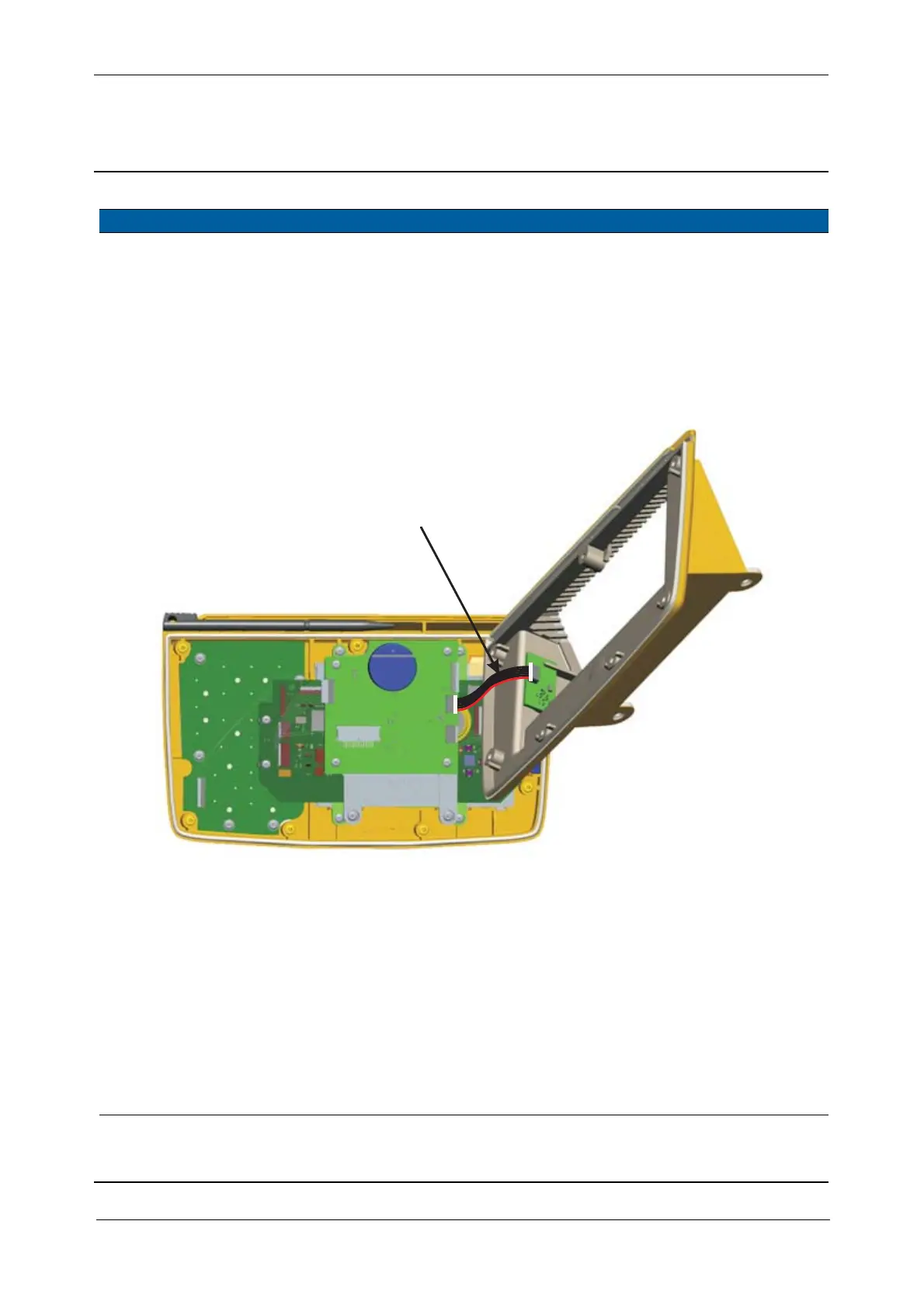
F
3 Remove back cover
from front cover
Lift back cover from
front cover and
disconnect the cable
between HRU and IAB
board.
4 Remove sealing Remove the sealing
from the front cover
Fig. 5-25 Disconnect cable at HRU board
5 Mount sealing Mount the sealing in
the front cover
6 Mount back cover Connect cable from
IAB to HRU bard and
mount the back cover
to the front cover.
7 Mount screws Mount the 7 screws
and tighten with a
torque wrench
40 Ncm.
8 Mount control panel to
instrument
See page 5-24
Item Performance Action Results Notes
Cable HRU to IAB



 To Next Page