Chapter 5
Maintenance and Repair
Trimble S, VX, SPS & RTS Service Manual5 - 146 P/N 57150002, Revision 5.0
F
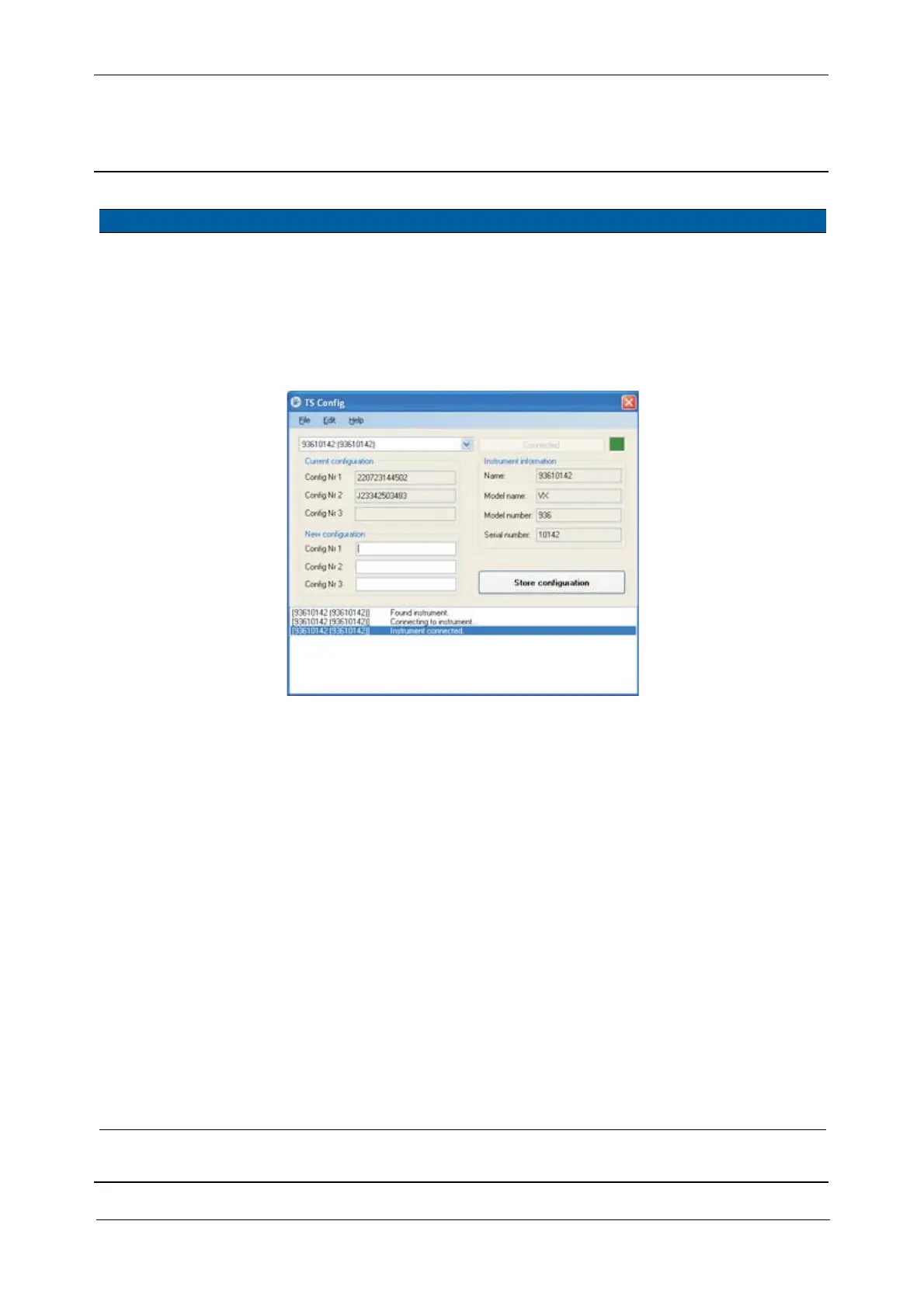
3 Connect to instrument. Click Connect. Red light goes
green when
connection is
established
Fig. 5-142 Instrument connected
4 Set config number. Key in the new
configuration number(s)
and Click
Store
configuration
.
The new
configuration
number has
been stored in
the instrument.
5 Verify Scanning
option.
A. Connect a contol unit
with Survey Controller
to the instrument
B. Start Survey
Controller
C. Make a Station
Establishment, see
Survey Controller
documentation for
more information
D. Select
Menu
E. Select Survey
F. If Scanning is
selectable, the option
has been set correctly.
Item Performance Action Results Notes



 To Next Page