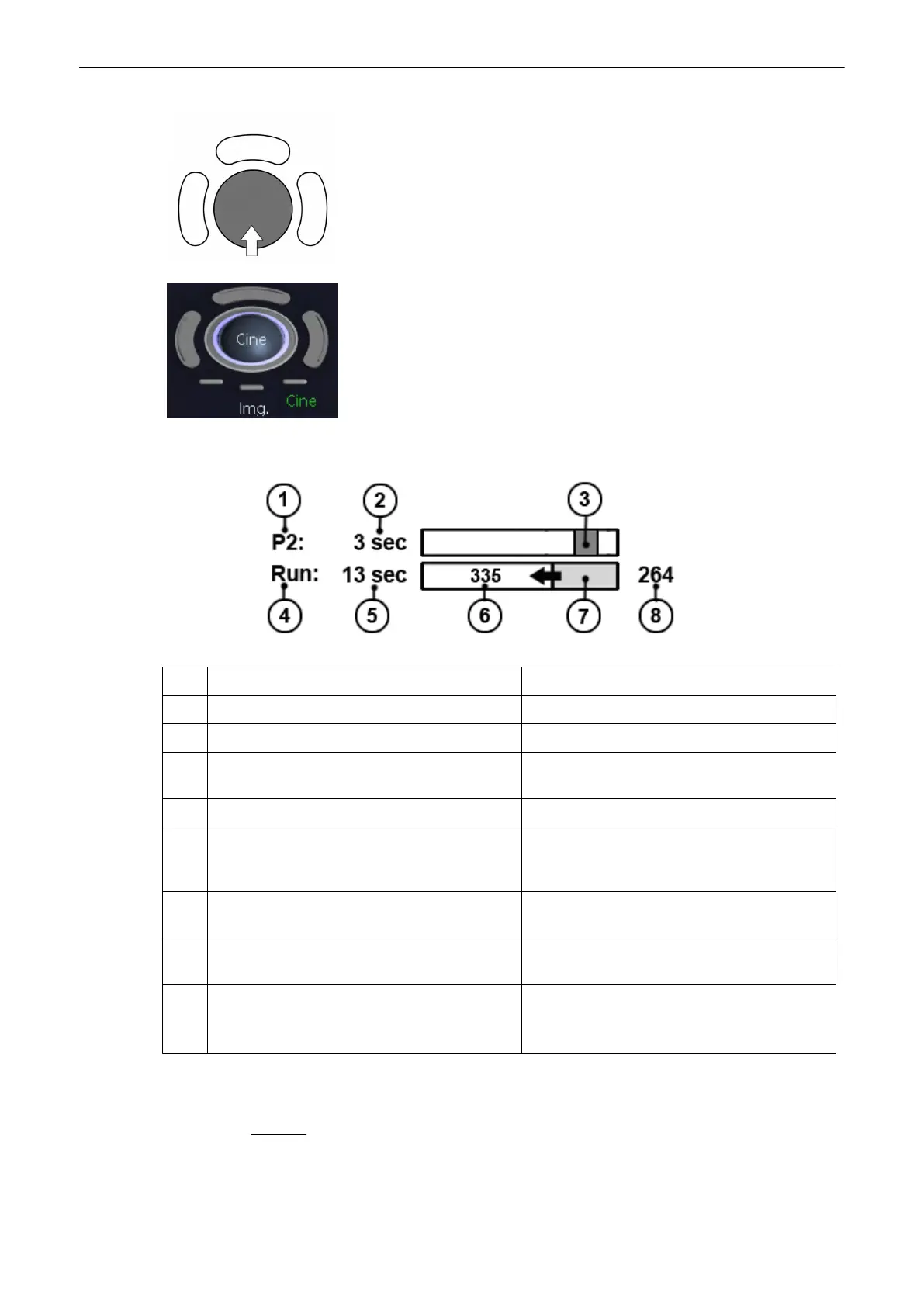
Move the trackball horizontally to display the 2D images of the stored
sequence, one by one. The last stored sequence consists of images from the
last scan procedure and will be stored until the next scan procedure by
[Freeze].
Use the small buttons under the trackball to switch between Image mode and
Cine mode.
Display: “Cine: xxx” in the monitor’s status bar.
In Run Mode In Freeze mode
1. P-Button values P-Button values
2. Absolute Save Clip length in seconds. Absolute Save Clip length in seconds.
3. Graphic display of the default “Save length”
programmed under P-button.
Graphic display of the default “Save length”
programmed under P-button.
4. Current acquisition state: “Run” Current acquisition state: “Freeze”
5. Display of current captured cine length in
seconds. Number depending on current captured
length.
Display of frozen cine length in seconds.
6. Maximum possible cine capture length in
seconds.
-
7. Cine bar display, increasing from left to right,
showing the current captured cine length.
Display of the acquired clip extended to whole
clip area when entering “Freeze” mode.
8. Currently captured cine length in frames. Displayed frame # corresponding to the image
marker,
'Image Marker'
on page 6-17
Cine-Split-Function for Dual- and Quad format: 'Cine-Split Function'
on page 6-18
2D Auto
Cine for Single-, Dual- and Quad format: '2D Auto Cine'
on page 6-18
Remarks:
2D Mode
6-16
Voluson® S6/S8 Basic User Manual
5433669-100 Revision 4



 To Next Page