3. Send: There are three checkboxes. You can choose up to three different destinations,
where to send your images or cines to. Choose the destination from the drop-down list.
To alter the drop-down list, see
'Connectivity'
on page 13-30
4. Print: There are three checkboxes. You can choose up to three different destinations,
where to print your images or cines or reports. Choose the destination from the drop-
down list. To alter the drop-down list, see'Connectivity'
on page 13-30
5. Export : To export image or cine as jpg/avi format, check this checkbox. Choose the
destination (all available device except CD/DVD) from the dropdown list.
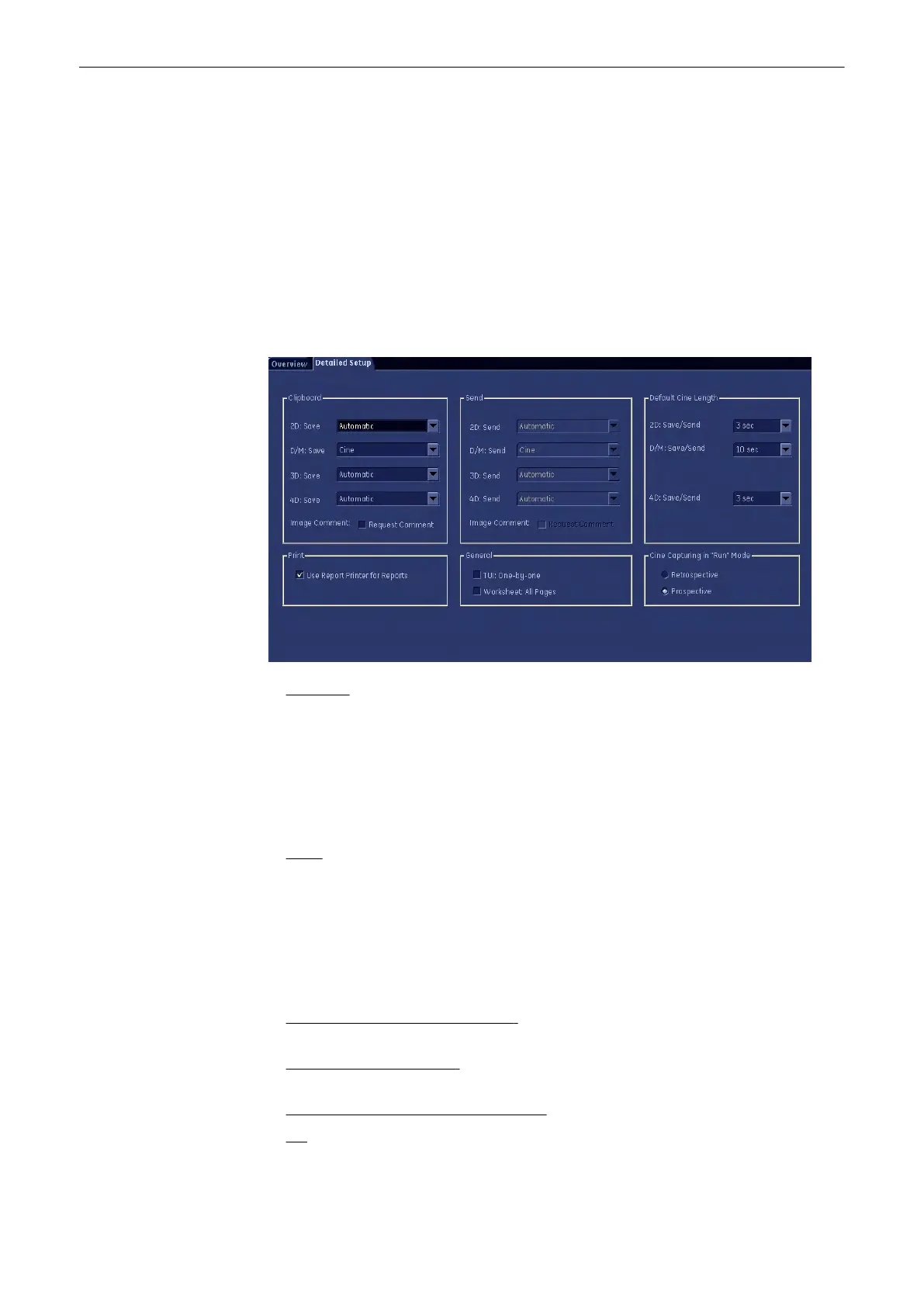
14.2.2 Detailed Setup
1. Clipboard:
a. For each different mode (2D, Doppler, 3D, 4D) you can assign a saving format for
saving onto clipboard, see
b. Default Cine Length: If you save a cine you can adjust its running time here. If you
chose an image, this option is grayed out.
c. Request Comment checkbox: If marked, an image comment will automatically be
requested upon pressing the respective key.
2. Send:
a. For each different mode (2D, Doppler, 3D, 4D) you can assign a format for sending to
your destination.
b. Default Cine Length: If you send a cine you can adjust its running time here. If you
chose an image, this option is grayed out.
c. Request Comment checkbox: If marked, an image comment will automatically be
requested upon pressing the respective key.
3. Print - Use report printers for reports: If you check this checkbox, reports will
automatically be directed to the assigned report printer.
4. General - TUI One-by-one : If you check this checkbox, each T.U.I slice will be printed on
a separate sheet of paper. Otherwise all T.U.I. slices will be printed on one.
5. Save/Send Options (Clipboard and Send):
2D: Select between:
Programmable Keys
Voluson® S6/S8 Basic User Manual
5433669-100 Revision 4 14-7



 To Next Page