3.3 Mechanical Adjustment
Be careful when adjusting mechanical parts of the system: Danger of injury!
3.3.1 Mechanical Monitor Adjustment
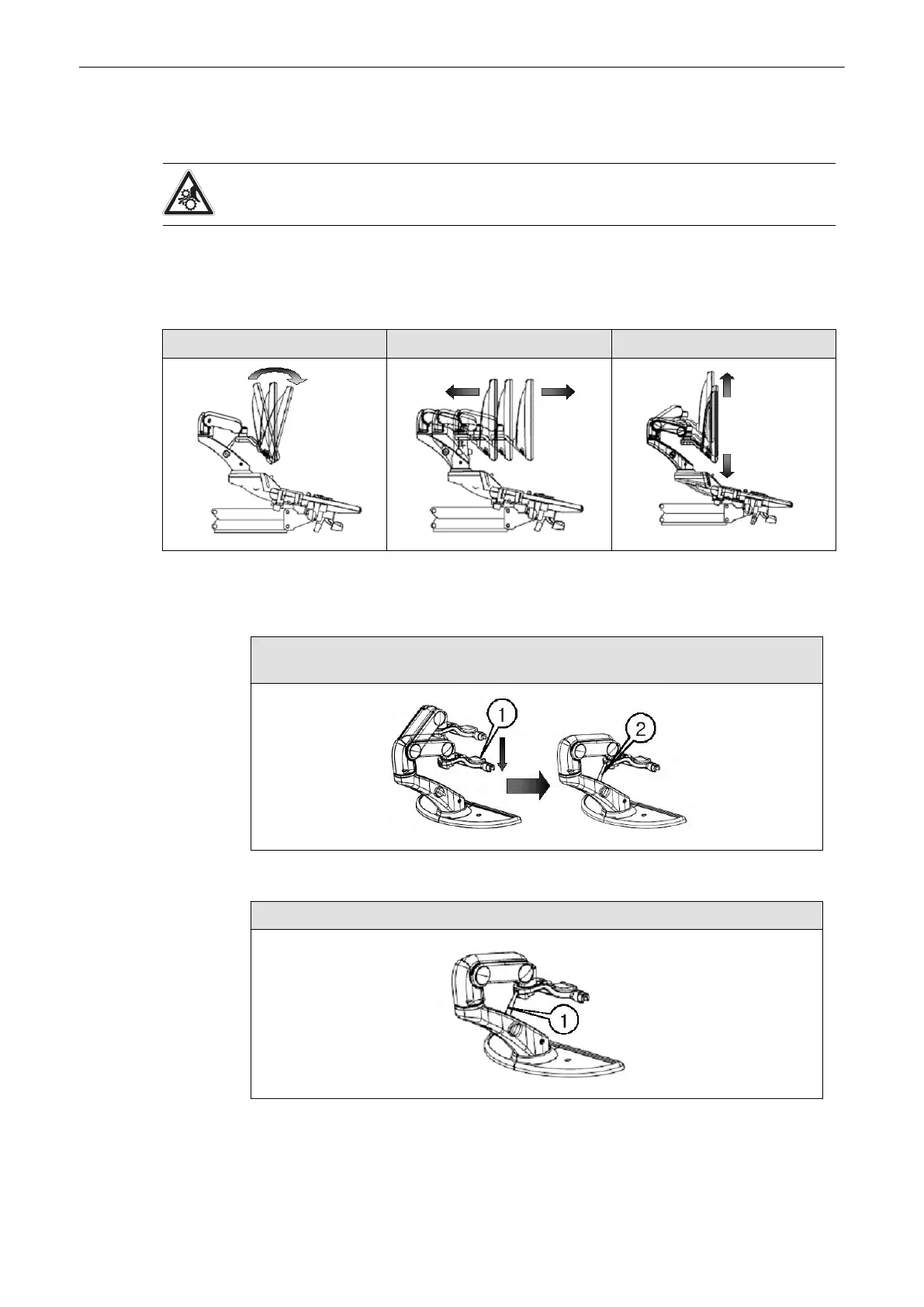
The monitor can be rotated, moved forward and backward and adjusted in height:
Incline the monitor Move back and forth Move up and down
3.3.1.1 Lock monitor parts
Lock heigth adjustment:
Move the upper monitor arm parallel to the lower arm and push it down (1), the lock it by
turning the knob (2).clockwise. Release by turning the knob counterclockwise
Lock arm rotation:
Locking the height adjustment makes locking the arm rotation as well.
Description of the System
3-4
Voluson® S6/S8 Basic User Manual
5433669-100 Revision 4



 To Next Page