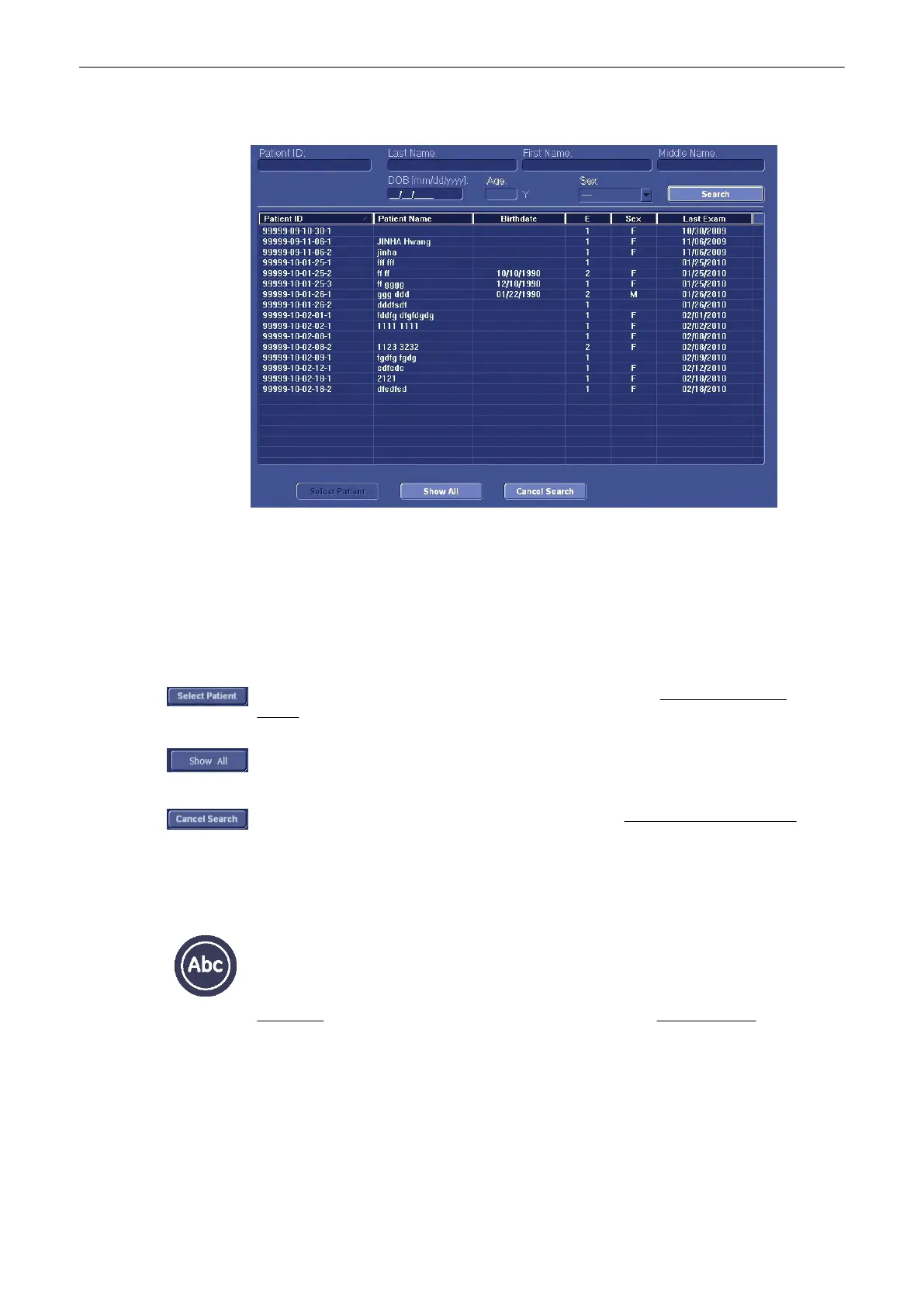
The “Search Results” dialog menu appears on screen.
Search procedure:
•
Enter ID or Name into the corresponding input field using the keyboard keys.
•
Select the result using the trackball cursor and the left or right trackball key. The result is
highlighted. Double-clicking selects and copies the result immediately to the “Patient
Information” screen.
•
or click the [Select Patient] button
The search result will be copied to the patient dialog screen. The “Patient Information”
screen
(
'“Patient Information” screen'
on page 4-13
)
appears again.
Click the [Show All] button and all Patients will be displayed on screen, as shown on the
picture above.
Exit from the search dialog screen, no result is copied. The “Patient Information” screen
(
'“Patient Information” screen'
on page 4-13
)
appears again.
4.9 Image Annotation
[ABC] - Annotation key (hard key) Press this key to start the documentation function. You
can also press [Space bar] to start the documentation function. Upon pressing the [ABC]
Annotation key once more the text is switched off but the annotation text is not cleared.
There are two possibilities provided to write on the screen:
Annotation
(
'Annotation'
on page 4-28
)
: with the keyboard keys
Auto Annotation
(
'Auto
Annotation'
on page 4-28
)
: selection of predefined words that are displayed in the menu
area.
Operating the System
Voluson® S6/S8 Basic User Manual
5433669-100 Revision 4 4-27



 To Next Page