Note
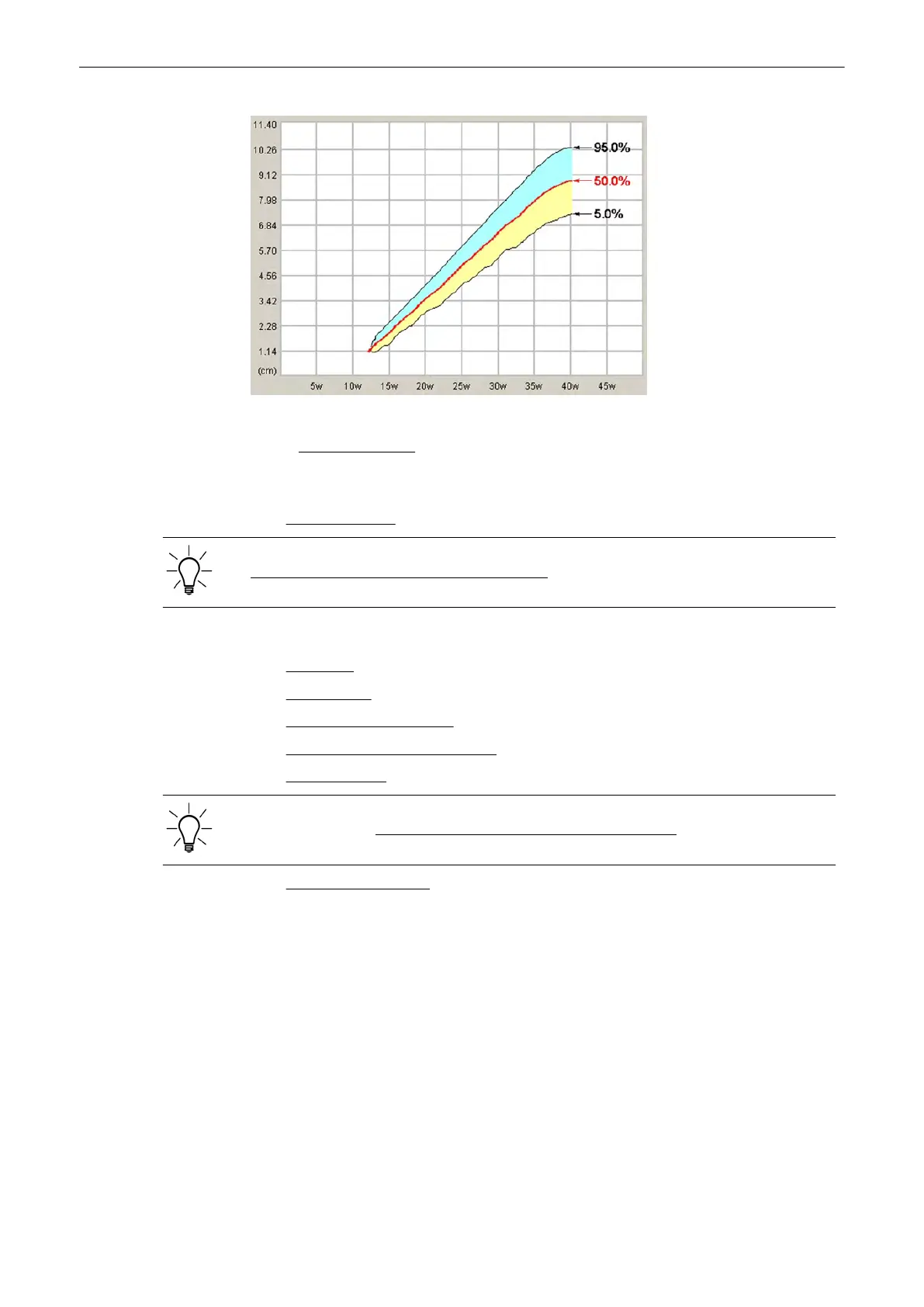
Selection of the field “Growth Dev. Display” in the Measure Setup is “%”. For further details,
review: Global Parameters (chapter
'The Measure Setup Pages'
on page 11-109 )
11.2.4.10 Obstetric Calculations in M Mode
•
FHR (Heart Rate)
The measurement procedure is the same than the measurement in Doppler Mode. review:
Obstetric Calculations in Spectral Doppler Mode
(chapter
'Obstetric Calculations in Spectral-
Doppler Mode'
on page 11-47
)
.
11.2.4.11 Obstetric Calculations in Spectral-Doppler Mode
•
Auto Trace
•
Manual Trace
•
Measurement of Each Item
•
Measurement of PSV/EDV RI+SD
•
HR (Heart Rate)
The measurement procedures in Spectral Doppler Mode are the same than in application
“Abdomen”. review: Abdomen Calculations in Spectral Doppler Mode
(chapter
'Abdomen
Calculations'
on page 11-24
)
.
•
FHR (Fetal Heart Rate)
(chapter
'FHR (Fetal Heart Rate)'
on page 11-47
)
11.2.4.12 FHR (Fetal Heart Rate)
1. To measure the Fetal Heart Rate in Spectral Doppler Mode (or M Mode), press the [Calc]
key on the control panel.
2. Select the [FHR] item and the measure parameter [FHR]. A vertical line appears on the
screen.
3. Move the line to the start point of the period and press the right or left trackball key [Set].
The second line appears.
4. Move the second line to the end point of the period.
Measurements and Patient Worksheets (Reports)
Voluson® S6/S8 Basic User Manual
5433669-100 Revision 4 11-47



 To Next Page