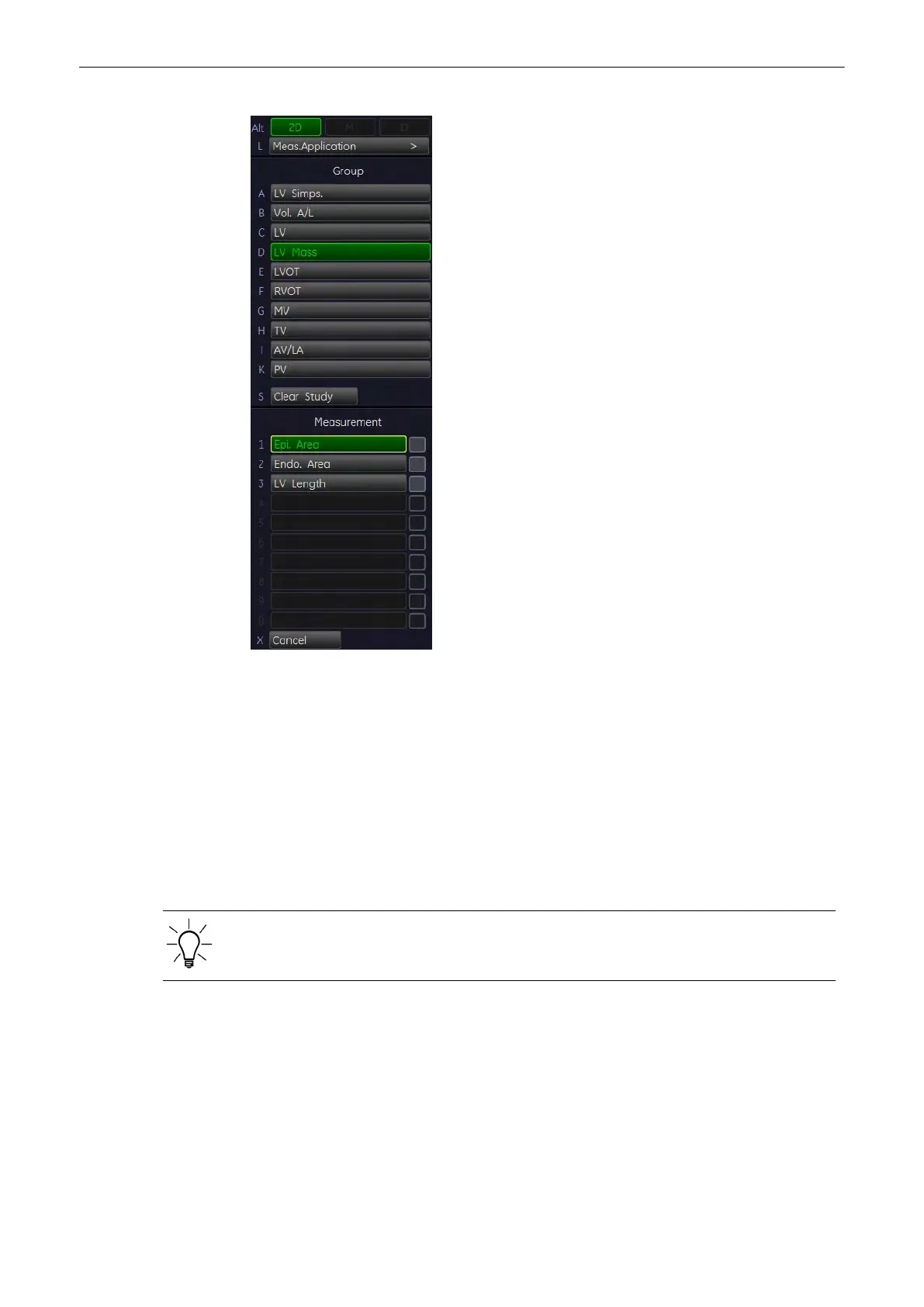
1. Press the [Calc] key on the control panel.
2. Select the item [LV Mass].
3. Select the desired measurement parameter. For example: select [Epi Area].
Note
Perform the measurement of the Epicardial Area, Endocardial Area and Epicardial Length
prior to the LV mass measurement.
4. When the cursor appears in the image, measure the selected item using the trackball and
the right or left trackball key [Set].
5. To obtain the second, orthogonal image, press [Freeze]. Scan the image and press [Freeze]
again.
When using Dual 2D mode, it is not necessary to unfreeze during measurements.
11.2.5.8 LVOT- or RVOT Diameter
Note
This 2D measurement is part of the LVOT / RVOT Doppler measurements.
To calculate the LVOT- or RVOT diameter in 2D mode:
Measurements and Patient Worksheets (Reports)
Voluson® S6/S8 Basic User Manual
5433669-100 Revision 4 11-65



 To Next Page