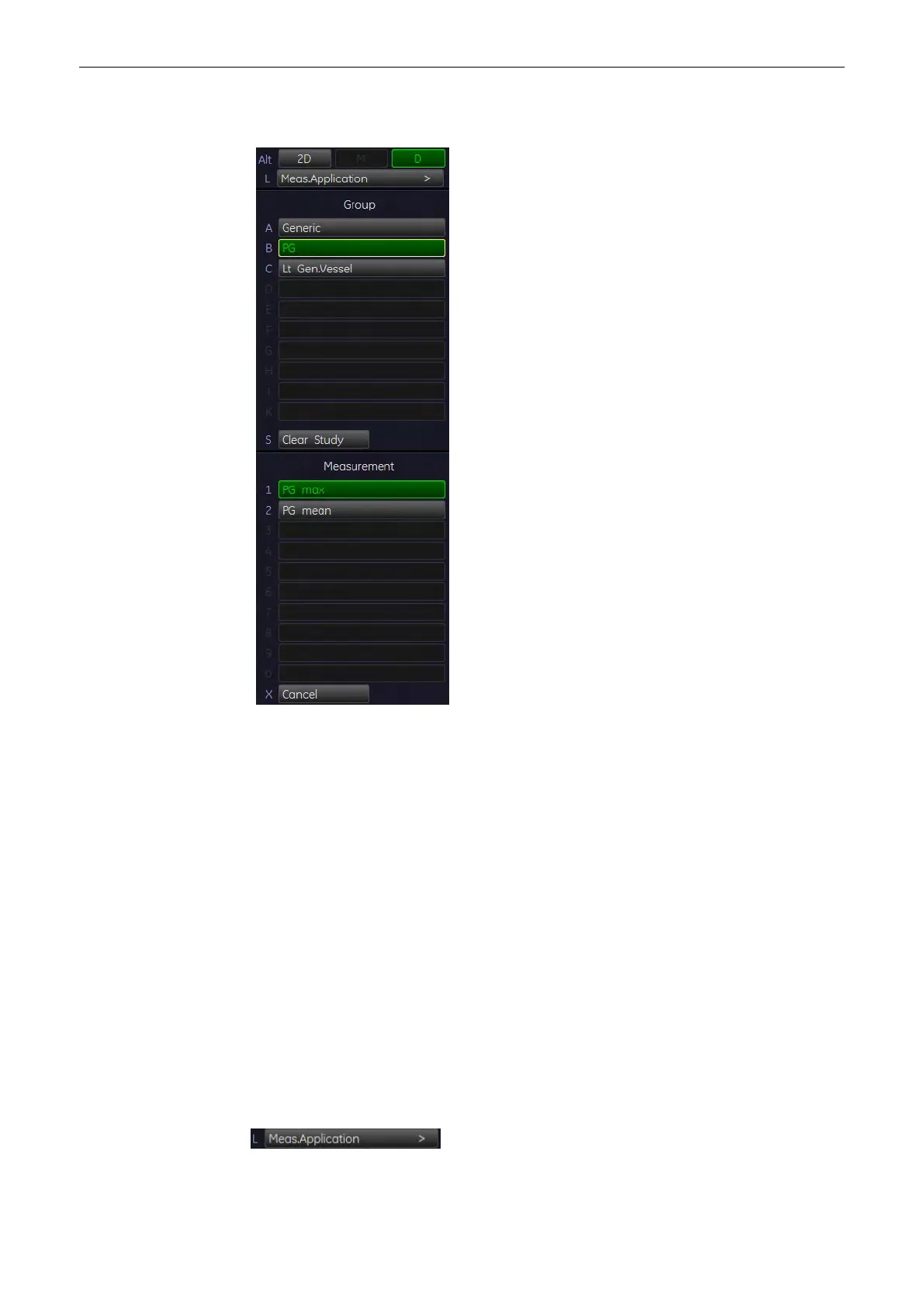
11.1.4.2 PG (Pressure Gradient) Measurements
11.1.4.2.1 PG max (Pressure Gradient maximum)
1.
To measure the maximum velocity and the maximum pressure gradient in Spectral-
Doppler mode, select the [PG max] item on the menu area. A cursor appears on the
screen.
2. Move the cursor to the pressure gradient point and press the right or left trackball key
[Set] to fix the marker.
11.1.4.2.2 PG mean (Pressure Gradient mean)
1. To measure the mean pressure gradient in Spectral-Doppler mode, select the [PG mean]
item on the menu area. A cursor appears on the screen.
2. Move the cursor to the beginning of the waveform (Vmax) and press the right or left
trackball key [Set] to fix the marker. Begin trace.
Note
To re-adjust the traced line, press the upper trackball key [Undo] repeatedly.
3. Trace to the end of the waveform (Vd) and press the [Set] key again to fix the mark.
11.1.5 To Change the Measurement Application
1. Select this item on the menu area to change the currently used application.
Measurements and Patient Worksheets (Reports)
11-20
Voluson® S6/S8 Basic User Manual
5433669-100 Revision 4



 To Next Page