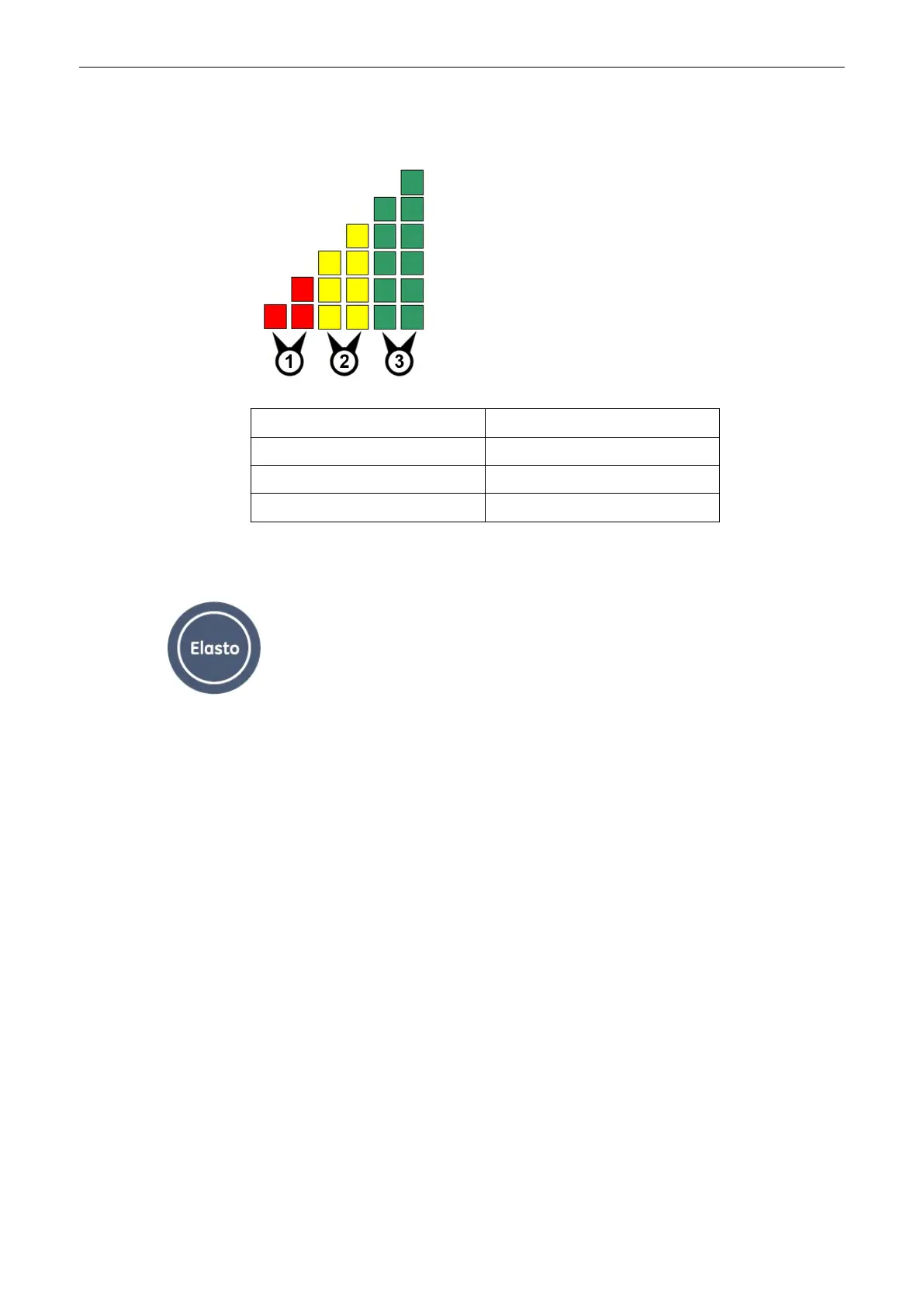
10.1.1 Quality bar
Quality steps (squares) Color
1.) Steps 1 - 2 Red
2.) Steps 3 - 4 Yellow
3.) Steps 5 - 6 Green
10.2 Elastography Main Menu
Elastography mode key (hard key)
Press the [Elasto] key on the user interface to activate the Elastography mode.
Elastography Mode
Voluson® S6/S8 Basic User Manual
5433669-100 Revision 4 10-3



 To Next Page