If patient(s), exam(s) or image(s) are selected to be deleted, the following warning messages
may appear if locked exams are involved:
Message Description
Your selection contains Exams that
are locked and cannot be deleted!
Your selection contains Exams that
are locked and cannot be deleted!
Do you want to delete the unlocked
Exams?
The selected image(s) belongs to a
locked Exam and cannot be
deleted!
12.3.3 Searching for a Particular Exam
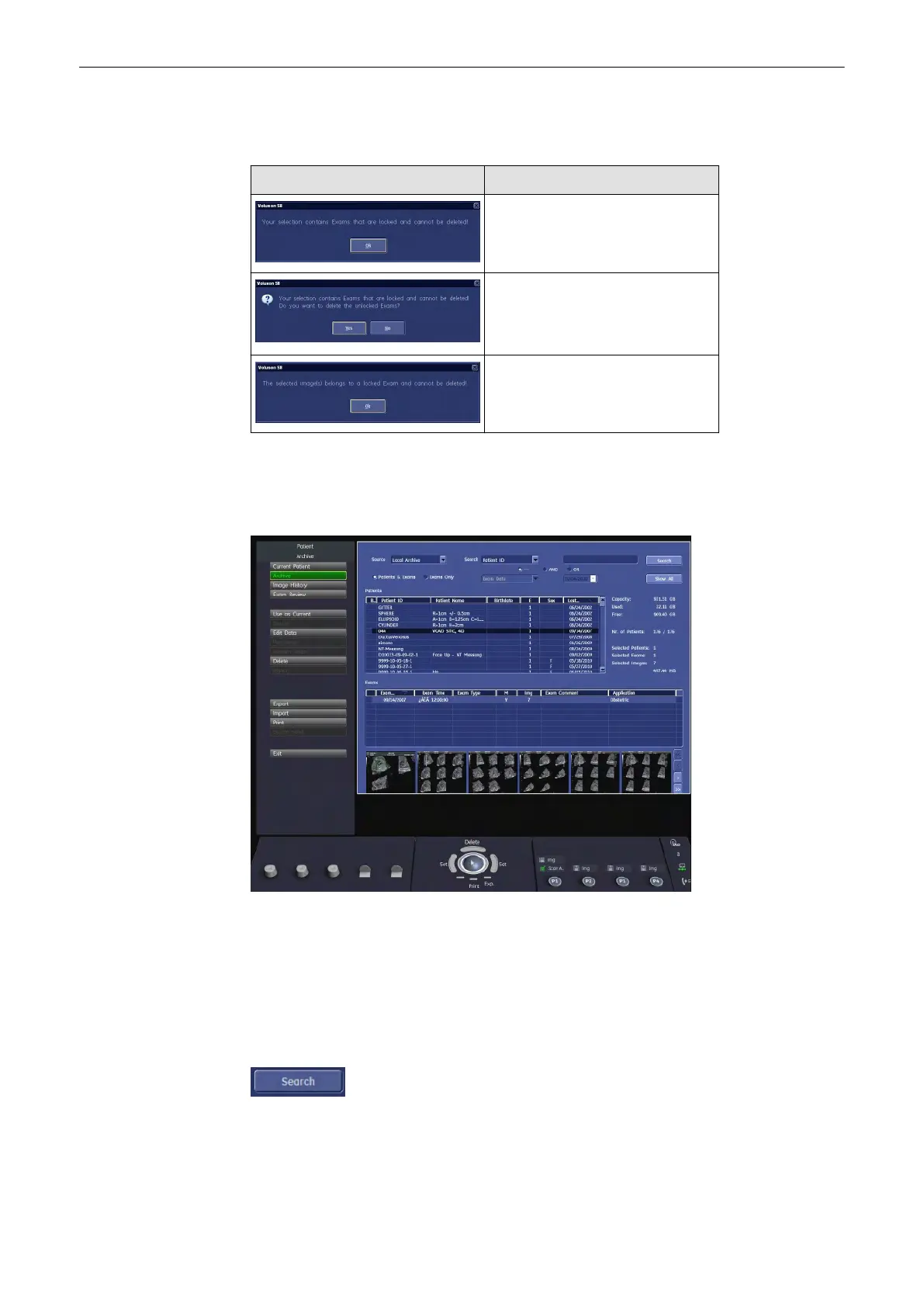
The Archive screen is divided into 4 parts.
1. Search area, see:'How to search'
on page 12-14
2. Patient table , see:'Patient Table'
on page 12-15
3. Exam table, see:'Exam Table'
on page 12-15
4. Exam images, see:'Image Area'
on page 12-16
12.3.3.1 Search Area
In the search area you can either display the patients and exams according to your criteria. To
start a search click on the [Search] button or press the [Return] key on the keyboard.
Archive
Voluson® S6/S8 Basic User Manual
5433669-100 Revision 4 12-13



 To Next Page