5. Move the second cursor to the second point of the measurement and press [Set] again.
Note
To re-adjust the start point, press the upper trackball key [Change] before completing the
measurement. This alternates the control from one cursor to the other.
Aortic Root Diameter: distance between the anterior aortic wall and the posterior aortic wall
Left Atrial Diameter: distance between posterior aortic wall echo and posterior left atrial wall
Aortic Cusp Separation: distance between the coronary cusp and the non coronary cusp
11.2.5.20 MV (Mitral Valve)
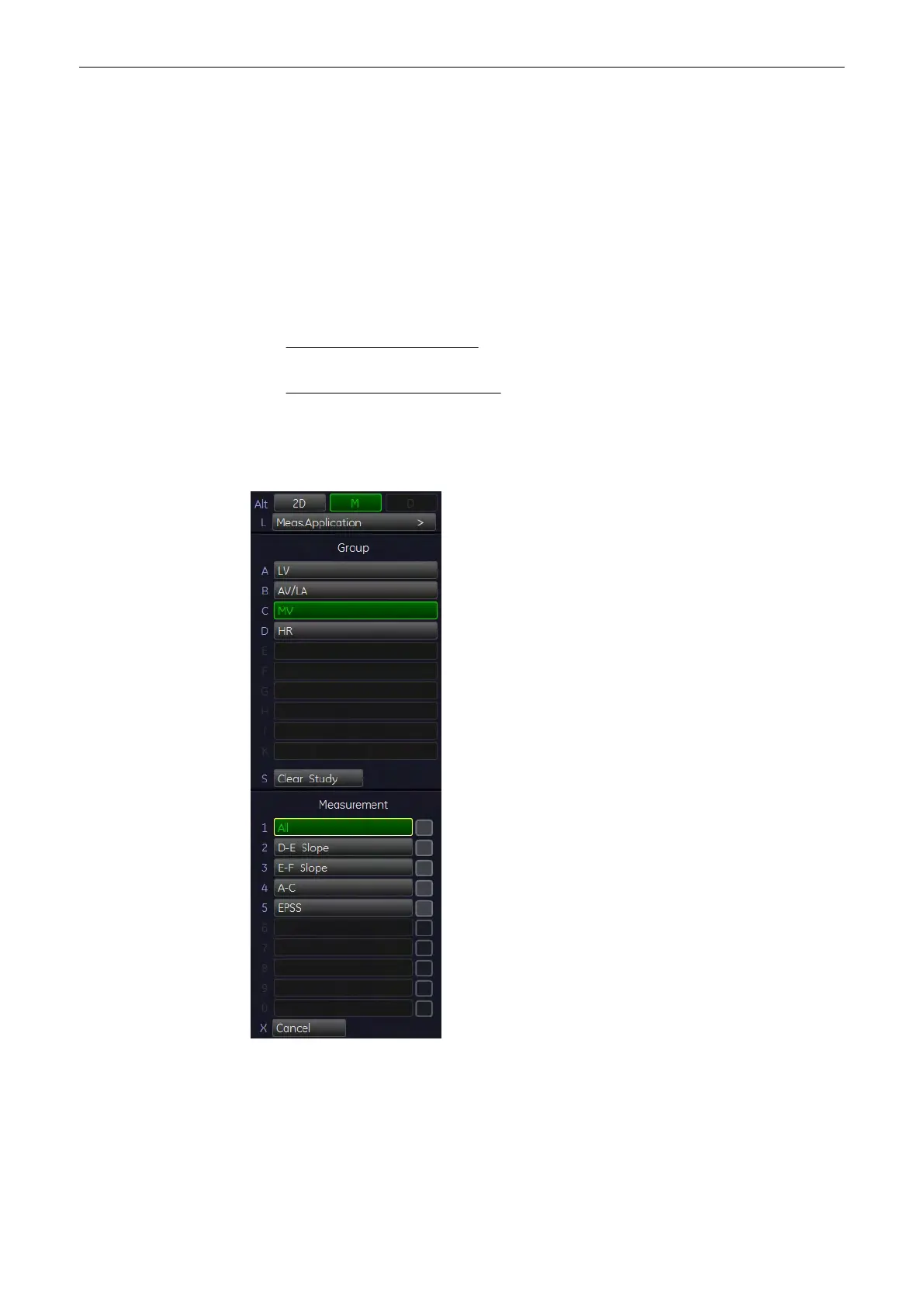
There are two methods to calculate the Mitral Valve in the M mode:
•
To measure all Items at a Time
(chapter
'To measure all Items at a Time'
on page 11-
72
)
•
To measure the Items One by One
(chapter
'To measure the Items One by One'
on page
11-73
)
11.2.5.21 To measure all Items at a Time
To calculate all the items of the Mitral Valve in M mode at a time:
1. Press the [Calc] key on the control panel.
2.
Select the item [MV] and then select [All].
3.
The +
D
cursor appears on the M mode image. Move the cursor to the D point and press
the right or left trackball key to fix the mark.
Measurements and Patient Worksheets (Reports)
11-72
Voluson® S6/S8 Basic User Manual
5433669-100 Revision 4



 To Next Page