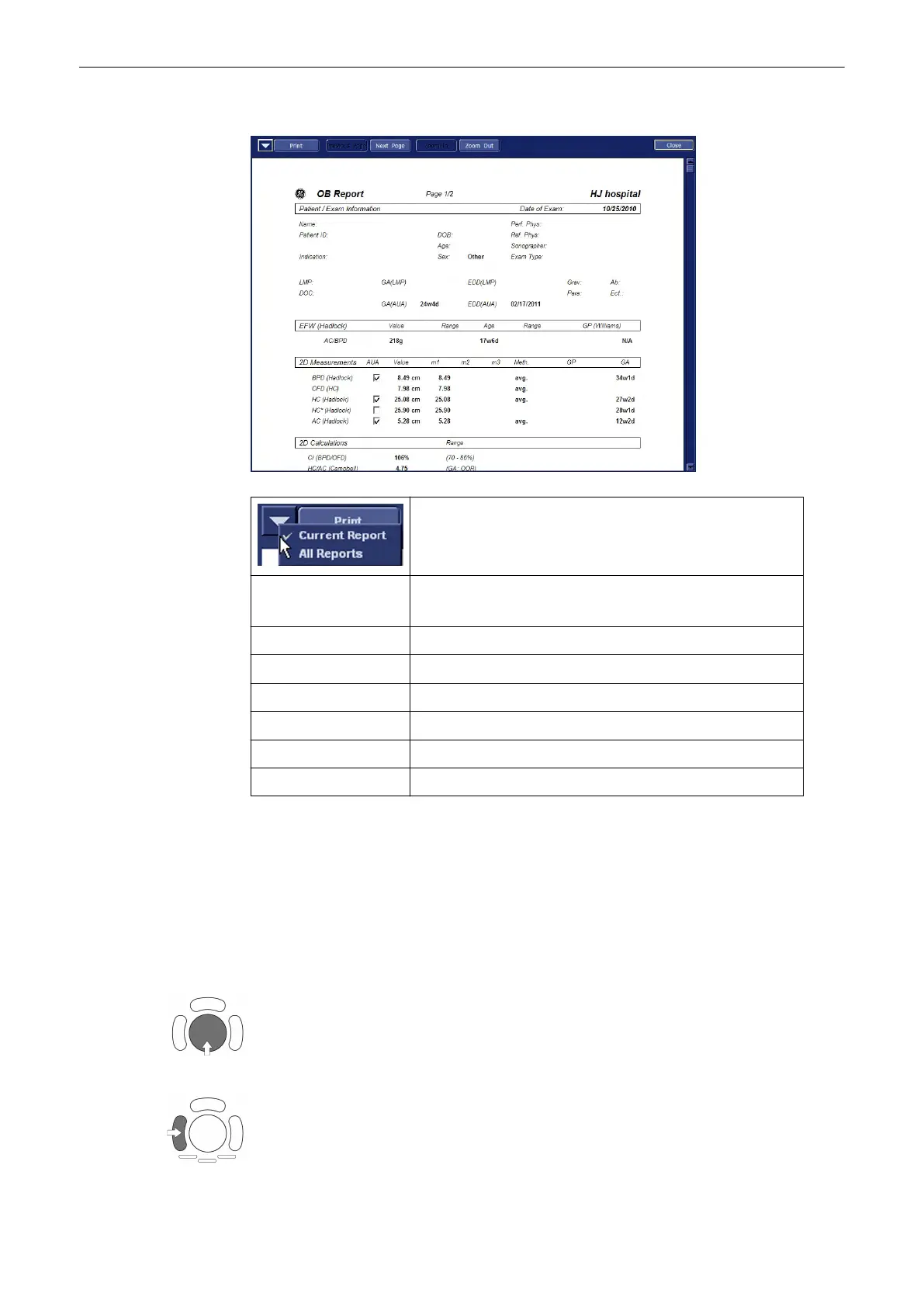
Following window appears:
Select whether to print only the current report or all available
reports (all applications). Selection also affects “Print” Button
in Worksheet Menu.
Print all/Print Print all available reports or just the currently displayed report.
Depends on setting above.
Previous Page Display previous report page.
Next Page Display next report page.
Zoom In Zoom In on the displayed Report.
Zoom Out Zoom Out of the displayed Report.
Application Select the report of which application to display.
Close Close Print Preview Window without printing.
11.5 Measure Setup
Introduction
Modifications of measurement parameters are done with support of diverse dialog pages and
windows on the measurement setup desktop.
Generally operations are done with the trackball and the trackball keys (mouse emulation).
Trackball (mouse position): positions the pointing device (arrow) on the desktop
left trackball key (left mouse button): sets, fixates markers and activates pages/buttons etc.
marked by the pointing device
Measurements and Patient Worksheets (Reports)
Voluson® S6/S8 Basic User Manual
5433669-100 Revision 4 11-107



 To Next Page