•
To Delete Exams 'Data Transfer Menu'
on page 12-25
•
To Send Exams 'Data Transfer Menu'
on page 12-25
•
To Print Exams 'Data Transfer Menu'
on page 12-25
•
To Export Exams 'Data Transfer Menu'
on page 12-25
•
To Backup the Exams 'Backup'
on page 13-47
•
To Restore the Backup Exams 'Backup'
on page 13-47
12.6.1 To Use the Exams Only List
Click the [Archive] button.
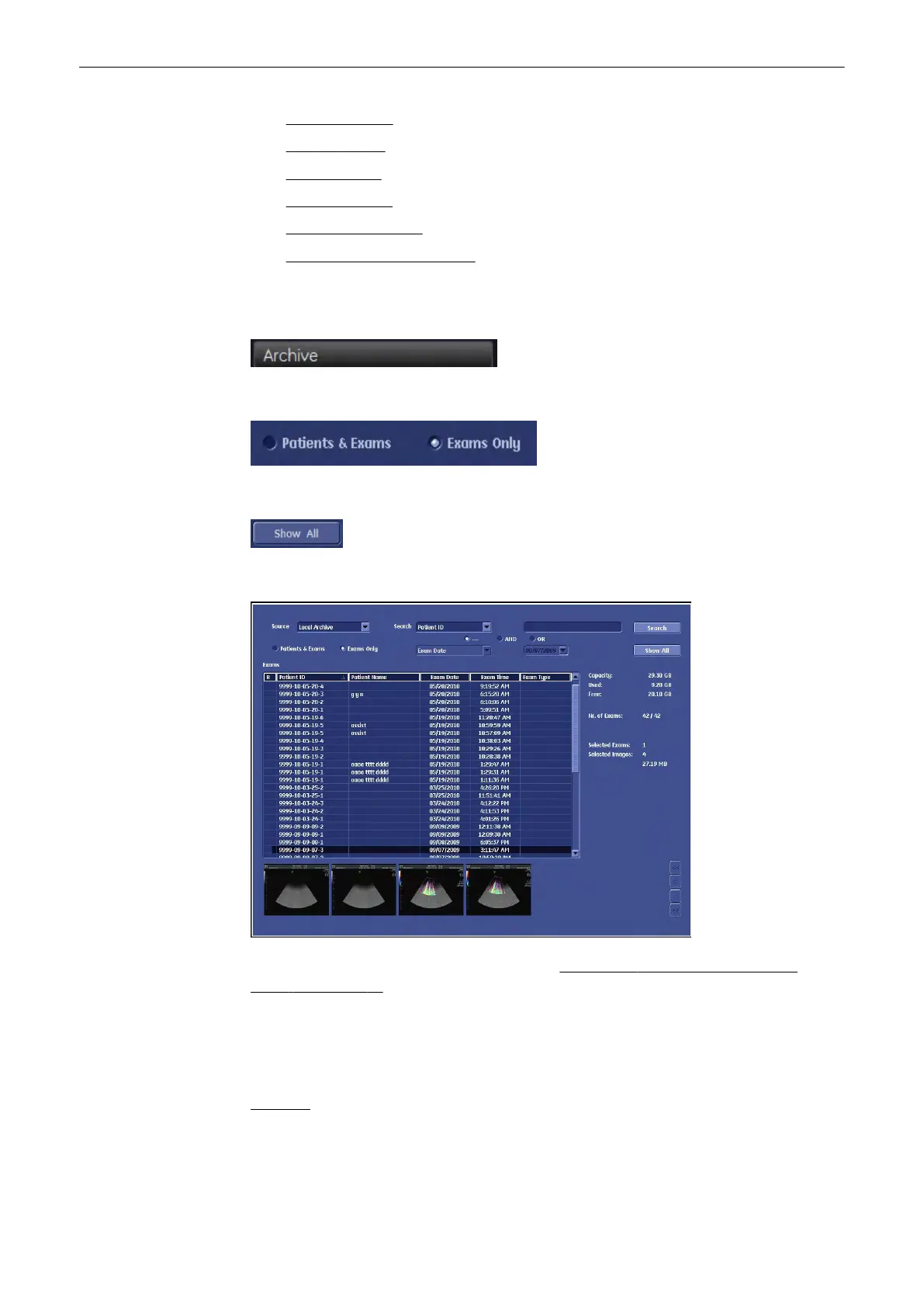
Click the [ExamsOnly] radio button and the display format is changed to a list of exams only.
Click the [Show All] button and the complete list of exams is displayed.
To change the display of the “Exams List” review: Search Area'Searching for a Particular
Exam'
on page 12-13
12.6.2 To Select the Exams
Select the Exam desired using the trackball and the right trackball key [Set].
Remarks:
•
For selecting multiple exams, hold down the [Ctrl] or [Shift] key on the alphanumeric
keyboard and select the desired exams using the trackball and the right trackball key
[Set].
Archive
12-40
Voluson® S6/S8 Basic User Manual
5433669-100 Revision 4



 To Next Page