•
Manual Trace
(chapter
'Manual Trace'
on page 11-32
)
•
Measurement of Each Item
(chapter
'Measurement of Each Item'
on page 11-32
)
•
Measurement of PSV/EDV RI+SD
(chapter
'Measurement of PSV/EDV RI+SD'
on page
11-32
)
•
Time
(chapter
'Time'
on page 11-33
)
•
HR (Heart Rate)
(chapter
'HR (Heart Rate)'
on page 11-33
)
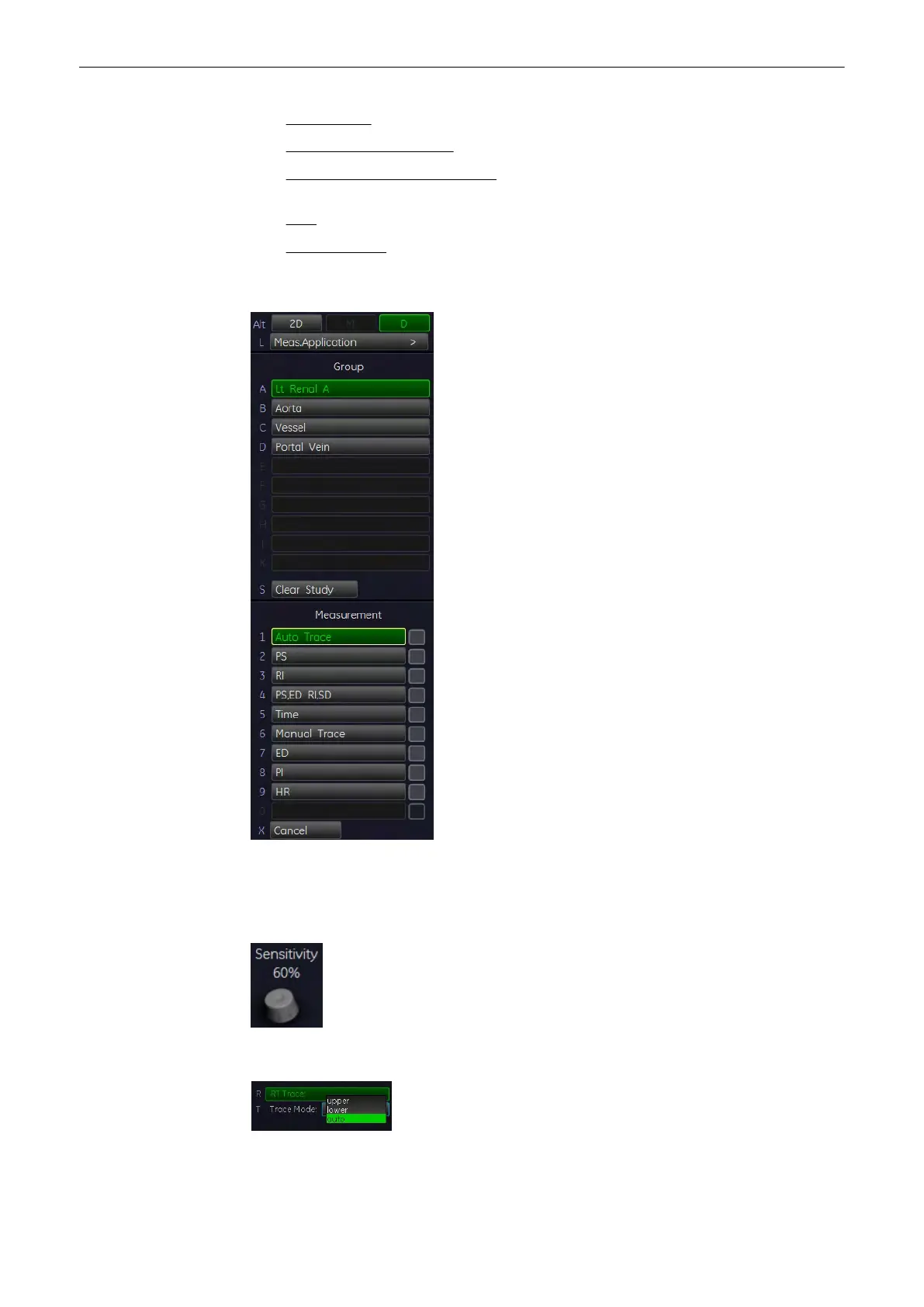
11.2.2.13 Auto Trace
1. After obtaining a feasible Doppler spectrum, press the [Calc] key on the control panel.
2. Select the desired measurement item and then select [Auto Trace]. The Doppler spectrum
is traced automatically and the results are displayed.
3. Select the sensitivity of the envelope curve (to eliminate artefacts).
4. Select the Trace Mode channel of the envelope curve (upper, both, lower).
Measurements and Patient Worksheets (Reports)
Voluson® S6/S8 Basic User Manual
5433669-100 Revision 4 11-31



 To Next Page