non-conformance with the conventional customized orientation to the patient in 2D-
sonography. An identification system - the automatic display of the direction of section - will
clarify.
Please note:
Whenever a usual longitudinal section (of the patient) is selected for display field A, the usual
orientation for longitudinal and transverse sections is valid.
9.2.4.1 Rotations
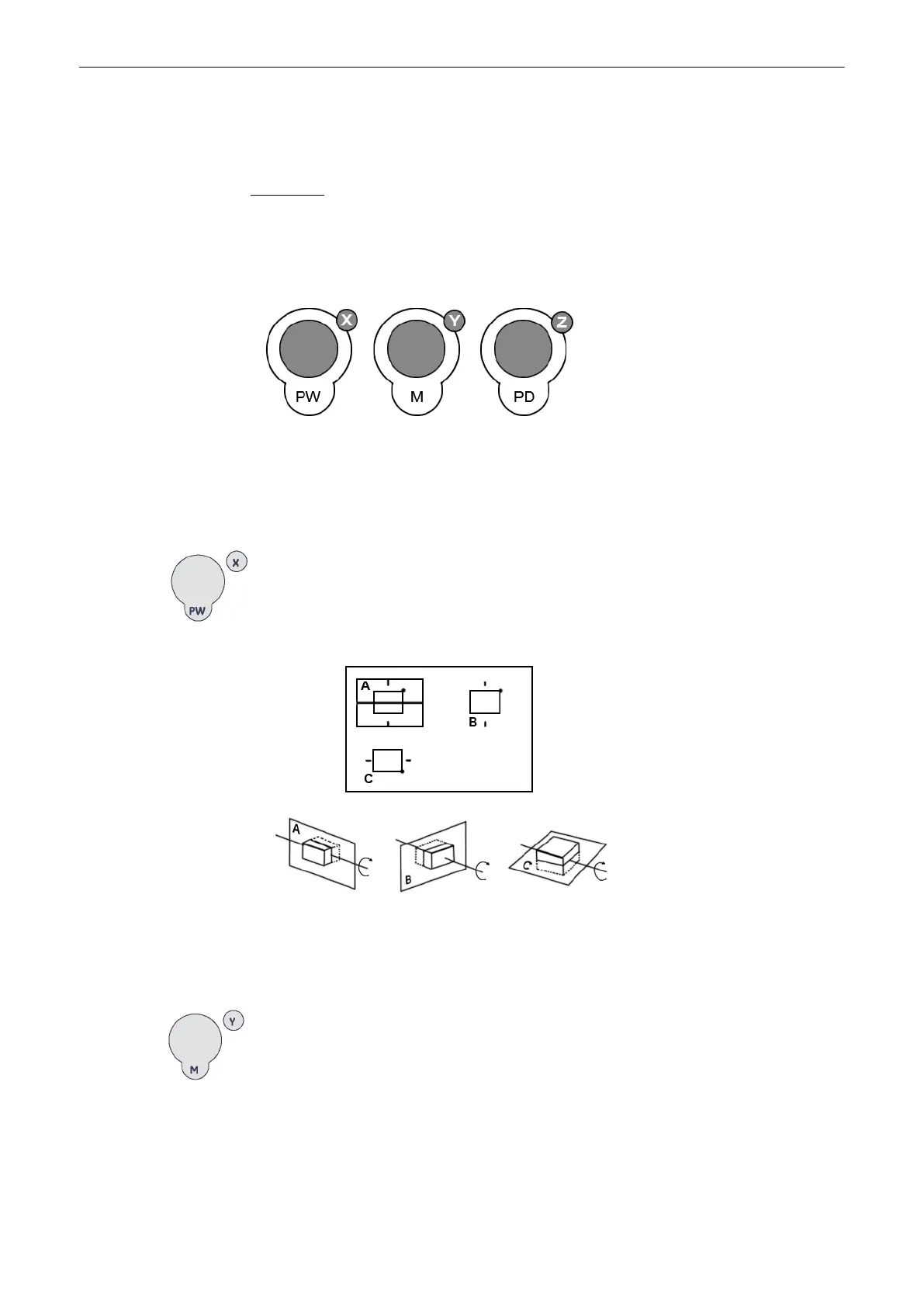
While turning a rotary control, the corresponding axis is shown in the reference image as a line
(X- or Y-axis) or as a circle (Z-axis). Rotations around any one of the axes X, Y and Z can be
performed freely.
For faster rotation push on the rotary controls once (toggle function: slow rotation, fast rotation)
For rotation around the X-axis of a reference image (e.g. A):
turn the [X]
rotary control counterclockwise:
By the clockwise rotation of the volume body relative to the screen plane (as shown) the new
sectional planes are calculated in real time and displayed on screen.
For rotation around the Y-axis of a reference image (e.g. A):
turn the [Y]
rotary control counterclockwise:
Volume Mode
9-26
Voluson® S6/S8 Basic User Manual
5433669-100 Revision 4



 To Next Page