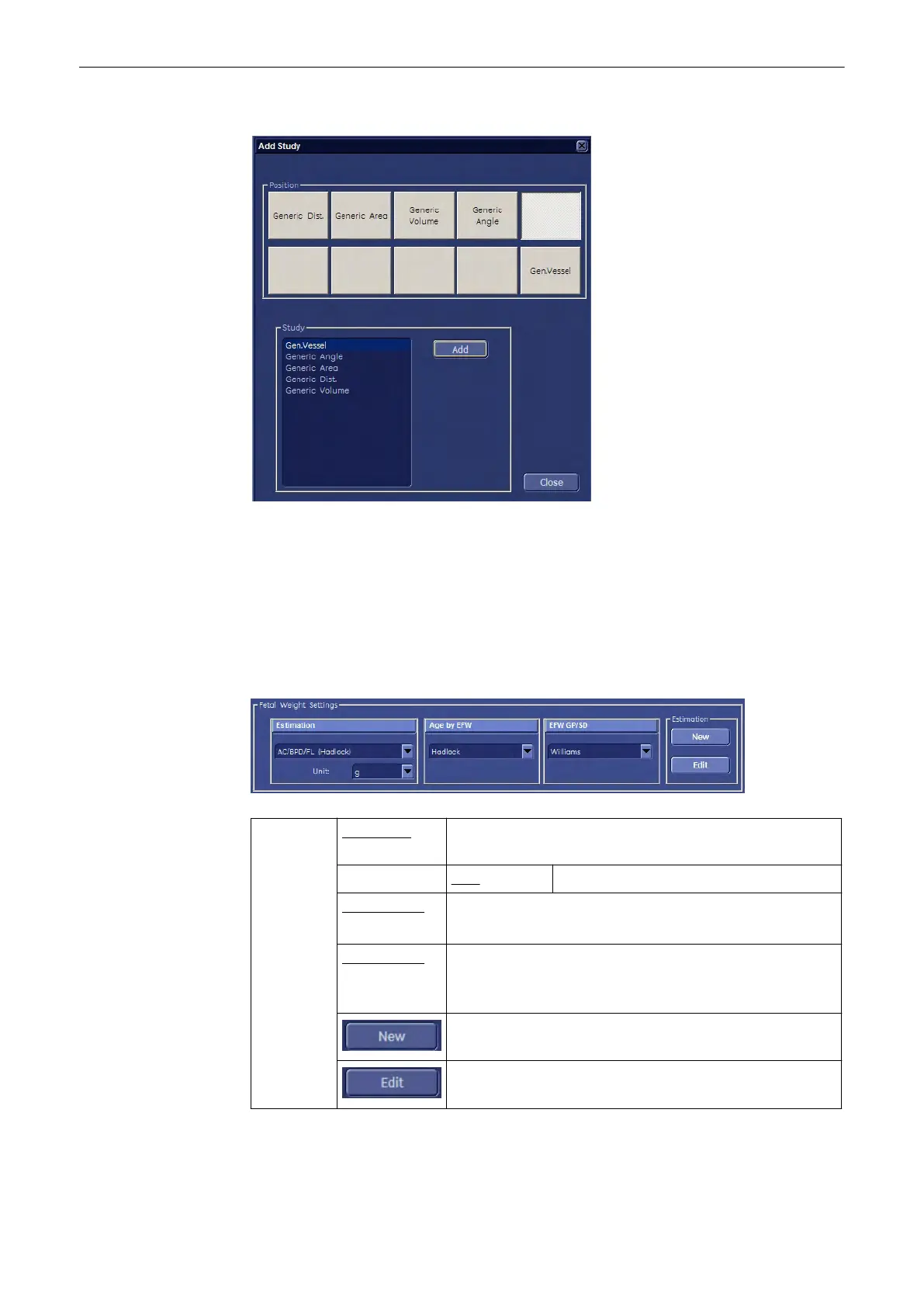
Following “Add Measurement” menu appears in Gyn application:
It is possible to select the application “OB” from the pull down menu and add OB
measurements to the Gyn measurements menu.
Note
Results of OB measurements taken in the application Gyn are still displayed in the OB Report!
There are two Reports when measuring Gyn and OB items in the application Gyn!
11.5.3.1.8 EFW (Estimated Fetal Weight)
Select the section “Fetal Weight Settings” on the “Measure & Calc” page.
Fetal
Weight
Settings:
Estimation: Select the EFW Formula. Click on this field to create a New,
or Edit the setting.
Unit: Select the output unit for EFW.
Age by EFW: Select Table/Formula for calculating the Age from the EFW.
Click on this field to create a New, or Edit the setting.
EFW GP/SD: Select Table/Formula for calculating the Growth from the
EFW.
Click on this field to create a New, or Edit the setting.
Create a new Fetal Weight setting.
Edit a Fetal Weight setting.
Measurements and Patient Worksheets (Reports)
11-122
Voluson® S6/S8 Basic User Manual
5433669-100 Revision 4



 To Next Page