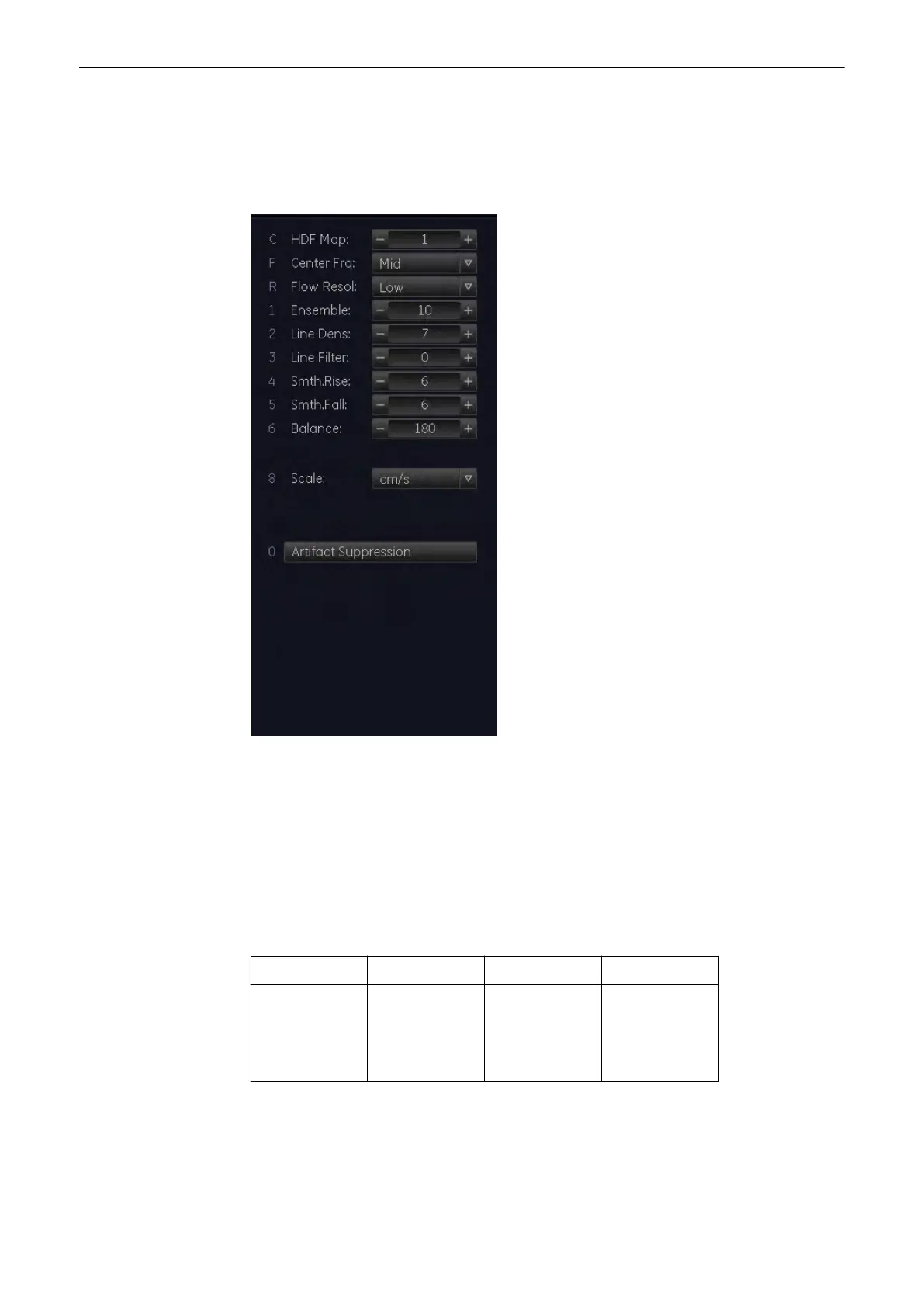
8.5.3 HD-Flow Sub Menu
The “HD-Flow Main” menu has to be active.
Select the [HD-Flow Sub] key. The HD-Flow Submenu appears.
Note
Changes are only possible in scan mode. Changes in the HDF Map, Balance, Scale and
Threshold are also possible in freeze mode.
8.5.3.1 HDF Map
This function allows selection of the color coding for an optimization of the display of blood
flow (similar to the post-processing curves with gray scale 2D-scans). It is useful especially
with low flow rates. It may be altered in real-time or Freeze-Mode, respectively.
The color is coded in a color wedge:
HDF Map1 HDF Map 2 HDF Map 3 HDF Map 4
light yellow
red
dark blue
light blue
white
light red
light blue
white
white
dark red
dark blue
white
white
dark red
dark blue
white
Doppler Modes
8-26
Voluson® S6/S8 Basic User Manual
5433669-100 Revision 4



 To Next Page