Note
This selection is not influenced by general language selection and vice versa. Only languages
available on the system are listed. If a new language is installed, it is automatically added to
the list.
13.2.3.1.9 Presentation Mode
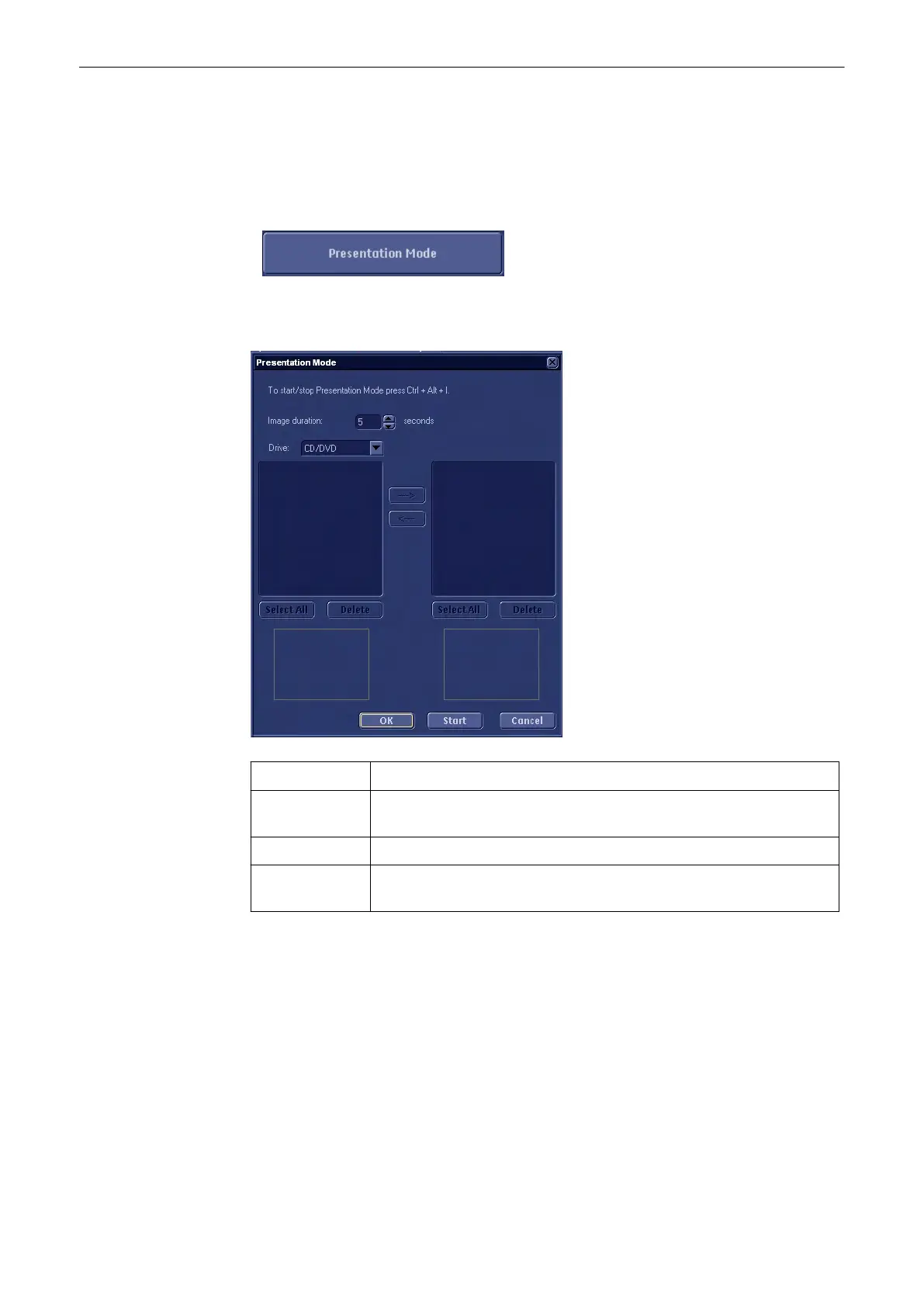
Select the [Presentation Mode] button to evoke the following menu to configure and start the
presentation mode.
Image Duration: Change the display time of a single image using the up and down keys
OK: Leave the menu without starting Presentation Mode, but save changes to
Image Duration
Start: Start Presentation Mode
Cancel: Leave the menu without starting presentation mode and without saving
changes.
Stop the presentation with either:
•
[Ctrl + Alt + I]
•
Shutdown Button
•
[Esc] key
Where to find the images for the presentation:
The images can be found in: D:\pictures\voluson Sx.
Utilities and System Setup
13-18
Voluson® S6/S8 Basic User Manual
5433669-100 Revision 4



 To Next Page