M mode image. HDF Mode overlays color on the M mode trace using velocity and variance
color maps. The HDF Mode wedge overlays the 2D mode image and M mode timeline.
The description of MHDF mode is subdivided in two groups:
•
To use the MHDF mode: 'MTD Main Menu'
on page 7-13
•
To adjust MHDF setting: 'MTD Sub Menu'
on page 7-15
To use special utilities: 'Utilities'
on page 13-2
and 'Gray Map'
on page 6-22
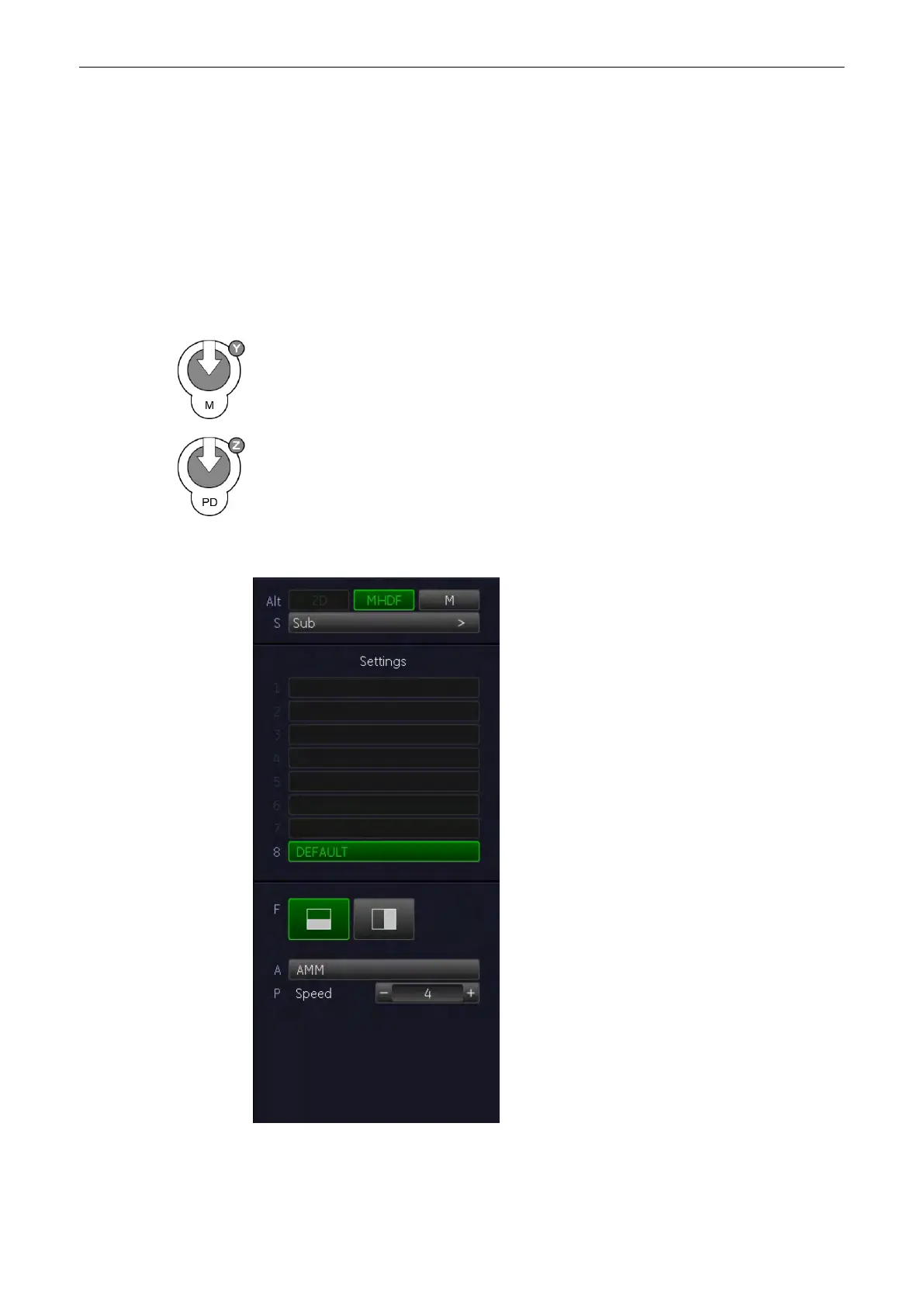
7.6.1 MHDF Main Menu
[PD Mode] key + [M Mode] key (hard keys)
By pressing the [PD] control and the [M] control, the MHDF mode is switched on in the
preparation mode. The M-cursor with M-Color window appears on the active 2D image.
These hard keys are also the Gain control for the MHDF mode (only in scan mode);
For
more information see
'MHDF Operation'
on page 7-18.
To start and use the MHDF mode:
For more information see
'MHDF Operation'
on page 7-
18.
To adjust the MHDF settings:
For more information see
'MHDF Sub Menu'
on page 7-
19.
The “MHDF Main” menu appears on the menu area. (scan mode)
M Mode
Voluson® S6/S8 Basic User Manual
5433669-100 Revision 4 7-17



 To Next Page