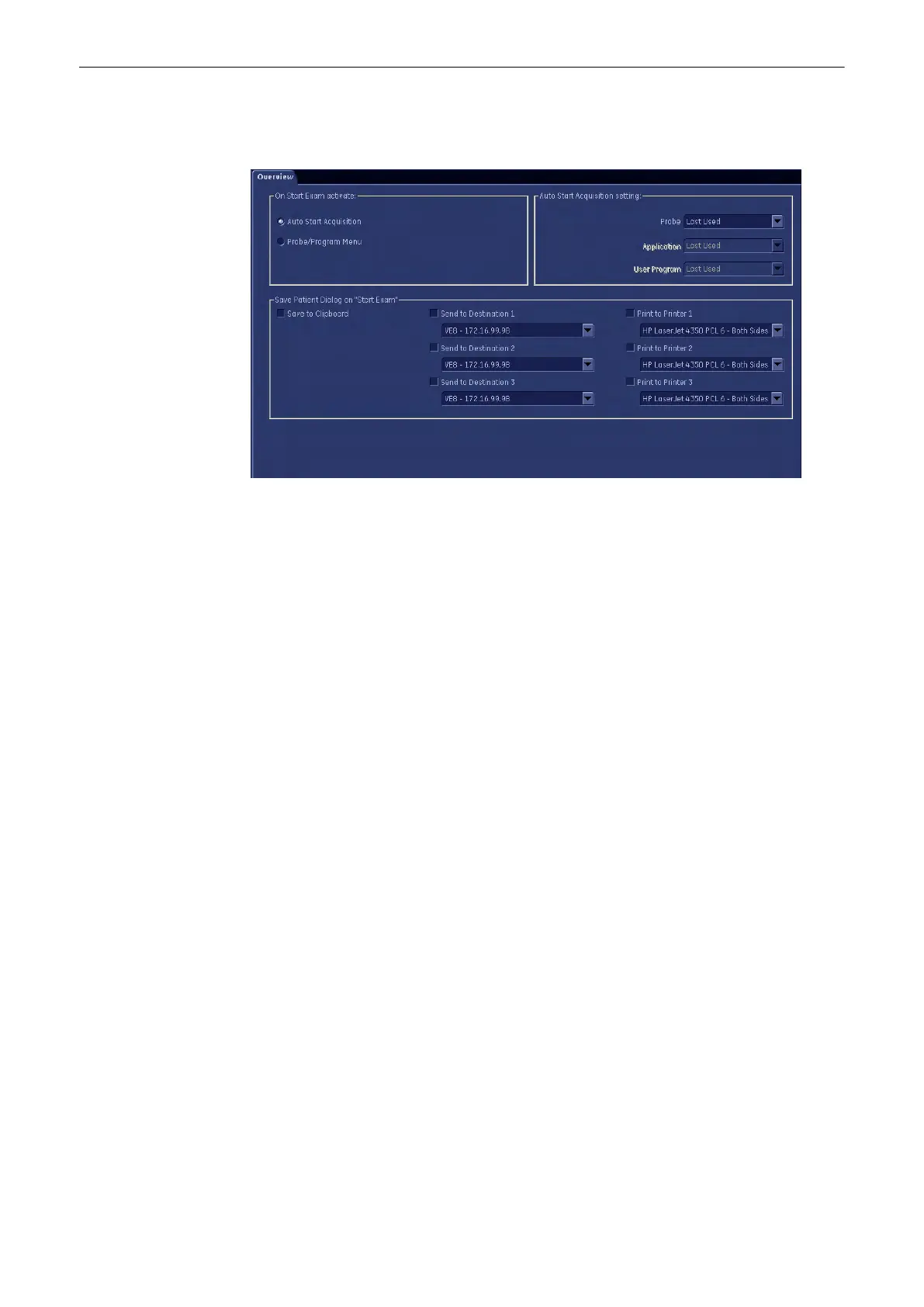
14.3 Start Exam Button
1. On Start Exam activate: There are two checkboxes.
•
Auto Start Acquisition: If you check, the system automatically starts with predefined
setting.
a. Probe: Select the Probe in the probe drop down list. This list contains all probes
currently connected to the system.
b. Application: Select the application in the application drop down list. This list
contains all applications available for the selected probe.
c. user Program: Select a user program in the user programs drop down list. This
list contains all user programs available for the selected application/probe
combination.
For each application and probe combination select whether to use:
•
Last Used: On start exam the last used user program is reloaded. (Default)
•
User Defined: On start exam the user program selected from the drop down list is
used
(Per Default the first item in the list is selected)
•
Probe/Program Menu: If you check, probe menu will appear to select a probe and
an application for the exam.
2.
Send: There are three checkboxes. You can choose up to three different destinations,
where to send your images or cines to. Choose the destination from the drop-down list.
To alter the drop-down list, see'Connectivity'
on page 13-30
3. Print: There are three checkboxes. You can choose up to three different destinations,
where to print your images or cines or reports. Choose the destination from the drop-
down list. To alter the drop-down list, see'Connectivity'
on page 13-30
Programmable Keys
Voluson® S6/S8 Basic User Manual
5433669-100 Revision 4 14-9



 To Next Page