•
Smoothing Filter (Rise and Fall in 2D image) leads to smoother flow and a good color 3D
display of vessels (e.g., filtering of high pulsatile vessels). Disadvantage: The higher the
filter setting, the longer the acquisition time.
•
Surface Mode: Displays the surface of the vessels (color signals) within the tissue
volume.
Note
If the Mix control is adjusted to 100% color, the gray scale tissue information becomes
transparent.
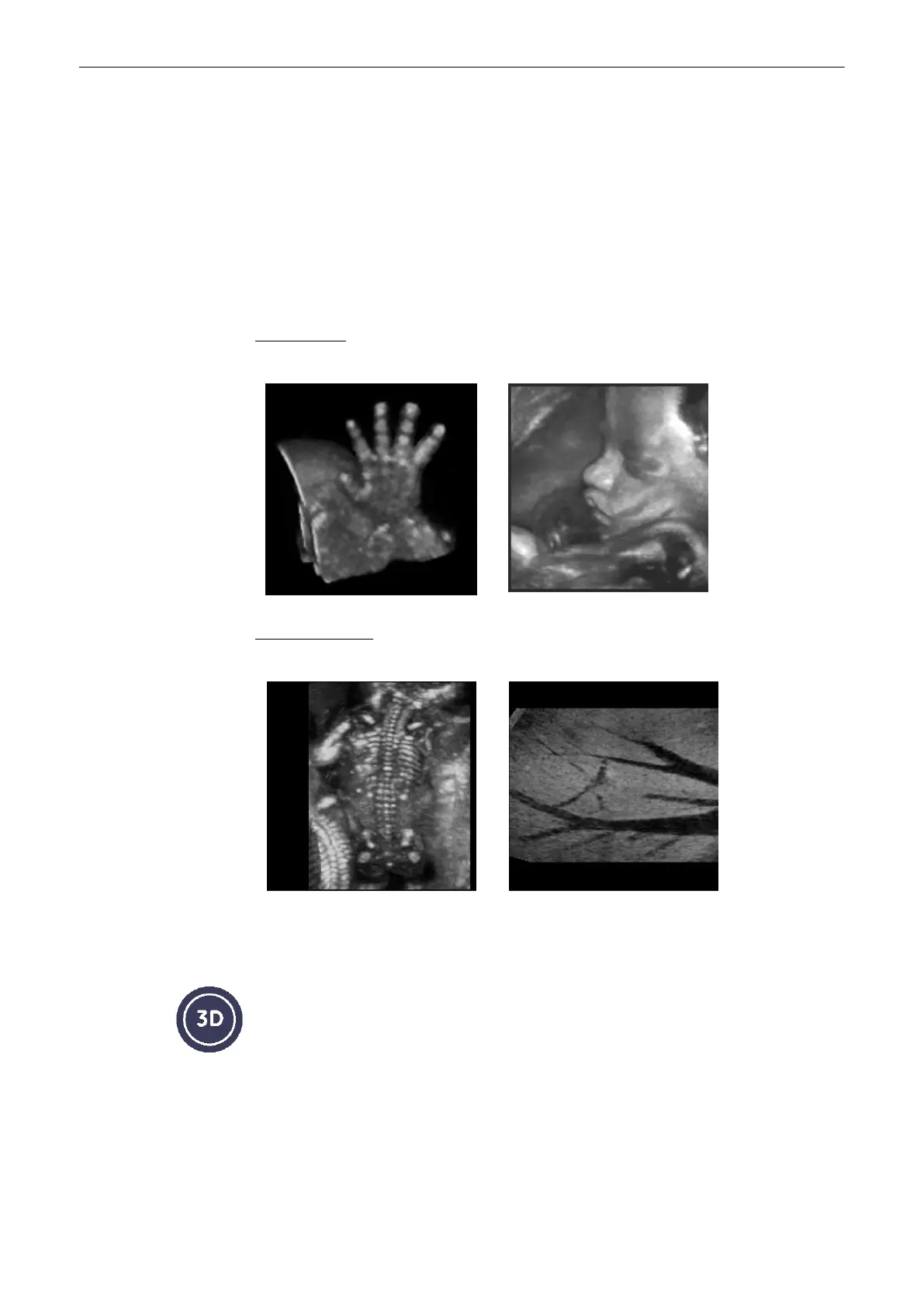
9.1.7.1 Examples of Rendered Images
Surface mode: gray rendering
Fetal hand Fetal face and umbilical cord
Transparent mode: gray rendering
Maximum mode: fetal skeleton Minimum mode: liver vessels
9.2 Volume Acquisition: Static 3D Sectional Planes
1. After obtaining a feasible 2D, 2D/CFM, 2D/PD, HD-Flow or B-Flow image, press the [3D]
key to activate the Volume mode.
The “3D Mode” menu appears on the menu area (scan mode).
Volume Mode
9-16
Voluson® S6/S8 Basic User Manual
5433669-100 Revision 4



 To Next Page