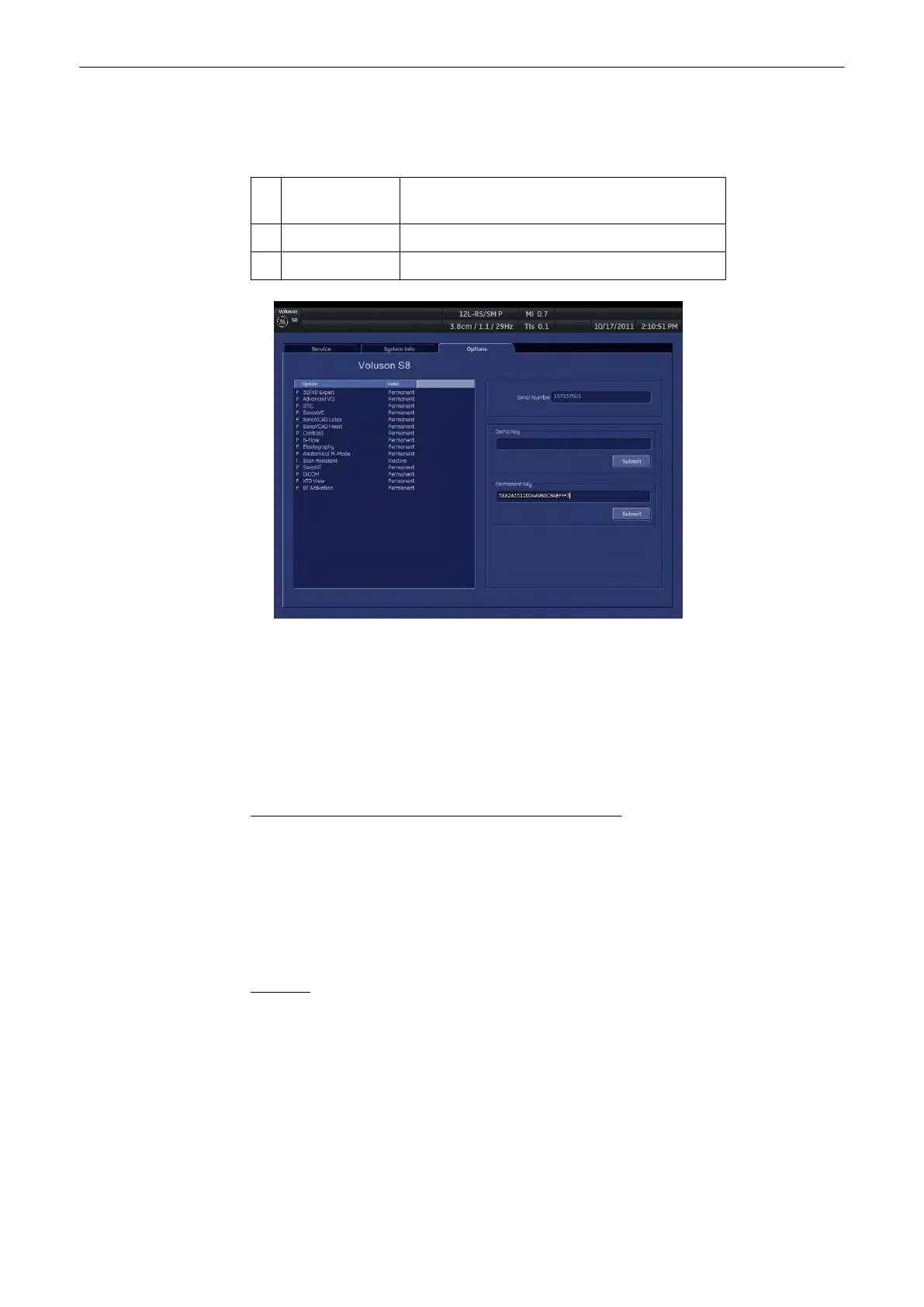
13.2.4.3 Options
This page shows all available system options and their state Possible states are:.
D Demo Option is activated for demo and expires on the
date shown in the “Valid” column.
I Inactive Option is not activated.
P Permanent Option is permanently activated (purchased).
Note
This sentence appears only, if the demo options are activated for 3 month.
Serial Number: Shows the serial number of the System.
Demo Key: This field is used to enter and show the demo key (all options are available for a
certain period of time) from OKOS.
Permanent Key: This field is used to enter and show encoding key for permanent available
options.
Operation for installing a “Demo Key” or a “Permanent Key”:
1.
Position the cursor inside the input field desired and press the left/right trackball key
[Set].
2. If one exists, clear/edit the current key code.
3. Enter the encrypted serial code with the keyboard and then click on [Submit]. (The code
will be checked.)
4. Click the [Save&Exit] button.
Remarks:
•
After activating a key code, restart the system (turn off and on the system).
•
To Exit from the System Setup without saving, select the [Exit] button.
Utilities and System Setup
Voluson® S6/S8 Basic User Manual
5433669-100 Revision 4 13-29



 To Next Page