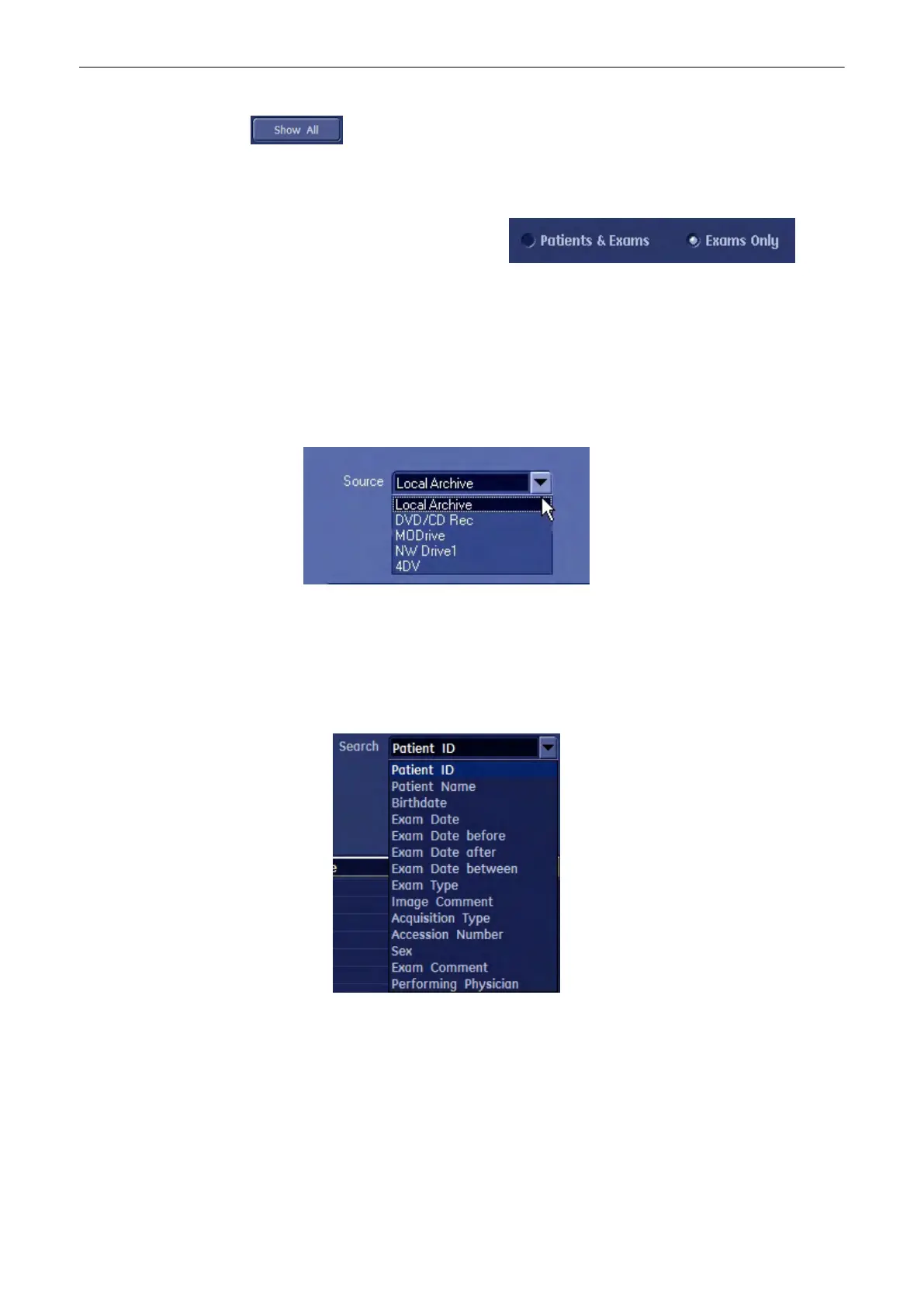
or show all patients and exams.
Using the radio button below you can change the display format. You can choose to display
Patients and exams or the exam list only. .
Note
In System Setup - General - Patient Info Display there is a checkbox “Automatically List
Patients” . If this checkbox is marked, all exams will be displayed automatically. If this
checkbox is unmarked no exams will be displayed when you press [Search] until you click the
[Show All] button on the screen.
12.3.3.1.1 How to search
1. Select the source, where you want to search.
Note
“Source = DICOM Server” is only available when a Quiery/Retrieve Server was configured and
selected in the DOICOM Configuration Dialog, see
'Connectivity'
on page 13-30
Note
When “Source = DICOM Server” is selected, the Archive Screen changes, see
'DICOM Server
(Query/Retrieve)'
on page 12-16
2. Then you select a search criteria from the list and enter its value in the neighbouring
field.
3. If you want to narrow down your search even more, add another search criteria by
choosing a connector (and/or).Then you select the second search criteria from the list
Archive
12-14
Voluson® S6/S8 Basic User Manual
5433669-100 Revision 4



 To Next Page