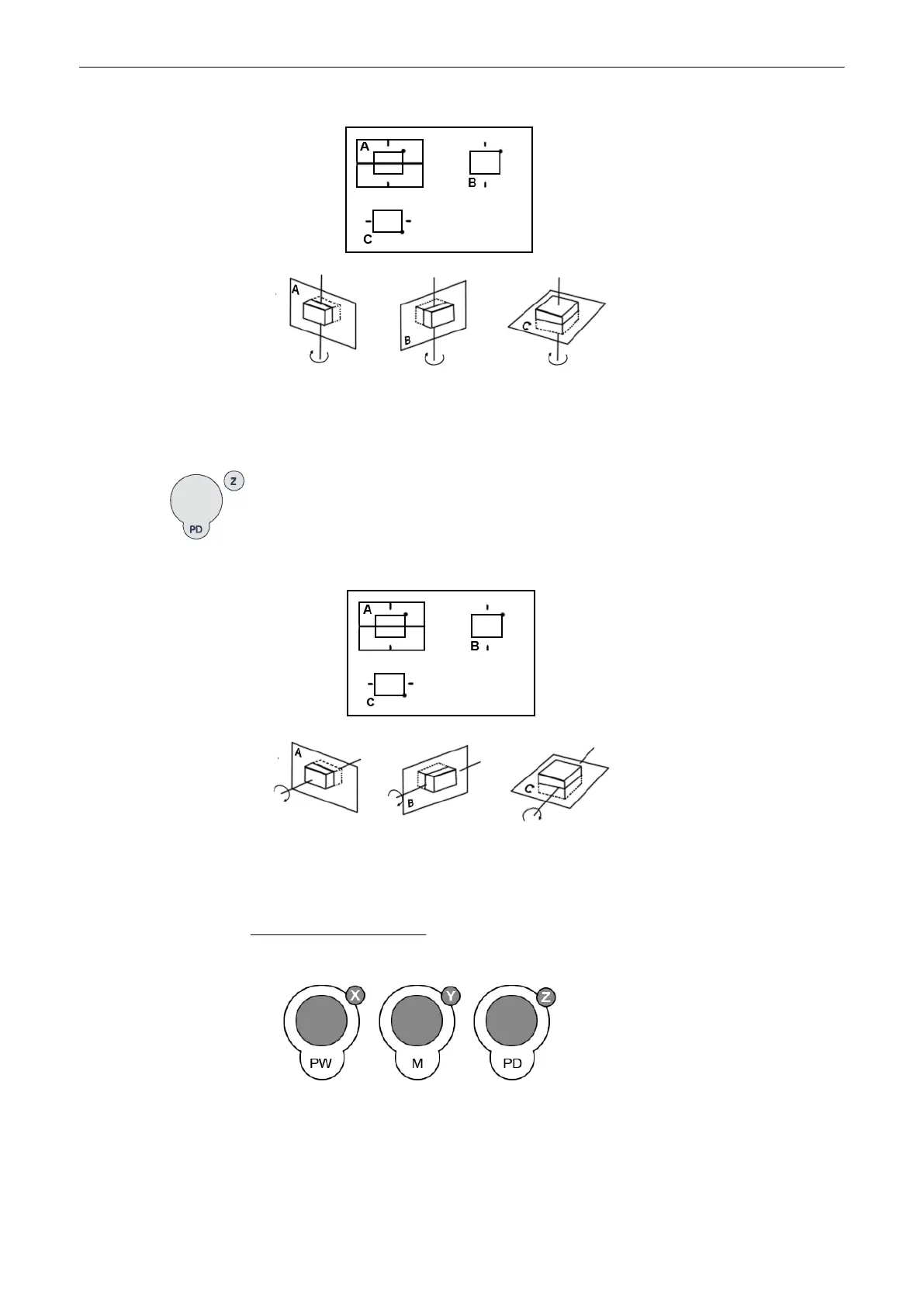
By the clockwise rotation of the volume body in relation to the screen plane (as shown) the
new sectional planes are calculated in real time and displayed on screen.
For rotation around the Z-axis of a reference image (e.g. A):
turn the [Z] rotary control clockwise:
By rotation of the volume body in relation to the screen plane (as shown) the new sectional
planes are calculated in real time and displayed on screen.
Important notes for the user:
•
Rotation should be performed slowly to understand the orientation.
For faster rotating push the rotary controls (toggle switch: slow rotation, fast rotation) Press
again to return to slower rotation.
•
Do not rotate by large angles except when the orientation left/right or up/down is to be
changed. At 90˚ rotation around an axis, the sections A, B, C will change:
Volume Mode
Voluson® S6/S8 Basic User Manual
5433669-100 Revision 4 9-27



 To Next Page