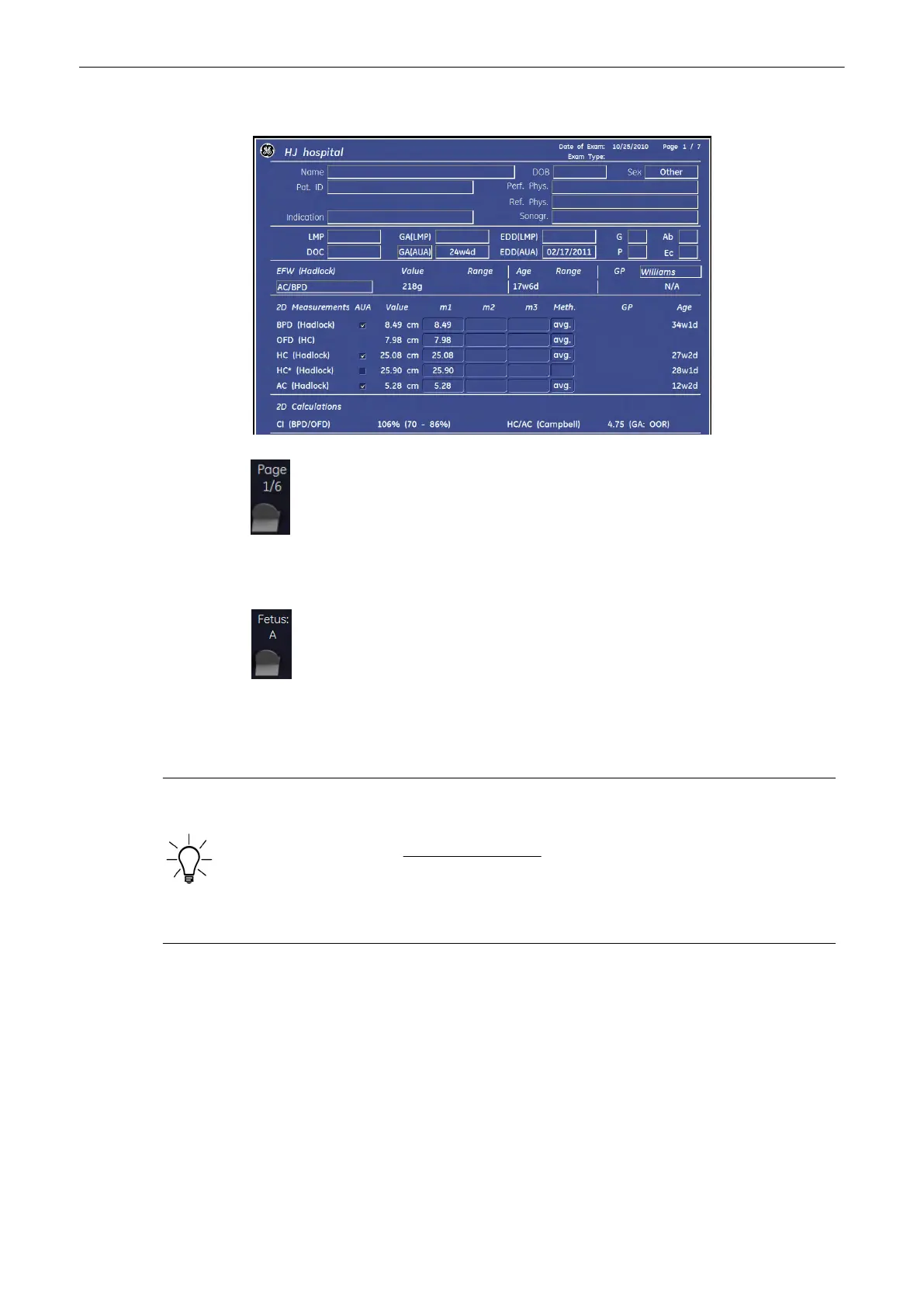
The worksheet appears as follows (e.g., summary report “Calc”).
With this flip control additional worksheet pages of the measured Fetus (e.g., Fetus A) can be
selected.
Select this flip switch control to change from the 1
st
(A) fetus to the 2
nd
(B) or 3
rd
(C) or 4
th
(D)
fetus.
To close the worksheet, select the [Exit] key on the menu area.
The appearance of the Obstetric worksheet depends on:
•
information’s that were entered in the Obstetric Patient Information page,
•
adjustments in the Measure Setup Pages; for details review
(chapter
'The Measure
Setup Pages'
on page 11-109
)
,
•
the performed measurements and
•
the selected “summary report” pages
Use following keys to switch between different summary reports.
Measurements and Patient Worksheets (Reports)
11-54
Voluson® S6/S8 Basic User Manual
5433669-100 Revision 4



 To Next Page