214603 90 Revision A
3.19.6 Cab Display Module (CDM) Configuration
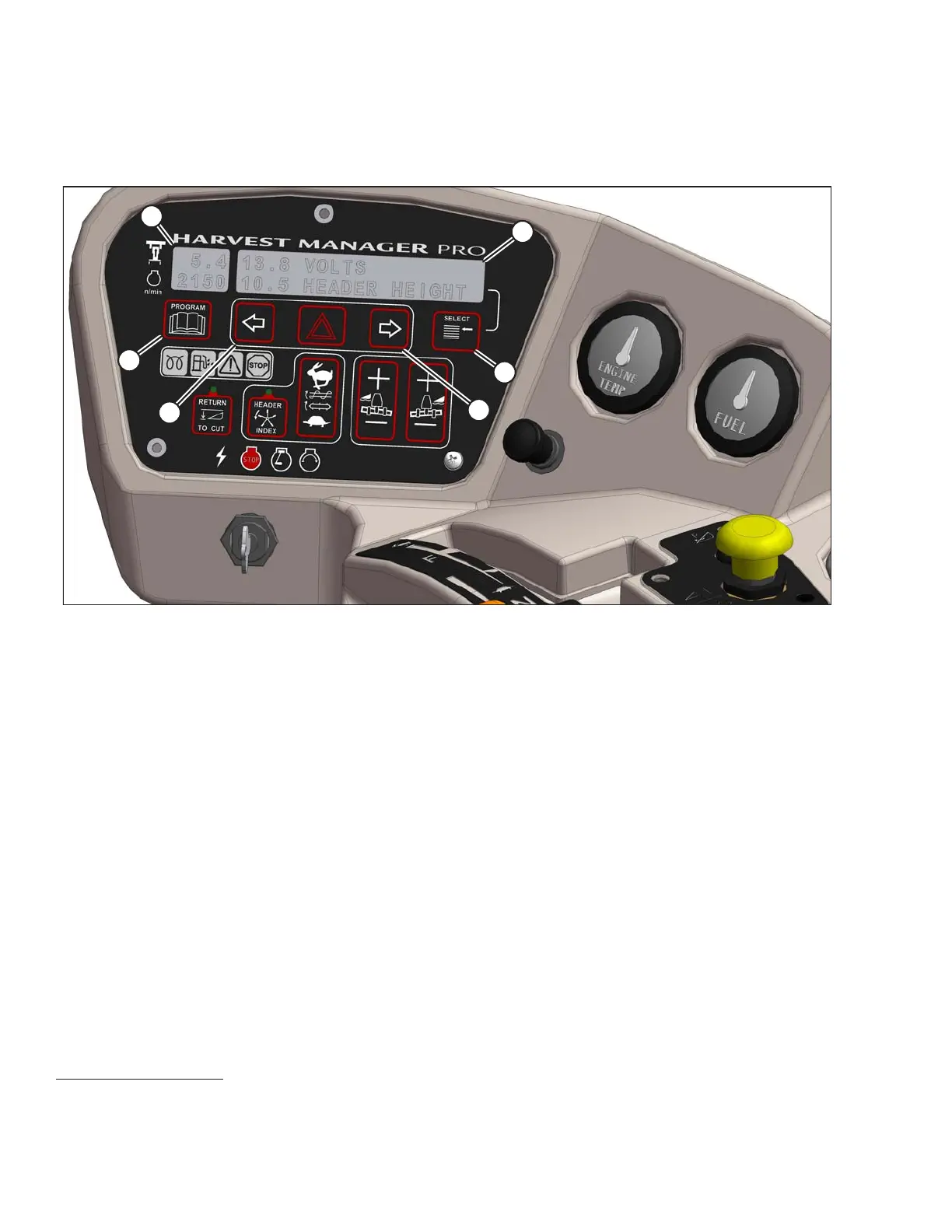
Figure 3.73: CDM
A - Side Display B - Main Display C - Select Switch
D - Menu Item Scroll Forward E - Menu Item Scroll Backward F - Program Switch
Side Display: Displays software revision status.
• Upper line – C### (CDM)
• Lower line – or X### (WCM)
NOTE:
M### is for M155 and X### is for M205.
Main Display: Displays menu item and selection
13
.
• Upper line – Menu item
• Lower line – Selection
Select Switch: Places monitor into Program Mode with PROGRAM switch. Press to accept menu item and
advance to next item.
Menu Item Scroll Forward: Displays value under menu item.
• Push to scroll forward
• Hold down for fast scroll
14
OPERATOR’S STATION
13. The current selection is flashing.
14. Fast scroll applies only when changing KNIFE SPEED, OVERLOAD PRESSURE, and TIRE SIZE.





 To Next Page