214603 168 Revision A
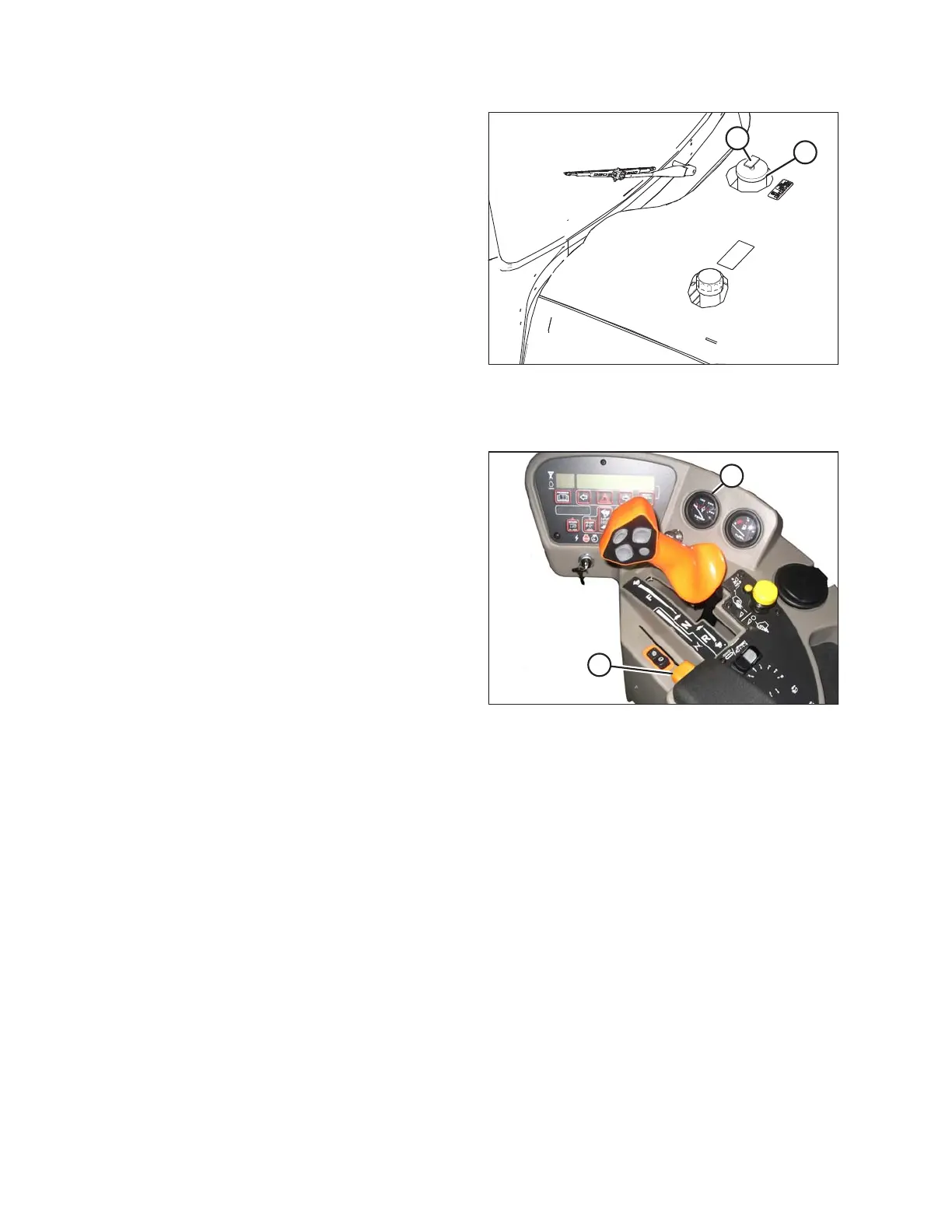
Figure 4.12: Fuel Filler Cap
3. Clean the area around filler cap (A).
4. Turn cap handle (B) counterclockwise until loose and
then remove cap.
5. Fill tank with approved fuel. Refer to inside back cover
for recommended fuel.
IMPORTANT:
Do NOT fill tank completely—space is required for
expansion. A filled tank could overflow if exposed to a
rise in temperature, such as direct sunlight.
6. Replace fuel tank cap (A) and turn cap handle (B)
clockwise until snug.
Engine Temperature
Figure 4.13: Operator Console
The normal engine operating temperature range is
82–104°C (180–220°F). Engine temperature is indicated by
gauge (B) on the operator’s console.
If the temperature exceeds 104°C (220°F), an ongoing
intermittent tone will be heard and the cab display module
(CDM) will flash ENGINE TEMP. Stop the engine
immediately and determine cause. The tone will stop and
the CDM will return to normal when the temperature drops
below 102°C (215°F).
Engine Oil Pressure
The nominal engine oil pressure is 69 kPa (10 psi) at low idle and 380 kPa (55.1 psi) at maximum rated speed.
If the oil pressure drops below the preset level of 52 kPa (7.5 psi), the cab display module (CDM) flashes an error
code and error message.
If the STOP ENGINE light illuminates, stop the engine IMMEDIATELY and investigate.
If the yellow CAUTION light illuminates, you may continue operations and investigate later, but you are STRONGLY
advised to monitor the situation carefully.
OPERATION





 To Next Page