214603 372 Revision A
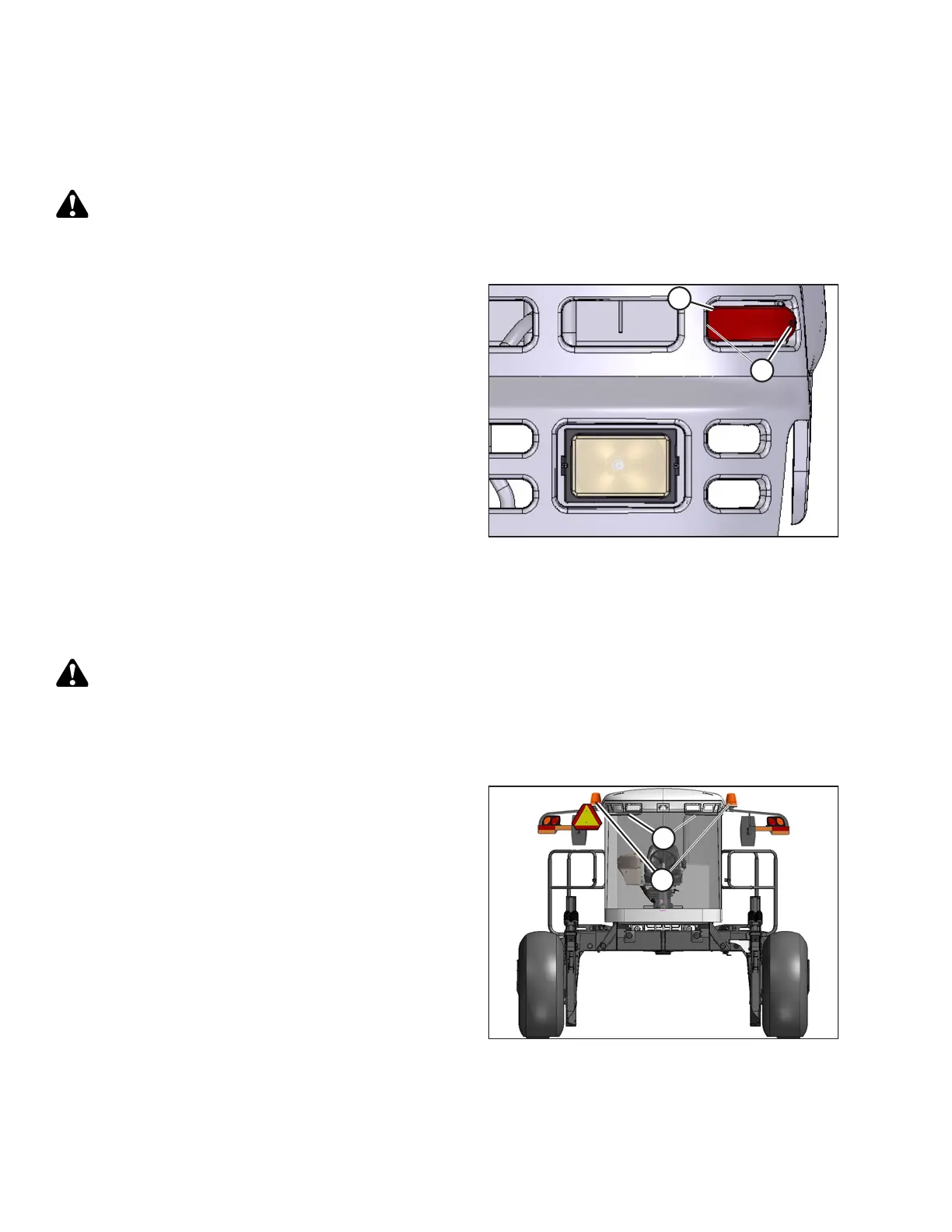
5.9.9 Replacing Red Taillights
Red taillights are included with the Lighting and Marking for Cab-Forward Road Travel Kit (MD #B5412). To replace
the red taillights, follow these steps:
DANGER
To avoid bodily injury or death from unexpected startup of the machine, always stop the engine and
remove the key from the ignition before leaving the operator’s seat for any reason.
Figure 5.158: Red Taillights
1. Shut down the engine and remove the key.
2. Turn lights OFF.
3. In the grill of the hood, remove two screws (A) from
light (B), and remove light.
4. Remove connector from light.
5. Connect wiring harness to new light (B) and install light
with screws (A).
5.9.10 Replacing the Bulbs in Beacon Lights (If installed)
Beacon warning lights are available as an optional Dealer-installed attachment (MD #B5582).
DANGER
To avoid bodily injury or death from unexpected startup of the machine, always stop the engine and
remove the key from the ignition before leaving the operator’s seat for any reason.
To replace the halogen bulb inside the beacon warning lights, follow these steps:
Figure 5.159: Warning Beacons
1. Shut down the engine and remove the key. Turn
beacons OFF.
NOTE:
Hold onto handholds (B) on the cab front corners and
stand on the header anti-slip strips, or stand on the
maintenance platform when accessing beacons (A).
MAINTENANCE AND SERVICING




 To Next Page