214603 94 Revision A
Setting the Rotary Disc Overload Speed
NOTE:
• The header MUST be attached to the windrower to perform this procedure. The cab display module (CDM)
automatically adjusts its programming for each header. For more information, refer to 4.5 Attaching and
Detaching Headers, page 217.
• The recommended disc overload speed is 75% of disc speed. For more information refer to the rotary disc
header operator’s manual to determine proper overload speed.
1009974
C###
X###
WINDROWER SETUP?
NO/YES
A
B
C
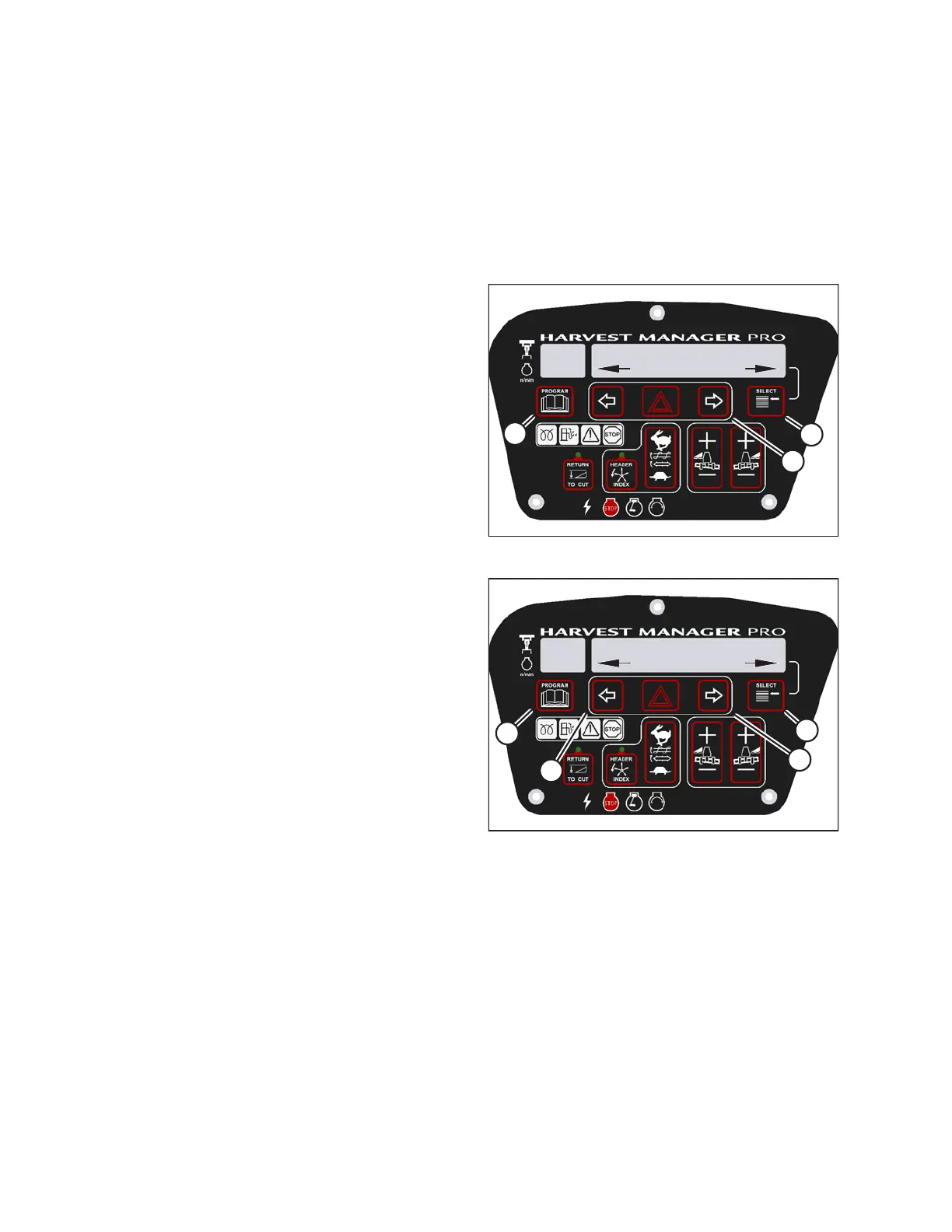
Figure 3.78: M205 CDM Programming Buttons
1. Turn ignition key to RUN, or start the engine.
2. Press PROGRAM (A) and SELECT (C) on cab display
module (CDM) to enter programming mode.
• WINDROWER SETUP? is displayed on the upper
line. NO/YES is displayed on the lower line.
3. Press right arrow (B) to select YES. Press SELECT (C).
• SET KNIFE SPEED? is displayed.
1009988
DISC OVERLOAD SPD?
-300 RPM
C###
X###
D
C
B
A
Figure 3.79: M205 Disc Overload Speed
4. Press SELECT (D) until DISC OVERLOAD SPD? is
displayed on the upper line.
• The current overload speed is displayed on the
lower line.
NOTE:
Default setting is -300 rpm. Range is -500 to -100 rpm.
5. Press left (B) or right (C) arrows to set disc overload
speed. Press SELECT (D).
6. Press PROGRAM (A) to exit programming mode or
press SELECT (D) to proceed to next WINDROWER
SETUP action.
OPERATOR’S STATION





 To Next Page