214603 201 Revision A
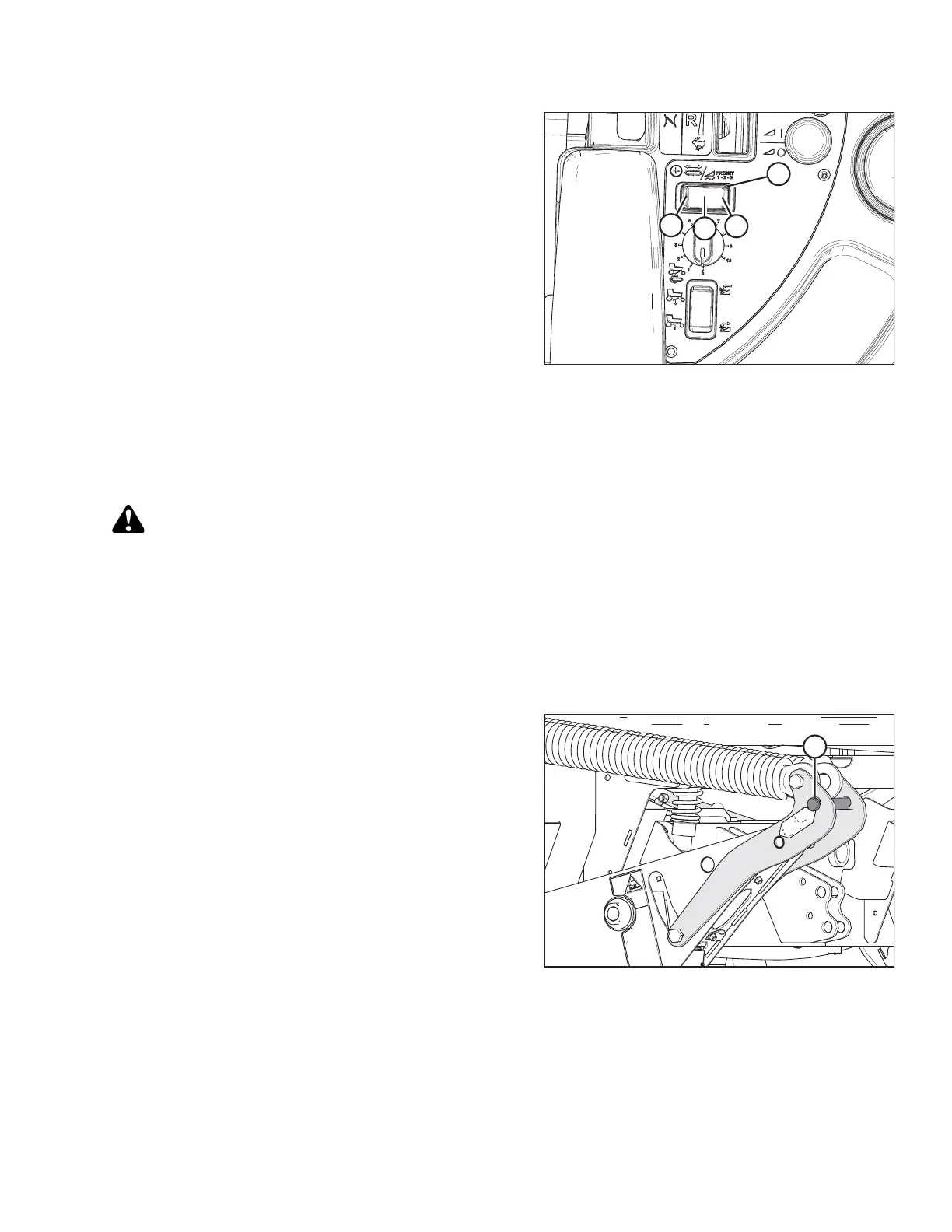
Figure 4.72: Float Preset Switch
6. Select a second preset with the FLOAT PRESET 2
SWITCH (C).
7. Repeat Steps 1, page 199 and 2, page 199 to set
the float.
8. Select a third preset with the FLOAT PRESET 3
SWITCH (D).
9. Repeat steps 1, page 199 and 2, page 199 to set
the float.
NOTE:
For draper headers with the deck shift option, the float
can be preprogrammed to compensate for weight
distribution when the decks are shifted. Refer to Setting
Float Options with Deck Shift, page 273.
4.4.3 Levelling the Header
The windrower linkages are factory-set to provide the proper level for the header and should not normally require
adjustment.
DANGER
To avoid bodily injury or death from unexpected startup of the machine, always stop the engine and
remove the key from the ignition before leaving the operator’s seat for any reason.
If the header is not level, check the windrower tire pressures before adjusting the levelling linkages.
NOTE:
The float springs are NOT used to level the header.
To level the header, follow these steps:
Figure 4.73: Float Pins – Disengaged
1. Place float pins in locked out location (A).
OPERATION





 To Next Page