214603 200 Revision A
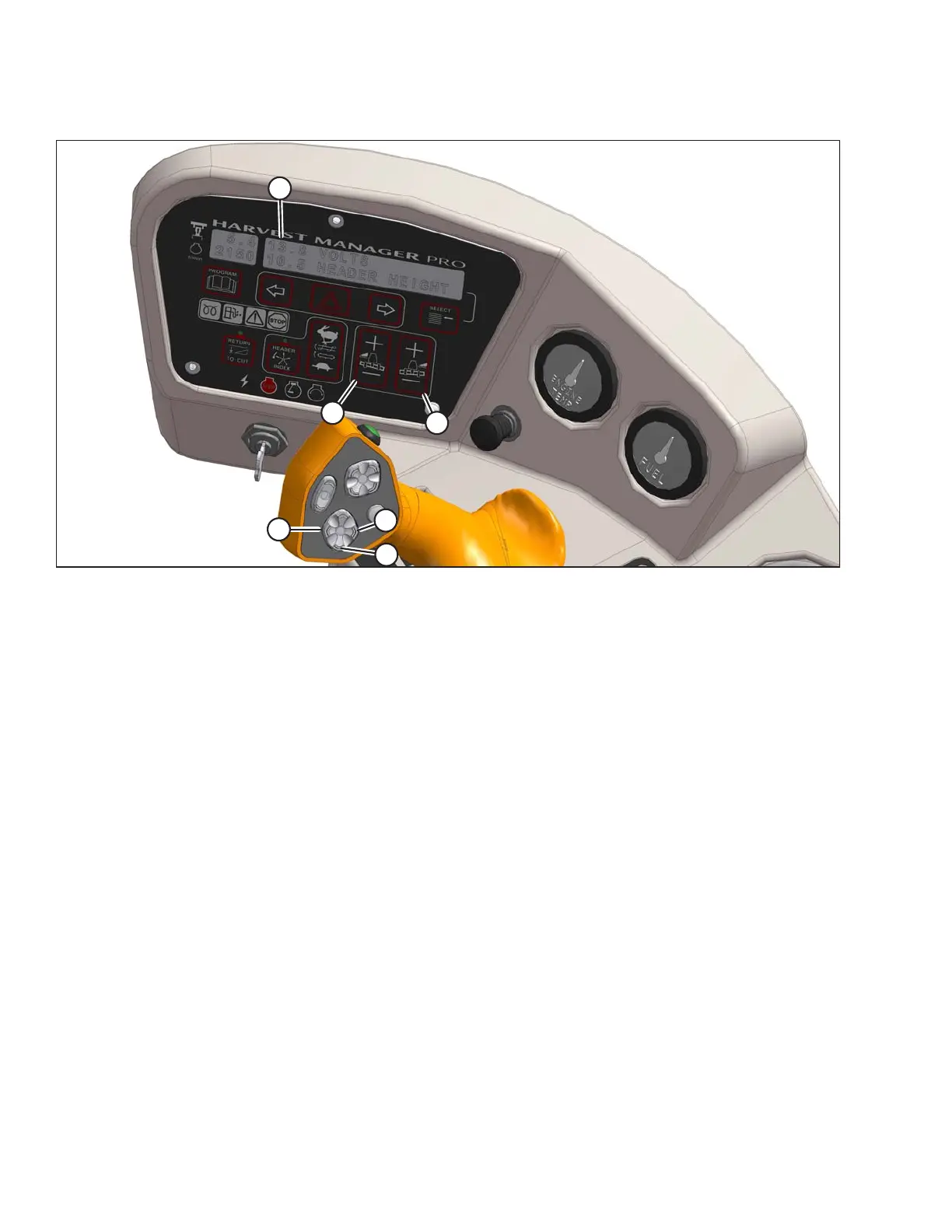
Figure 4.71: Cab Display Module (CDM) Float Adjustment
A - CDM Display B - Left Float Adjustment C - Right Float Adjustment
D - Header Tilt Down E - Header Lower F - Header Tilt Up
3. Using HEADER TILT switches (D) and (F), set center-link to mid-range position (5.0 on CDM [A]).
NOTE:
If equipped with the optional draper header reel drive (MD #B5496), adjust reel fore-aft to your normal
operating position.
4. Using HEADER DOWN switch (E), lower header fully with lift cylinders fully retracted.
5. Set left (B) and right (C) float fine adjustments on CDM to approximately 5.0 as follows:
a. Using FLOAT SELECTOR switch (B), push + to increase float or – to decrease float on left side of
header. CDM display (A) will indicate selected float for left side, for example, (5.0 L FLOAT R XX.X).
b. Repeat for right side float with switch (C). Display will indicate float for both sides, for example,
(5.0 L FLOAT R 5.0).
OPERATION





 To Next Page