214603 342 Revision A
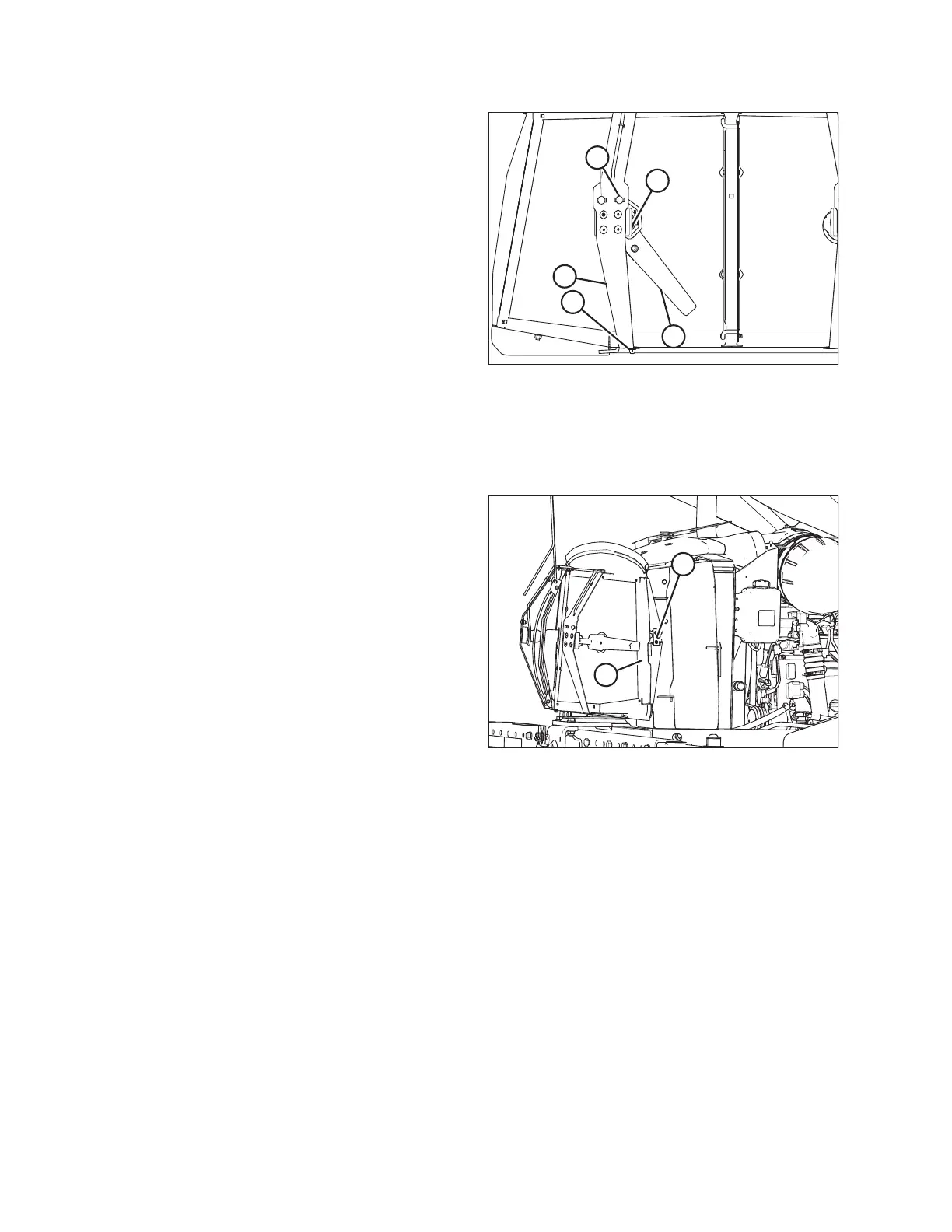
Figure 5.101: Screen Cleaner
NOTE:
Screen cleaner rotors rotate counterclockwise and may
touch screen as long as they continue to rotate.
3. Loosen nut (B) on motor support (C).
4. Move support in or out until duct is 2–6mm
(0.079–0.236 in.) from screen near the center.
5. Tighten nut (B).
6. Loosen the two motor mount bolts (D).
7. Move motor/duct assembly (E) to obtain 1–8mm
(0.039–0.314 in.) gap to screen at full rotation of
the rotor.
8. Tighten nuts (D) on motor mount.
9. Close the hood. Refer to 5.2.2 Closing Hood (Lower
Position), page 285.
Closing Cooler Box Screen
Figure 5.102: Engine Cooling System
1. Unhook the support rod and store it in the screen door.
Close screen access door (B) and engage latch (A).
2. Close the hood. Refer to 5.2.4 Closing Hood (Highest
Position), page 287.
MAINTENANCE AND SERVICING





 To Next Page