214603 91 Revision A
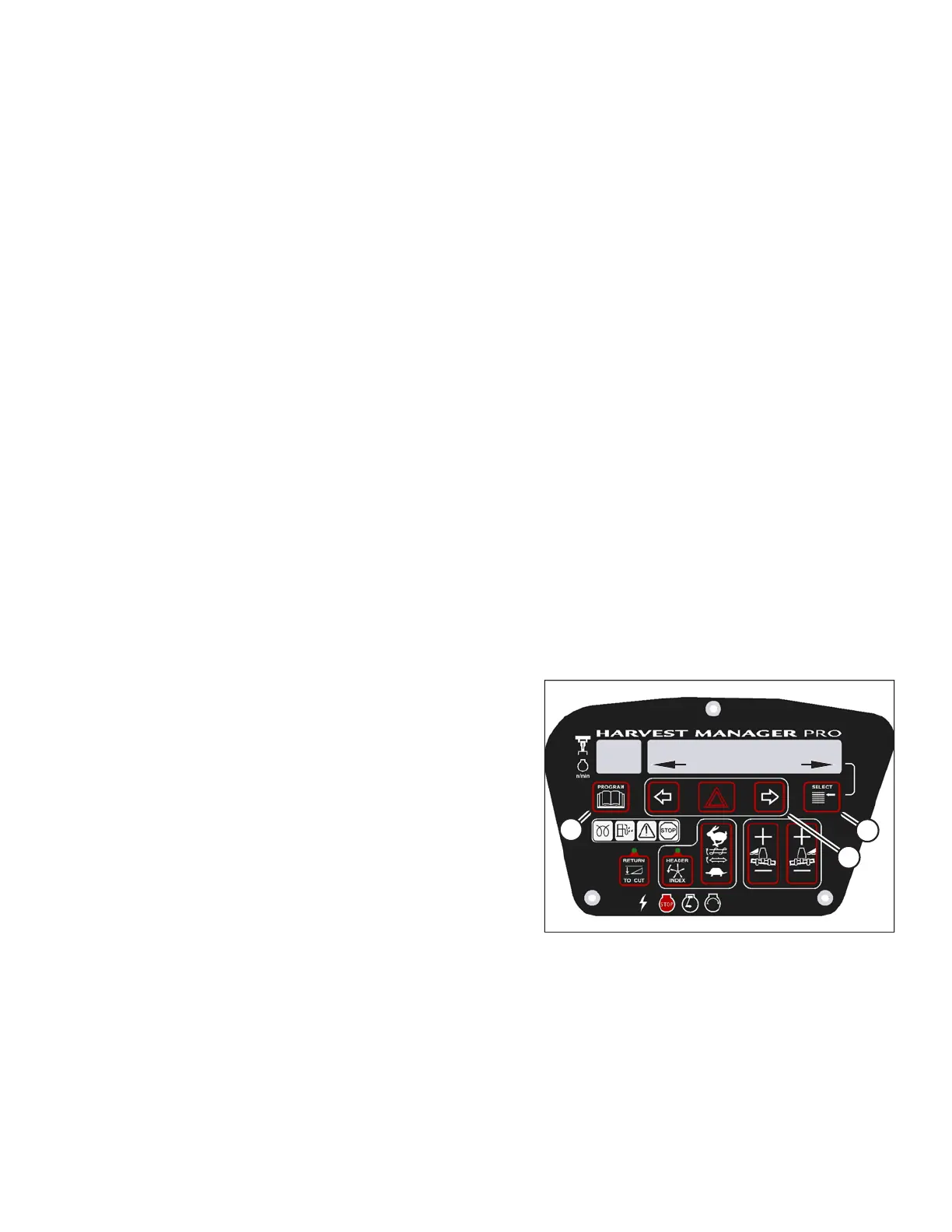
Menu Item Scroll Backward: Displays value under menu item.
• Push to scroll backward
• Hold down for fast scroll
14
Program Switch: Places monitor into Program Mode. Press while pressing select switch.
NOTE:
Contact your MacDon Dealer for information regarding software updates to the electronic modules. Your Dealer will
have the necessary interface tools and access to the latest software upgrades.
NOTE:
The following menus are available when ignition key is set to RUN:
• WINDROWER SETUP
• CAB DISPLAY SETUP
• DIAGNOSTIC MODE
The CALIBRATE SENSORS menu is available only when engine is running.
3.19.7 Configuring the Windrower
The windrower can be configured to meet changing crop conditions, activate newly added options, indicate a
change of header type, or increase your comfort level.
Setting the Header Knife Speed
NOTE:
The header MUST be attached to the windrower to perform this procedure. The cab display module (CDM)
automatically adjusts its programming for each header. For more information, refer to 4.5 Attaching and Detaching
Headers, page 217.
1009974
C###
X###
WINDROWER SETUP?
NO/YES
A
B
C
Figure 3.74: M205 CDM Programming Buttons
1. Turn ignition key to RUN, or start the engine.
2. Press PROGRAM (A) and SELECT (C) on cab display
module (CDM) to enter programming mode.
• WINDROWER SETUP? is displayed on the
upper line.
• NO/YES is displayed on the lower line.
3. Press right arrow (B) to select YES. Press SELECT (C).
• SET KNIFE SPEED? is displayed.
• The current knife speed is displayed on the
lower line.
OPERATOR’S STATION





 To Next Page