214603 282 Revision A
4.8.1 Disc Speed
The ideal disc speed should achieve a clean cut. Crop types and conditions affect disc and ground speeds.
Refer to the header operator’s manual for the suggested disc speed for a variety of crops and conditions.
Setting Disc Speed
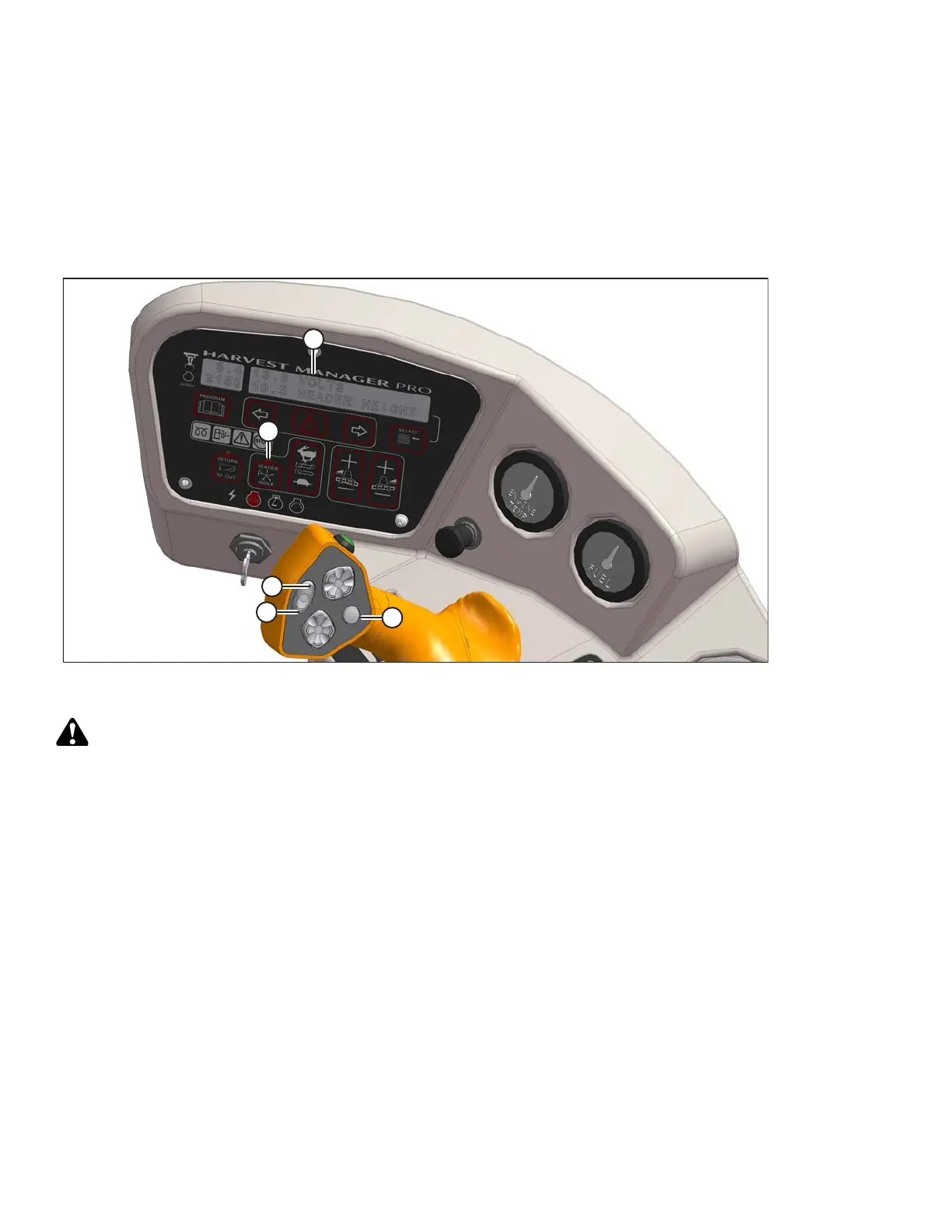
Figure 4.241: Operator Console
A - Display B - Header Index C - Fast
D - Slow E - Display Selector
CAUTION
Check to be sure all bystanders have cleared the area.
Follow these steps to set the disc speed:
1. Engage header.
2. Set HEADER INDEX switch (B) to OFF.
3. Press FAST (C) or SLOW (D) on ground speed lever (GSL) until display (A) shows #### DISC RPM with
desired disc speed.
Displayed value (####) = disc speed (rpm).
OPERATION





 To Next Page