214603 378 Revision A
5.9.13 Replacing the Ambient Light Fixture
To replace the ambient light fixture, follow these steps:
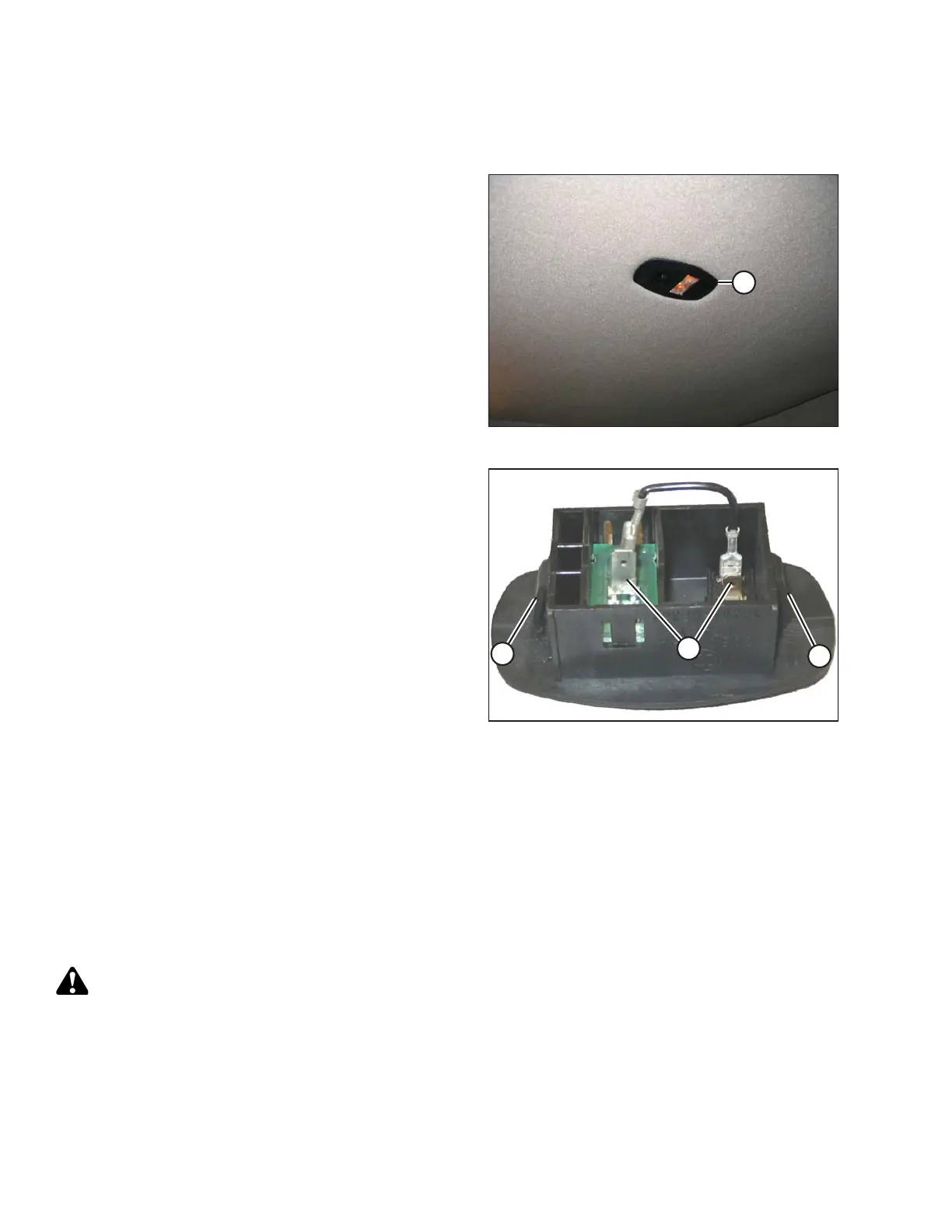
Figure 5.170: Ambient Light Fixture
1. Locate ambient light fixture (A) in the roof liner.
Figure 5.171: Ambient Light Fixture
2. Push against tabs (A) with a screwdriver and pull
ambient light fixture out of cab roof.
3. Remove wires from connectors (B).
4. Connect wires to new light fixture.
5. Push into place in cab roof until tabs hold fixture
in place.
5.9.14 Turn Signal Indicators
If the turn signal indicators on the operator console do not function, contact your MacDon Dealer.
5.9.15 Circuit Breakers and Fuses
The circuit breakers and fuses are located inside a fuse box mounted on the right (cab-forward) side of the frame
under the platform.
Accessing Circuit Breakers and Fuses
DANGER
To avoid bodily injury or death from unexpected startup of the machine, always stop the engine and
remove the key from the ignition before leaving the operator’s seat for any reason.
Access the breakers and fuses as follows:
MAINTENANCE AND SERVICING




 To Next Page