214603 106 Revision A
Setting the Engine Intermediate Speed Control (ISC) RPM
NOTE:
The ISC sets the engine speed when the header is engaged. For more information, refer to Engine Intermediate
Speed Control (ISC), page 166.
The engine MUST be running to perform this procedure.
1009974
C###
X###
WINDROWER SETUP?
NO/YES
A
B
C
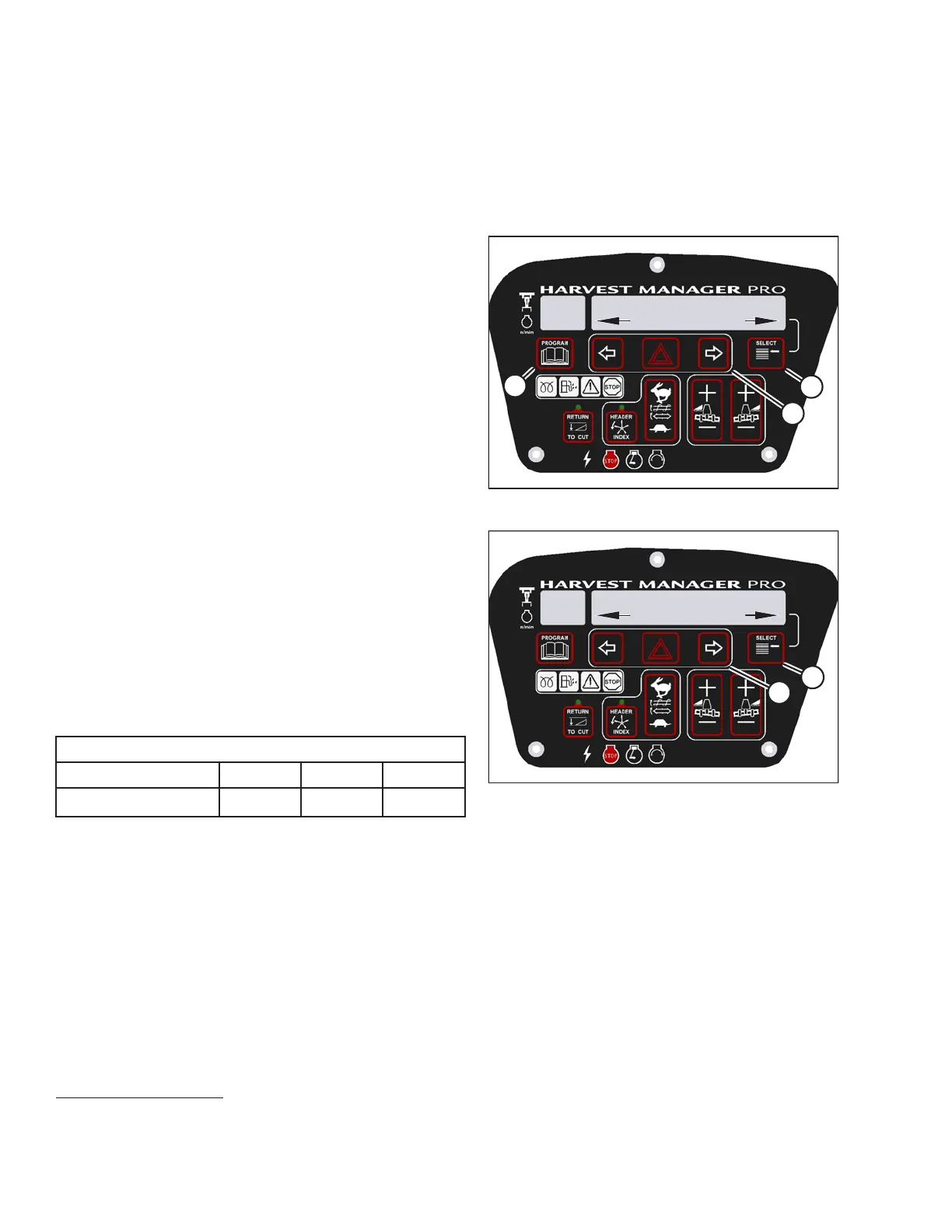
Figure 3.102: M205 CDM Programming Buttons
1. Start the engine.
2. Press PROGRAM (A) and SELECT (C) on cab display
module (CDM) to enter programming mode.
• WINDROWER SETUP? is displayed on the
upper line.
• NO/YES is displayed on the lower line.
3. Press right arrow (B) to select YES. Press SELECT (C).
• SET KNIFE SPEED? is displayed on the upper line.
1023538
SET ENGINE ISC RPM?
NO/YES
C###
X###
B
A
Figure 3.103: M205 Engine ISC RPM
4. Press SELECT (B) until SET ENGINE ISC RPM? is
displayed on the upper line.
• NO/YES is displayed on the lower line.
5. Press right arrow (A) to select YES. Press SELECT (B).
• PRESS HAZARD TO SET is displayed on the
upper line.
• ISC RPM #### is displayed on the lower line.
Table 3.1 ISC Settings
ISC and RPM
Off
15
123
High Idle
2000 1800 1600
NOTE:
The previously selected ISC rpm will be flashing.
OPERATOR’S STATION
15. Off is always used when the header is not engaged.





 To Next Page