214603 371 Revision A
5.9.8 Replacing Bulbs in Red and Amber Lights
To replace bulbs in red and amber lights, follow these steps:
DANGER
To avoid bodily injury or death from unexpected startup of the machine, always stop the engine and
remove the key from the ignition before leaving the operator’s seat for any reason.
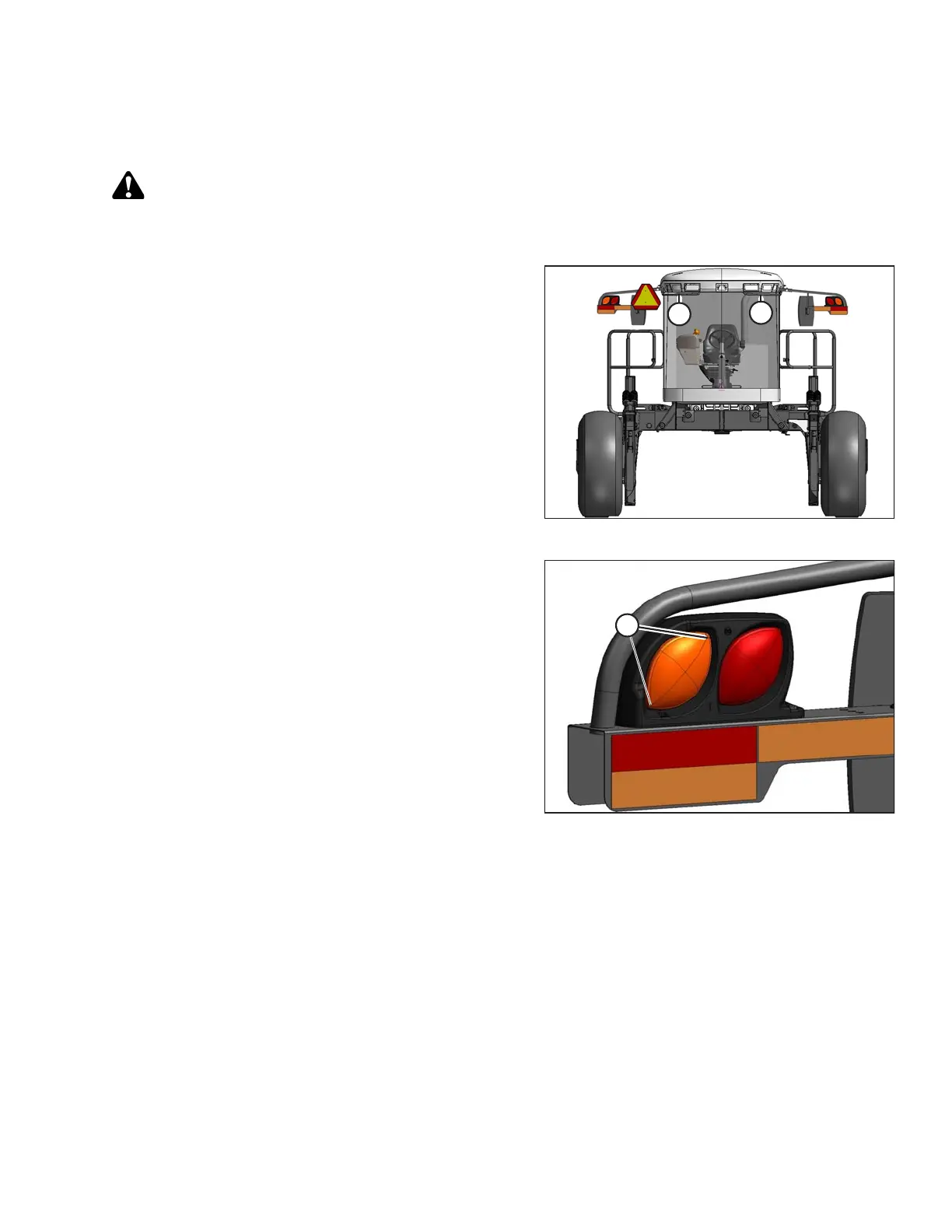
Figure 5.156: Windrower Cab-Forward
1. Shut down engine and remove key. Turn lights OFF.
NOTE:
Hold onto handholds (A) on the cab front corners and
stand on the header anti-slip strips, or stand on the
maintenance platform when accessing the red and
amber lights.
Figure 5.157: Red and Amber Lights
2. Remove two screws (A) from lens and remove lens.
3. Push and twist light bulb to remove from socket.
4. Install new bulb in socket ensuring that bulb base is
properly engaged in socket.
• Use Bulb Trade #1157 for red taillights
• Use Bulb Trade #1156 for amber lights
5. Reinstall lens with screws (B).
MAINTENANCE AND SERVICING





 To Next Page