214603 341 Revision A
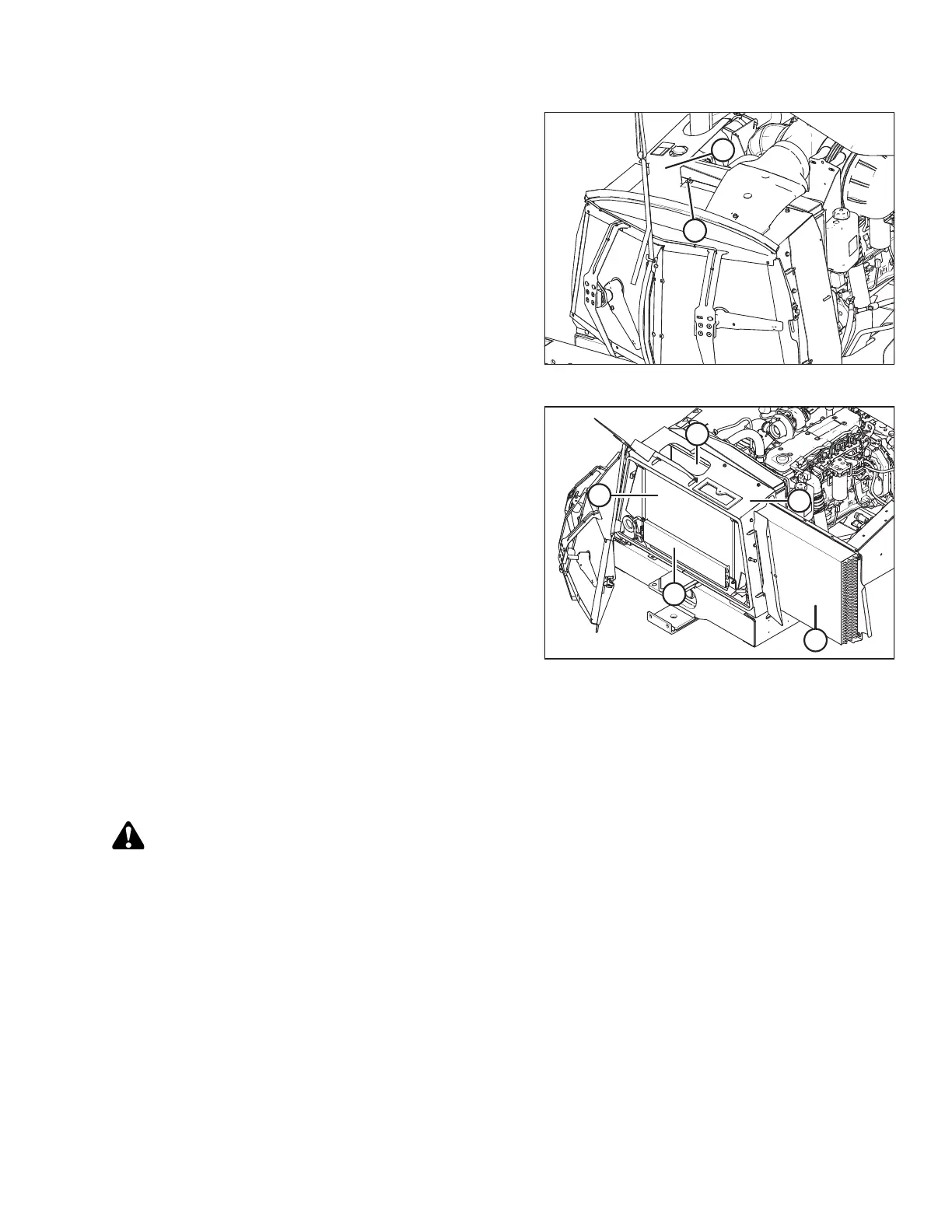
Figure 5.99: Cooling Box Access Door
5. Remove wing nut (A) and open access door (B) at top
of cooling box.
NOTE:
Fins on coolers can be very easily bent which may
interfere with its function. Exercise caution when
cleaning.
Figure 5.100: Engine Cooling System
6. Clean radiator (A) through access hole in cooling box
with compressed air.
7. Clean oil cooler / air conditioning condenser (B), charge
air cooler (C), cooling box (D), and fuel cooler (E) with
compressed air.
8. Inspect all lines and coolers for evidence of leaks and
damage.
9. Slide oil cooler / air conditioning condenser (B) back
into cooling box (D).
10. Close side access door and lock with lever.
11. Close access door on top of the cooling box and secure
with wing nut.
12. Close cooler box screen. Refer to Closing Cooler Box
Screen, page 342.
Adjusting Screen Cleaner Rotor to Screen Clearance
The clearance between trailing edge of screen cleaner rotor and screen should be 1–8 mm (0.039–0.314 in.) at all
locations when rotating.
DANGER
To avoid bodily injury or death from unexpected startup of the machine, always stop the engine and
remove the key from the ignition before leaving the operator’s seat for any reason.
1. Shut down the engine and remove the key.
2. Open the hood. Refer to 5.2.1 Opening Hood (Lower Position), page 284.
MAINTENANCE AND SERVICING





 To Next Page