214603 98 Revision A
Setting the Auto Raise Height
For more information on the Auto Raise Height feature, refer to 4.4.8 Auto Raise Height, page 211.
NOTE:
The header MUST be attached to the windrower to perform this procedure. The cab display module (CDM)
automatically adjusts its programming for each header.
1009974
C###
X###
WINDROWER SETUP?
NO/YES
A
B
C
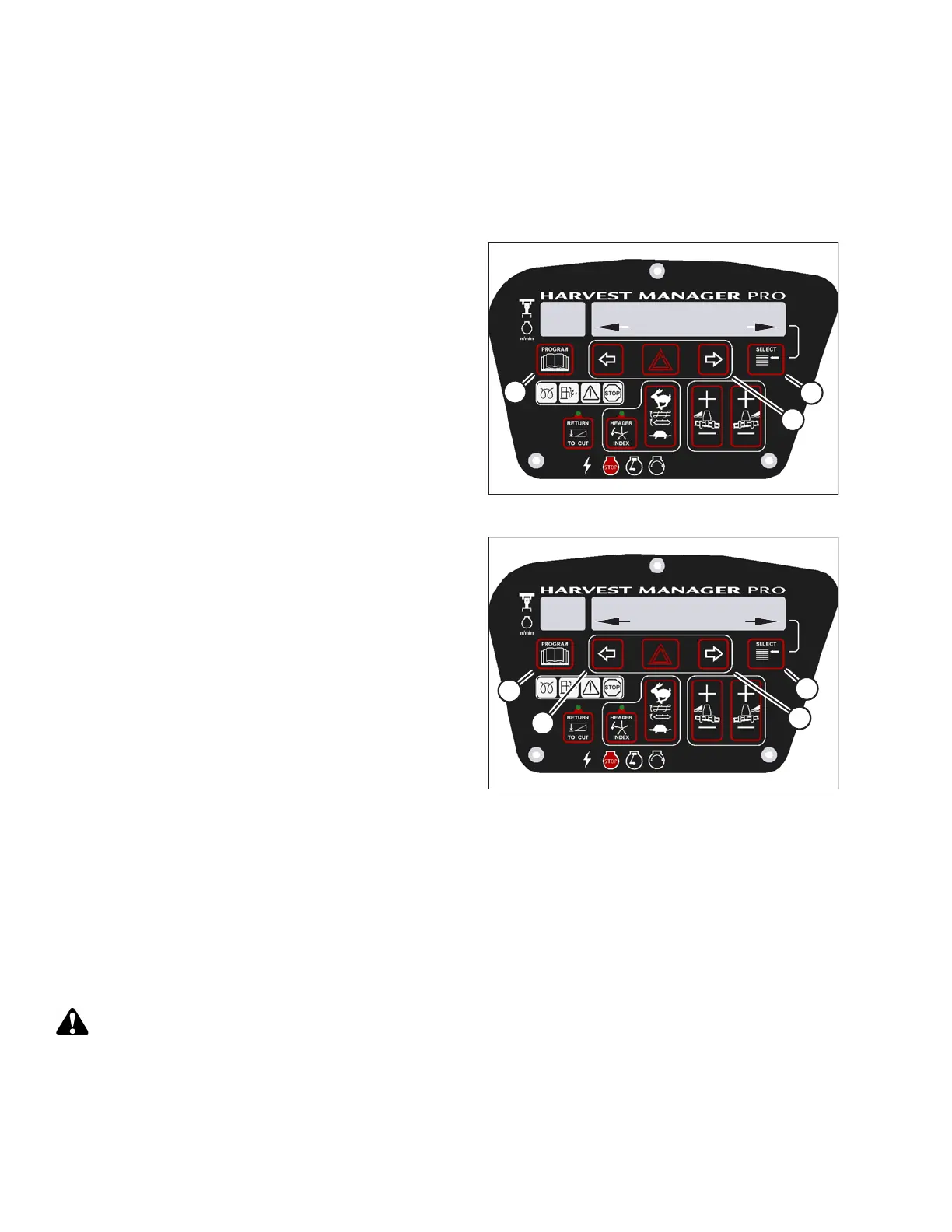
Figure 3.86: M205 CDM Programming Buttons
1. Turn ignition key to RUN, or start the engine.
2. Press PROGRAM (A) and SELECT (C) on cab display
module (CDM) to enter Programming Mode.
• WINDROWER SETUP? is displayed on the
upper line.
• NO/YES is displayed on the lower line.
3. Press right arrow (B) to select YES. Press SELECT (C).
• SET KNIFE SPEED? is displayed on the upper line.
1009998
AUTO RAISE HEIGHT?
4.0
C###
X###
D
C
B
A
Figure 3.87: M205 Auto Raise Height
4. Press SELECT (D) until AUTO RAISE HEIGHT? is
displayed on the upper line.
• Last measurement is displayed on the lower line.
NOTE:
The auto raise height ranges from 4.0 (minimum) to
9.5 (maximum), in 0.5 increments. A setting of 10
disables the auto raise function.
5. Press left arrow (B) or right arrow (C) to change auto
raise height.
6. Press PROGRAM (A) to exit programming mode or
press SELECT (D) to proceed to next WINDROWER
SETUP action.
Activating the Double Windrow Attachment (DWA)
NOTE:
• Follow this procedure if installing the DWA; however, refer to the DWA manual if you require additional
installation instructions.
• The DWA cannot be activated if the swath compressor is enabled.
• Follow this procedure if installing a drive manifold (MD #139508).
CAUTION
Check to be sure all bystanders have cleared the area.
OPERATOR’S STATION




 To Next Page